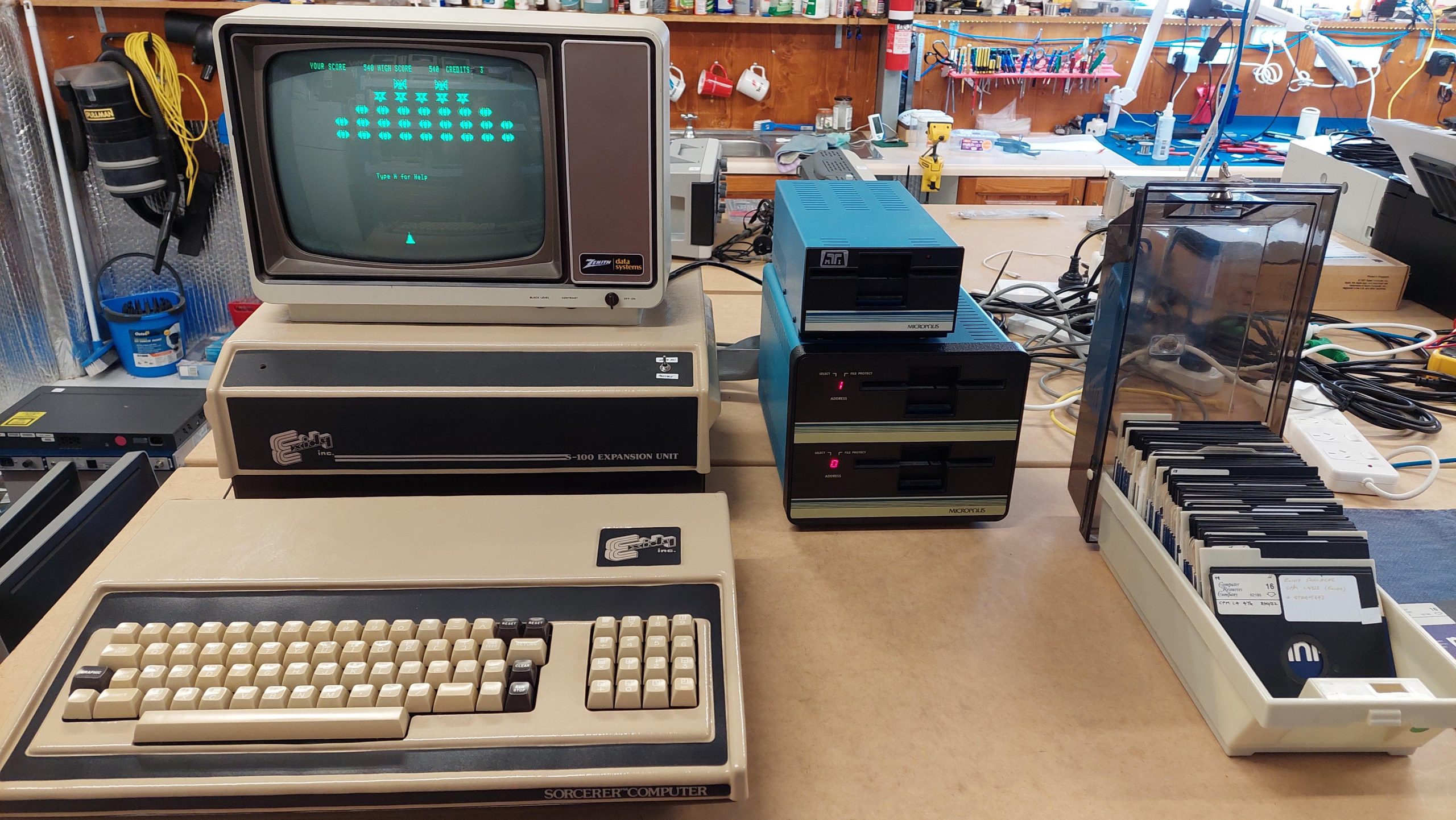
This is one of several machines that came from a ARC Group member, Andrew, who was rehoming his brother’s collection. Andrew has been remarkably generous, and that generosity has made a lot of things possible that otherwise would not have been.
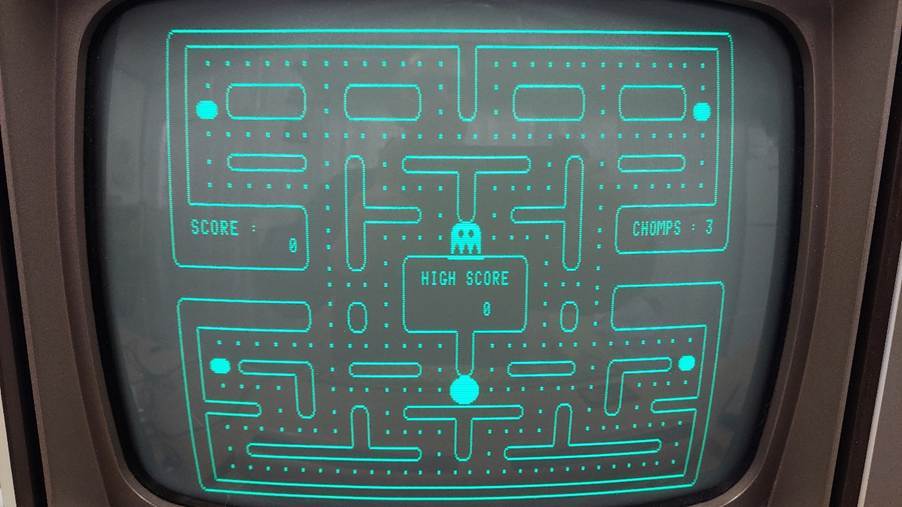
The Exidy Sorcerer represents the transition from S-100 microcomputers to more integrated designs. The computer unit with integrated keyboard has 48k of memory, rompac cartridge slot, video out, serial and parallel I/O ports, and an expansion bus. When used alone, the machine typically had a a basic ROM cartridge and programs were loaded from and saved to cassette. The machine has quite high graphics resolution compared to the other computers. Graphics were drawn using programmable characters.
Michael Borthwicks’s excellent presentation on the Australian applications of the Sorcerer from VCF Canberra is here:
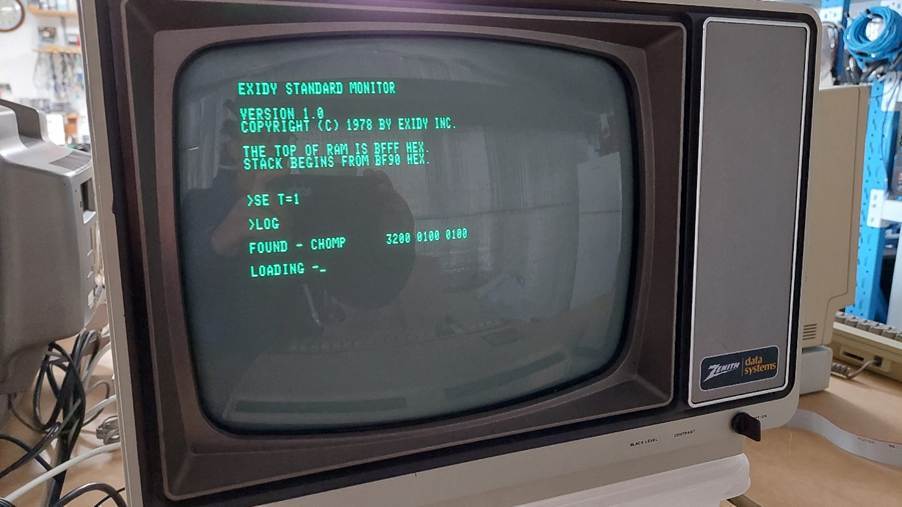
This machine appears to have been used by a business. The expansion unit connects to the computer via the expansion port. It provides 4 S-100 slots. This was used mainly for a disk controller – in this case a hard sectored micropolis unit that operates with up to four unusual 77 track 100 TPI disk drives. It boots Micropolis DOS, Exidy CP/M, Lifeboat CP/M and Software Source CP/M (i don’t have a complete system disk for this Aussie rolled version).
The disks are challenging to read and write, but fluxengine did the job for me, and greaseweazle is now also capable of working with these disks. Hard sectored disks are unusual. Fortunately i have enough but i have a virtual sector generator as well so that soft sectored disks can also be used.
I have also added an 8kB memory card to the expansion unit at the same memory location as the rompac slot. Basic can be loaded into the card so that programs for the rompac basic can be executed.
The Micropolis drive controller is in the expansion unit. It includes two PROMs that hold the 256 bytes of boot code. This is executed from the Sorcerer monitor with GO BC00. I found that the code was not executing as expected and when i compared with PROM images to those discovered on in the TOSEC:
These 82S129 PROMs are quite difficult to find, so i made up an adapter board for an EPROM. I used wire wrap sockets to connect into the existing PROM sockets. This has been working fine.
My Sorcerer uses a Micropolis hard sectored floppy drive system. It uses 16 sectors, each of which includes a 256 byte data section and 19 bytes of bonus “metadata” used by Micropolis DOS (MDOS). This metadata is ignored by the CP/M implementations (Exidy & Software Source) that i have encountered.
The drives have an unusual track spacing of 100TPI. This is unusual so imaging has to be done using the actual drive units.
FluxEngine is a very low cost imaging solution that support Micropolis hard sector disks as used on my Sorcerer. At the time, Greaseweazle did not support hard sectors. It has since been added. I’ll do a separate post on that.
I connected to the drive using a straight through cable and using drive:0. This selects the second drive in the dual drive unit (drive 1). For the single drive unit, DS1 (the second drive select) must be selected.
I used FluxEngine on a new PC, so there would be no USB bandwidth issues. My older machine does seem to work reliably, but if it gets busy then FluxEngine will sometimes throw a bandwidth error.
Initially i used my single drive unit (which I call Drive 2) mainly because it was compact. Once I started working my way through the disks, I found I was getting lots of errors. I thought that I might do better with the dual drive unit (I call the top drive “Drive 0” and the bottom drive, “Drive 1”). I found that Drive 0 was a little better than Drive 2 and that Drive 1 was the best drive to use.
The results were a little disappointing but some further reading of the FluxEngine doco:
hinted that I could fiddle with decoder.bit_error_threshold to perhaps get better results. 0.2 is the default. 0.4 improved things a lot. 0.5 was the best. With the wrong setting, a lot of empty (?) sectors were read. I also increased the retry limit.
Drive 1 remained the best performing drive. I tried messing with the alignment on Drive 2, but I could not noticeably improve its performance. I did some poking around with the scope but no obvious differences between the dual and single units leapt out at me.
Out of 87 disks, I was able to read 19 without any errors being reported. I was able to read another 18 with only a small number of errors. A further 38 disks didn’t yield anything usable. Some were shedding oxide, but most 24 were successfully reformatted. Many were unlabelled, so perhaps no great loss.
Disks that were formatted with MDOS were read using the 275byte sector size. CP/M disks were read with 256 byte sector size. My understanding is that CP/M doesn’t use the “metadata”, and the 256 byte size is much easier to view.
There were some examples of where I was able to copy a disk on the real machine, but FluxEngine was unable to read the disk without error, eg Disk 24. The copy read fine. This meant that there was potential to improve the yield by making fresh copies on the real machine. Ie The real disk controller is still doing a better job in real time than the flux engine does in slow time. That’s the advantage of inside knowledge, perhaps.
I attempted to copy all the errant disks to intermediate disks, which I subsequently imaged. I did this for the CP/M disks using COPYDISK. This yielded another 13 good images! I think this confirms that FluxEngine is way less tolerant of problems than the sorcerer system. Even many disks that had a lot of issues came good.
I repeated the exercise for the MDOS disks, which gave another 8 good images.
I was able to write back both CP/M and MDOS images:
The write process verifies each track by reading back so even the writes need the bit_error_threshold parameter.
Writing also work through the virtual sector generator to a soft sector disk. The disk can be read by the system if the virtual sector generator is used.
I was very impressed with FluxEngine. David Given has done an amazing job.
In principle the files on the CP/M disks can be extracted using cpmtools. This, however, requires knowing the disk definitions.
I was able to work out the skew table by looking at the directory sectors on track 2. I guessed the directory size for the 2.2 format.
There were actually two different CP/M formats for the two different CP/M implementations on the disks: Exidy CP/M 1.4 and Software Source CP/M 2.2.
I was able to make some guesses based on the sector arrangement, and when i looked at the images i could see the order of the directory sectors. They both use a skew of 5 but start with different sectors – which explains why each CP/M only works with their own disks.
The directory size was a guess.
I thought i had nailed the format, but later i realised that there were some issues.
The two CP/Ms that I have use 2kB blocks. Each directory extent can accommodate 16 block pointers, but they are not all used. I think there was a rule that an extent could only represent a maximum of 16kB (multiple extents can be used for bigger files) so the CP/Ms that I have only used 8 pointers and just waste off the other 8.
With the original diskdefs cpmtools would read fine but when writing it would use up to 16 of the pointers. This befuddled CP/M.
The fix was not obvious but I found a comment on one of the other diskdefs suggesting that
logicalextents 1
wasted half of the entries (which is what I want) so I gave that a try and it worked.
The Micropolis disk system uses hard sectored disks. This is particularly challenging for disk imaging systems.
Release 1.20 of Greaseweazle included hard sector support, so i gave it a try. I was able to read and write disk images with moderate success. Without a codec for the disk formats the software could not check each track and retry if necessary.
The Greaseweazle developer, Keir Fraser offered to add the fluxengine codec into the code which he did very rapidly.
I tried it out and found it worked very well.
I did find that some of the default parameters didn’t work well with my drives, but these were changed with the delays option.
The relevant commands are:
Get help
gw -h
Speed test
gw rpm –-drive=0
Head clean
gw clean –-drive=0
Set some safe drive parameters
gw delays –-step=30000 –-settle=10
Reads a micropolis disk into an scp file. The raw option keeps the sector pulses and allows reprocessing. Without the raw option the files are more easily viewed with the HxC tools.
CP/M files are read with the 256 byte option format=micropolis.100tpi.ss
When creating the image files, the sector integrity is checked and if the sector is bad it is retried. It was common for multiple retries to be required.
I did try to adjust some parameters (i had to with fluxengine) but i could not get much improvement. Nevertheless, it was quite satisfactory.
The actual system does better, so it often helps to make a fresh copy of a disk on the Sorcerer before trying to image with either FluxEngine or Greaseweazle.
I also tried using Greaseweazle to write micropolis images to soft sectored disks with a Virtual Sector Generator. It also works fine.
What i have not been able to do, so far, is to trick the Sorcerer into using a Gotek/Flashfloppy either with or without the Virtual Sector Generator.
As at V1.22 Greaseweazle includes the micropolis codec.
I use Greaseweazle a lot so i really appreciate the effort that Keir and others have put into its development.
Some of the basic games that have been stored as CP/M com files are missing from the sorcerer archives at Microbee Technologies (Alan Laughton is the curator) so i went through the process of transferring them back to audio files.
These were translated to wav files as follows:
At monitor GO BC00 to boot up CP/M.
Load the basic rompac (LDRAM).
Reset – starts basic.
Bye to return to monitor.
SE T=1 to set 300 baud.
GO BC00 to boot up CP/M.
Load up the game eg A>LAIR to load up LAIR. This starts up the ROMPAC basic.
Load up Audigy on a PC.
Set recording gain to max and the input to mono.
Connect LINE IN on PC to AUX on Sorcerer.
Start recording and enter CSAVE LAIR.
When the sorcerer comes back with READY stop the recording and trim if necessary.
Apply a good 20dB of gain to maxout and square up the waveform.
Export the audio to a wav file.
Check as follows:
Connect the PC LINE OUT to the input of the external amp.
Connect the external amp output to the EAR input of the Sorcerer.
Set Audigy playback volume to max.
Watch the EAR input with a scope and back off the Audigy volume until the waveform is clean and square.
CLOAD LAIR.
Hit play on Audigy.
The title should be shown in less than 30 seconds.
By the time the audio is complete, the sorcerer should say READY.
RUN and enjoy.
If you want to do another then breakout with ^C, BYE to return to monitor and GO BC00 to boot CP/M.
There were a number of games on the Sorcerer disks that fired up fine, but there were a large number that did not.
I got some help from Alan Laughton (Microbee Technologies) to work out what was going on. He spotted that the files contained basic. They were com files – so quite different from the basic files that you would load into the disk basic.
Browsing through the manuals and other data, it became clear that the ROMPAC BASIC work area had been set up in such a way as to allow programs to be saved and loaded with CP/M.
The ROMPAC basic has a lot more memory available to it than the disk basic. It doesn’t waste space on the interpreter or the operating system.
The first entry in the com file is a jump to the warm start area of the basic ROMPAC. This failed on my machine because i had no ROMPAC.
What i did have, though, was a 8k S-100 RAM card (Solid State Music MB6) which i could locate at the same address as the ROMPAC at C000.
The card, predictably, failed the Sorcerer Monitor RAM test, but the offending IC was found and replaced.
I tested it out by using ddt to load the ROMPAC which was moved up into the RAM card. Following reset, the “RAMPAC” was found and basic fired up.
“bye” at the basic prompt returned to the Sorcerer monitor and GO BC00 started CP/M again. One of the previously failing com files was loaded and sure enough it ran!
After that, i wrote a very short program that replaced the ddt step. This allowed another 23 games to execute.
I’ve since created to couple more which load the development and word processor ROMPAC code into the RAMPAC.
The memory card had a facility to write protect the contents, so i added a switch to the expansion unit to enable it.
I have accumulated a quite a lot of pre-1990 spare microcomputer parts including a lot of LS TTL, transistors, diodes, LSI parts in the Z80, 8085, and 8088 ecosystems, seven segment displays, and various analog ICs.
I have no inclination to mail these out, but i can help hobbyists in the Adelaide area, particularly members of the Adelaide Retro Computing Group.
I’m probably not going to be able to help out with bulk RAM or recap projects. You’re on your own!
I regularly buy and sell machines and peripherals. This is not a profit making activity for me; it’s just an important part of managing my hobby.
The temptation is to acquire an ever greater number of machines, but i only have so much space. I now sell/give as much as i buy/acquire. It’s not a profit making venture. I try to recover my costs, but that’s not always possible. In this hobby we have to accept that sometimes we pay for the entertainment value of constructing, restoring or embellishing a machine.
I will post items that are for sale on this site, but i would rather sell low than go through the hassle of postage. Typically, i prefer pickup either at my shed (Cockatoo Valley SA) or at a monthly ARC meet (Unley SA).