Macintosh TCP/IP

TCP/IP is required for applications such as FTP, Telnet, and browsers.

It was first implemented on Macs by MacTCP which was available for System 6 and was included as a part of System 7. In the absence of Ethernet, MacTCP uses AppleTalk as the “bearer”. TCP/IP packets are embedded in AppleTalk packets.

My Ethernet carrying SE/30 and a few other machines with Ethernet that i had at one time eg LC III and 660AV simply connect to TCP/IP services via Ethernet. I set up all of these machines to use the Open Transport TCP/IP implementation under System 7.5.5 or later.

My main interest is in the older machines, including the Mac Plus, SE, and SE/30. These machines (except for the one SE/30) only have LocalTalk connections.

The LocalTalk Bridge on the SE/30 (or various other machines with Ethernet) will happily move the AppleTalk packets to the Ethernet, where they are embedded in TCP/IP packets. This means that the original MacTCP packets are embedded in an AppleTalk packet, which is then encapsulated in a TCP/IP packet. They are effectively on a separate virtual TCP/IP network.

To overcome this, a router is required. After a little searching, I found that IPNetRouter is a viable solution.  I also found that although it still requires registration, there is a free registration for non-commercial use.  You have to go back in time to pick up a promo version:

http://web.archive.org/web/20080328045722/http://www.sustworks.com/site/news_promo.html

The versions cited in the article are for PPC.  For 68000 use 1.54 with the same codes.

The router can run on any machine on the Ethernet network. The LocalTalk machines still need to be bridged to Ethernet, but not necessarily on the same machine as the router.

As per the instruction, i have set up a private network, 192.168.0.x behind the router.  The MacTCP clients don’t seem to support DHCP, so the IP addresses have been allocated manually, with the router address being 192.168.0.1. The IP address on the Ethernet side is allocated by the network DHCP server.

This is a screenshot from an LC III that was running IPNetRouter but i’ve also run it on the SE/30 and a 660AV.

Example of a localtalk client:

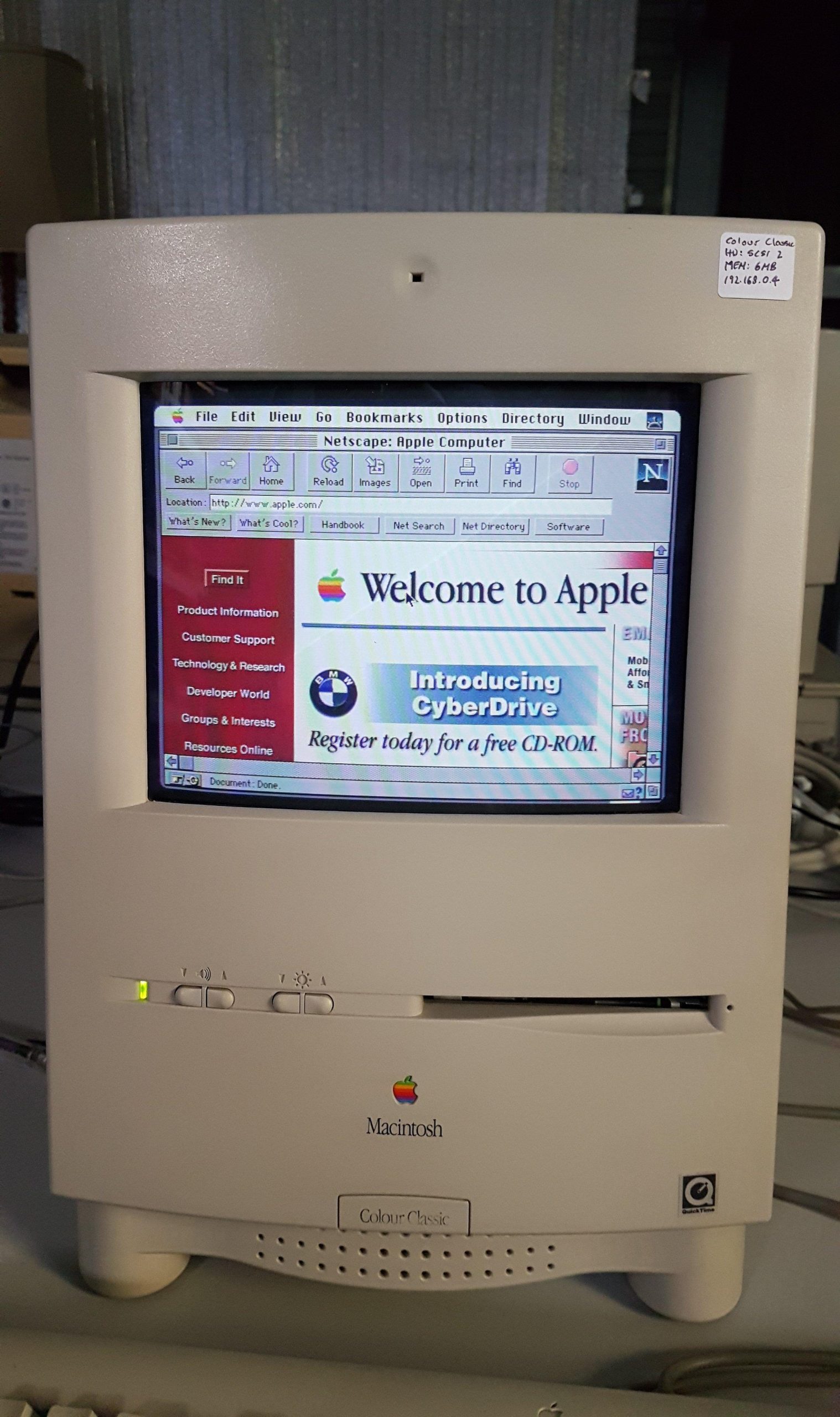
This allows all System 7.5.5 machines to browse the internet using Netscape.  The colour classic, running System 7.1 only has 6MB of memory, which is insufficient to support Netscape. It does work if swapping is turned on.  I have not succeeded in getting the 6.0.8 machines to run a browser.

All machines support telnet and FTP clients. 

I was able to log into an internet BBS and also into my SGI workstation.

I came back to this a year later and had a bit of trouble getting it going again.  Fortunately, I had the images above.  It seems that the configuration needs to be saved and then reloaded.  Perhaps a default file is loaded on startup.

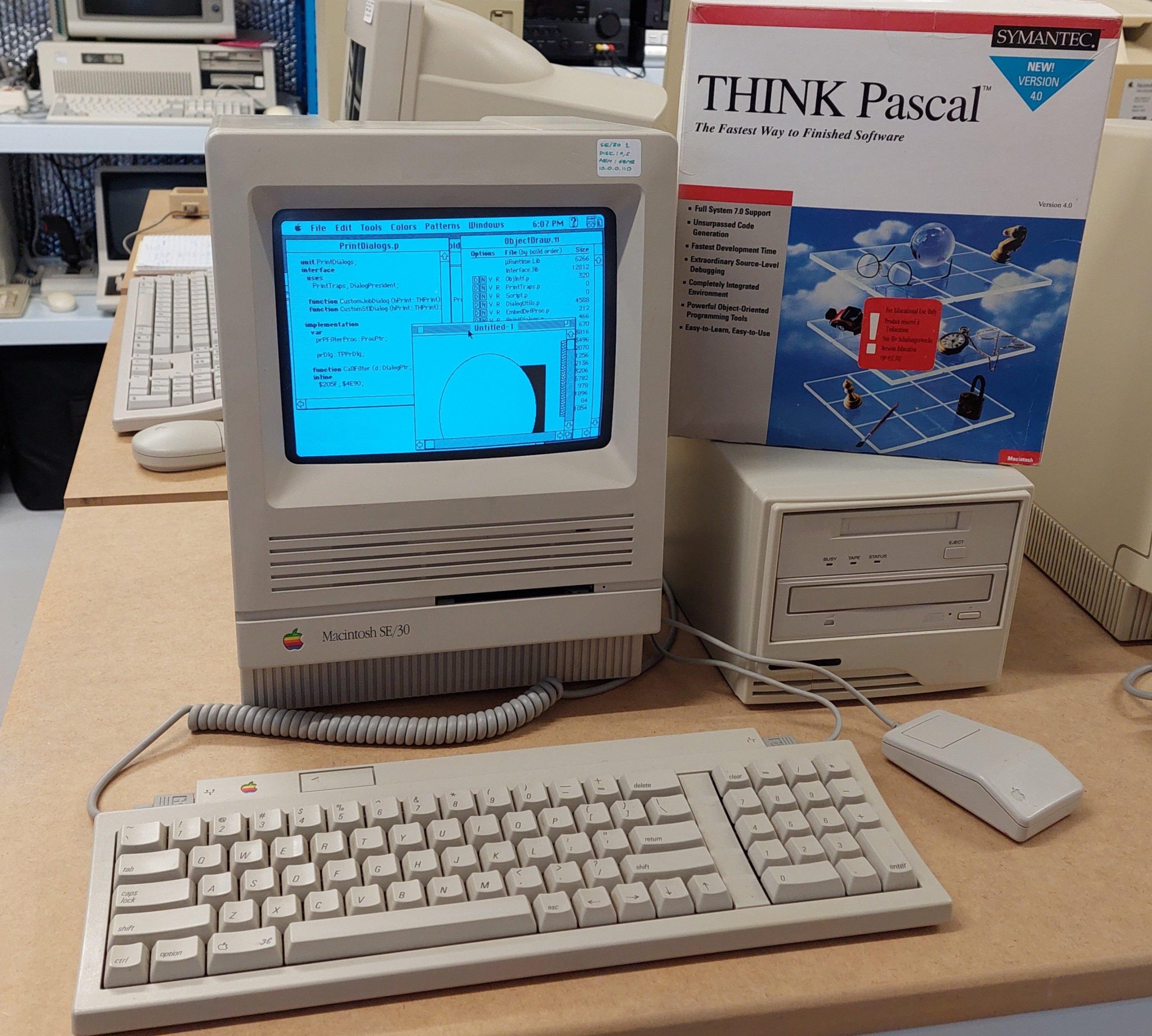
SE/30 1 Intro & Power Up

I have had three Macintosh SE/30. The first one (pictured above) was a purchase from a well known auction site in about 2018. These days everyone seems to want an SE/30 but considering it was in working condition, had 32M of memory, and came with a network card, keyboard, and mouse the cost was pretty good. Given that it was a working unit, i powered it up immediately. It booted up fine on the hard disk, but i did notice the audio was very low which was a hint that the logic board capacitors needed work.

On first use, i broke it. I was very much a beginner with old macs. I put in a disk and when it ejected the eject drive gear broke. There’s a lesson.

Of course, the gear probably would have broken anyway; they go brittle. I was able to buy a replacement online.

I now clean and lubricate 3.5″ drives on arrival. IPA is generally sufficient for cleaning. Silicon grease or bike chain lube seem to be ok lubricants.

I then discovered that Macs are hard to open. I had to by the required torx bit, and then gradually lever the case open (i later got a mac cracker).

I noticed that the insulating card on the back of the analogue board had been replaced with piece of plain old cardboard. It was probably fine, but I replaced it with the appropriate material.  It wasn’t quite as large as the analogue board, but it covered all the active areas.  Later, i swapped in the correct card.

Premium Apple Service Centre repair!

The SE/30 has a reputation for leaky logic card capacitors. i replaced them with tantalums. I also replaced the PRAM battery.

SE/30 1 Ethernet

The hard disk had System 7.5 installed.  With a Daynaport Ethernet card and plenty of memory available, I wanted to get as much network capability as possible.  There is a very good networking guide here:

http://www.applefool.com/se30/

I won’t describe the hoops i went through to make the OS installation disks back in 2018, because nobody would do it the same way now. Greaseweazle is now available and is a much easier way to write disks. A FloppyEmu is an alternative method, which emulates a floppy disk drive, and avoids the need for floppy disks at all.

At least the SE/30 can read PC format 1.44MB disks. I installed System 7.5.3 and then System 7.5.5 from images downloaded from the web. 

To get the networking running required the drivers and some additional files for the Daynaport network card and Open Transport.  Transfer of unarchived files from anything other than a mac running a classic operating system is a frustrating experience.

The old Macintosh OS used a novel file system that had two forks stored under the one filename.  Once they come through a PC (or virtually any other computer) one of the forks has disappeared so that the resulting file is often unusable once transferred.

There are some specific formats that survive the process – Stuffit and binary files, although sometimes these need to be opened from the Stuffit application – the application associations are lost when the resource fork disappears.

Those archives, once transferred to the SE/30 can then be unpacked in their native environment which retains the resource fork.

Once open transport and either a browser or FTP client are setup, files can be downloaded without any need for floppies or serial transfers. Serial transfers were required for files larger than 1.4MB.

There was a version of Stuffit on the hard drive already, and i was able to transfer Mackermit across via a floppy disk.

Then I made up a serial cable to connect from the SE/30 to a PC.  I used kermit95 to transfer the files I needed across to the SE/30.   It’s important to configure Kermit to use the binary protocol. 

Using kermit I transferred:

  • Daynaport Installer
  • Open Transport 1.3
  • Internet Explorer 3.01
  • Netpresenz (ftp server)

The Daynaport card has a significant limitation in that it only seems to support half-duplex operation.  This means that the connecting device needs to be able to be configured for 10Mbit half-duplex.

At the time i didn’t have a managed switch (i now have several), so I added a second card to a PC, configured it as required, and then bridged the networks.  This required a crossover cable to the mac.

This allowed primitive browsing (forget https) including downloading of files.  I found that although it was difficult to browse to a file, it was possible to discover it on another computer and then type in the (nearly always) lengthy url into Internet Explorer 3.01 to complete the download.

FTP as a client or server is also quite viable.

With the SE/30 setup, it was much easier to set up other Macintoshes.

SE/30 1 Flyback Issues

Within a couple of weeks of purchase, the system completely died – black screen.  I thought this could have been the analog card or the power supply.  When I took the cover off and turned the machine on, I was intrigued to see a beautiful blue corona on the flyback transformer.  This is the component that creates the high voltage for the cathode ray tube. 

The tracks are at 5 o’clock on the image above. It did cross my mind that, as the fault was visible, it may be fixable from the outside. 

All the macs seem to have some high voltage putty around the anode lead. Perhaps this putty had failed, or perhaps a crack had opened up.  

There is a lot of fear out there on the internet about disconnecting the lead on the CRT.  I used a grounded screwdriver to discharge the CRT (a non-event) and then some long-nosed pliers to allow the high-tension lead to be disconnected. 

I bought some high voltage dope (like an insulating varnish) and after carefully cleaning I applied three coats.  The cleaning included scratching out the two carbonised, self-sustaining, tracks that had been burnt into the outer shell of the flyback transformer. 

It did end up with some bubbles after operation, so perhaps it hadn’t cured for long enough.  Nevertheless, it did the job and continues to do so.

SE/30 2&3 Cap Remediation

In 2018 i bought a job lot of Macintosh computers in varying condition. Amongst the lot were two SE/30 computers which had crushed the previous owner’s spirit. They nearly did the same to me.

One machine had a black screen. The other had a stripey “simasimac” display, ie the startup process was not getting to the point where the video ram was initialised.

The previous owner had done some work on the second machine, replacing the surface mount caps with through-hole caps made to fit.

I recapped both boards with surface mount tantalums and thoroughly cleaned the boards. I don’t do a lot of surface mount work, so some of the caps are not as straight as they could be!

There was till no joy with either machine. Some posts on the web suggested that the corrosive juices of the capacitors could penetrate ICs – particularly the row with UE8 which is adjacent to 5 leaky electrolytics. I replaced the entire row on both machines.

After this, The black screen machine progressed to having a classic “simasimac” screen like the other one.

This machine had a broken ROM socket. When i held the ROM firmly in position i was happy to see that the machine would start up. I crafted a kludge to hold the ROM in place, but it really needed a new socket.

The audio on this machine was quiet and crackly. Initially i thought that a transistor had been eaten by the capacitor innards, but i was surprised to find that there was no -12V because a power connector pin had been eaten away. Those capacitors are nasty.

This machine also had a curiosity of a previous repair to the yolk connector. One pin was clearly not making good contact and had overheated. The pin had been bypassed.

The recap and clean had no effect on the other machine: still simasimac. I swapped every component that i could easily swap – no joy.

I did notice that messing with the RAM could cause some changes in behaviour – a curious collection of different chimes at different times – often two chimes. On the scope i could see that the boot behaviour varied. It looked like the RAM test might run for a short time or a long time.

Sometimes it changed just by touching signals with the scope probe.

I spent many hours, coming back several times over about three months, trying to work out what was going on. I Eventually found that it was very sensitive to the probe being on some of the CAS lines. I found that the resistor pack next to the RAM sockets and right next to a leaking capacitor had failed – the internal resistors were not isolated from each other. I replaced the pack and the machine fired up.

Macintosh SE x 3

With Plasmo for scale.

I have had 3 Macintosh SE computers. I bought one from an auction site and picked up another two in an auction lot.

Each of the machines either had, or developed, hard disk issues. The drives were replaced with SCSI2SD or BlueSCSI and System 6.0.8 was installed.

In each case the PRAM battery was replaced, and the floppy disk drives cleaned, lubricated, and in some cases, aligned, although probably not perfectly.

Each machine had a full 4MB of memory.

One machine did suffer a calamity where i managed to short power to ground while working on an unreliable keyboard – not my proudest moment. I had to replace the common mode filter which had served as a fuse.

One machine had quite a funky screen; the top right corner was well out of position. This was moved by rotating a couple of the small magnets positioned around the screen.

All the screen sizes were adjusted to the height and width in the service manual.

Individually, these machines individually are not particularly exciting, but they do network up well; a topic for another post.

I “gave” away one of these machines as a token offering for some favours i was granted!

Macintosh Classic

This Macintosh Classic was given to me by my friends, Paul & Margaret, so it means just a little bit more to me than the average Classic.

These machines are somewhat notorious for leaking capacitors and batteries. The only other time that i worked on one of these machines, the corrosion was awful.

I started by opening up the machine for a look. I was happy to see that the battery had not leaked and that, although the logic board capacitors had leaked a little, the damage did not seem to be severe. The analog board seemed to be in good shape.

I gave the logic board a quick clean and then powered it on. I was greeted with a chequerboard.

At that point, i ordered some replacement caps. When they arrived, i carefully removed the old ones with hot air. With the old caps off, i could clean more thoroughly and then inspect the tracks around the capacitors.

Cleaning involved a good wash with PCB cleaner, removal of corrosion with vinegar and then several days with deoxit in stubborn spots.

I carefully scrapped away loose solder resist and cleaned up the copper beneath. A fault was clearly visible under C8. I made the connection using kynar at the source and destination pins (an address line to the ROM). I didn’t want to have a dodgy track repair under a component.

I tinned all the exposed traces and then replaced the capacitors with tantalums. The battery was replaced.

With the track repaired, the machine came to life!

This machine has a total of 4MB of memory. The original hard disk is going for the moment. The floppy disk is operating nicely so it may be a handy bridge machine for 800k disks.

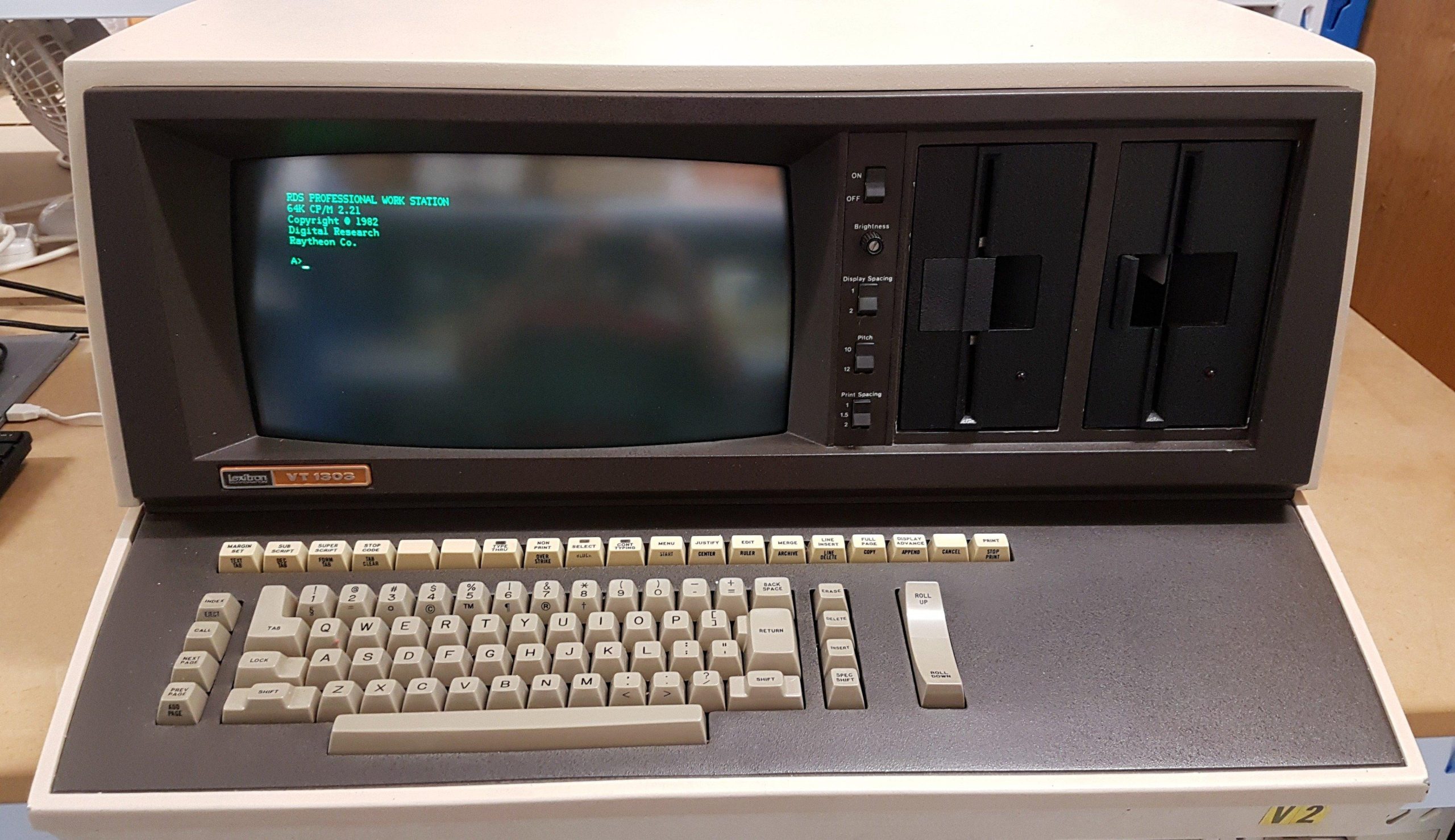
Lexitron VT1303

It was never my intention to buy this machine.  I drove out to Lewiston (just north of Adelaide) to collect another purchase, and the seller asked if i would be interested in this mammoth. It had apparently come from a South Australian government department, but had been subsequently used by the seller and his family for several years during the eighties.

I did some quick research and found that it was a word processor – not really my cup of tea.  In the end, i bought it for about the value of the two drives.  It also came with a daisy wheel printer, a long and heavy-duty printer cable, a couple of manuals and some beaten up looking disks.  The screen looked like it had some kind of disease, which was later identified as CRT cataracts.

I was happy to find that the drives were Shugart SA400 drives because these are the first really successful 5.25″ drives.

Backing up the disks was an exercise in itself, but once done, i set the machine to work.  I replaced a shorted tantalum and gave the drives some love. I started the machine up and, surprisingly, the machine booted into its word processing program.

Mild joy was short-lived: the keyboard did not work, and it was the microcontroller that had failed.  At this point i should have pulled the drives and some other spares and sent it off to the recyclers.  Instead, i built a teensy based replacement for the microcontroller and reverse engineered the keyboard.  This act of madness yielded a system that was close enough to demonstrate the machine as a word processor.

Along the way, i had picked up hints of CP/M being available for this machine.  I periodically did google searches to see if there might be some images kicking around and to my surprise about 3 years later they appeared on archive.org (thanks to the person who did that – dasher perhaps).

Once written, with some help from an Adelaide Retro Computing Group member (thanks Mick S), the machine was able to boot to CP/M and take on a new life as a computer.

If the success of a vintage computing purchase is measured by the hours endured to get it working (the primary entertainment value), then this machine has certainly delivered.

For a little history of Lexitron see the video here: