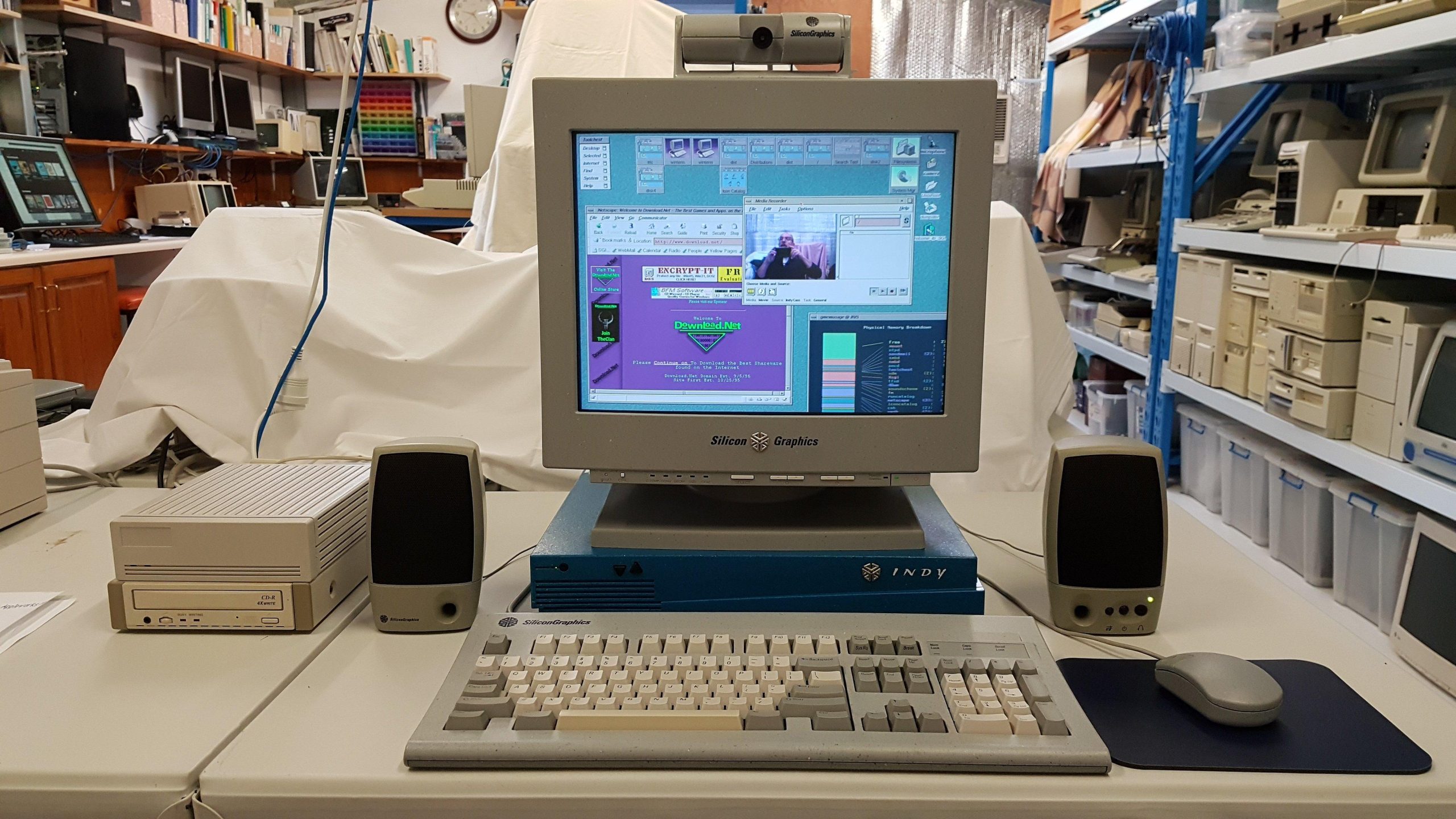
I bought this from Retro Computing Group member Jon. He and our fellow member, Michael, acquired a few units and swapped parts to get a some reliable systems. This one received a Sony power supply in place of the original which was a somewhat unreliable type (by reputation) and an additional disk (not sure if there’s a problem with the original). Michael installed Irix 6.5.
The unit itself was in good condition and came with SGI monitor, keyboard, mouse (not working), and video camera. It also had some books and installation media.
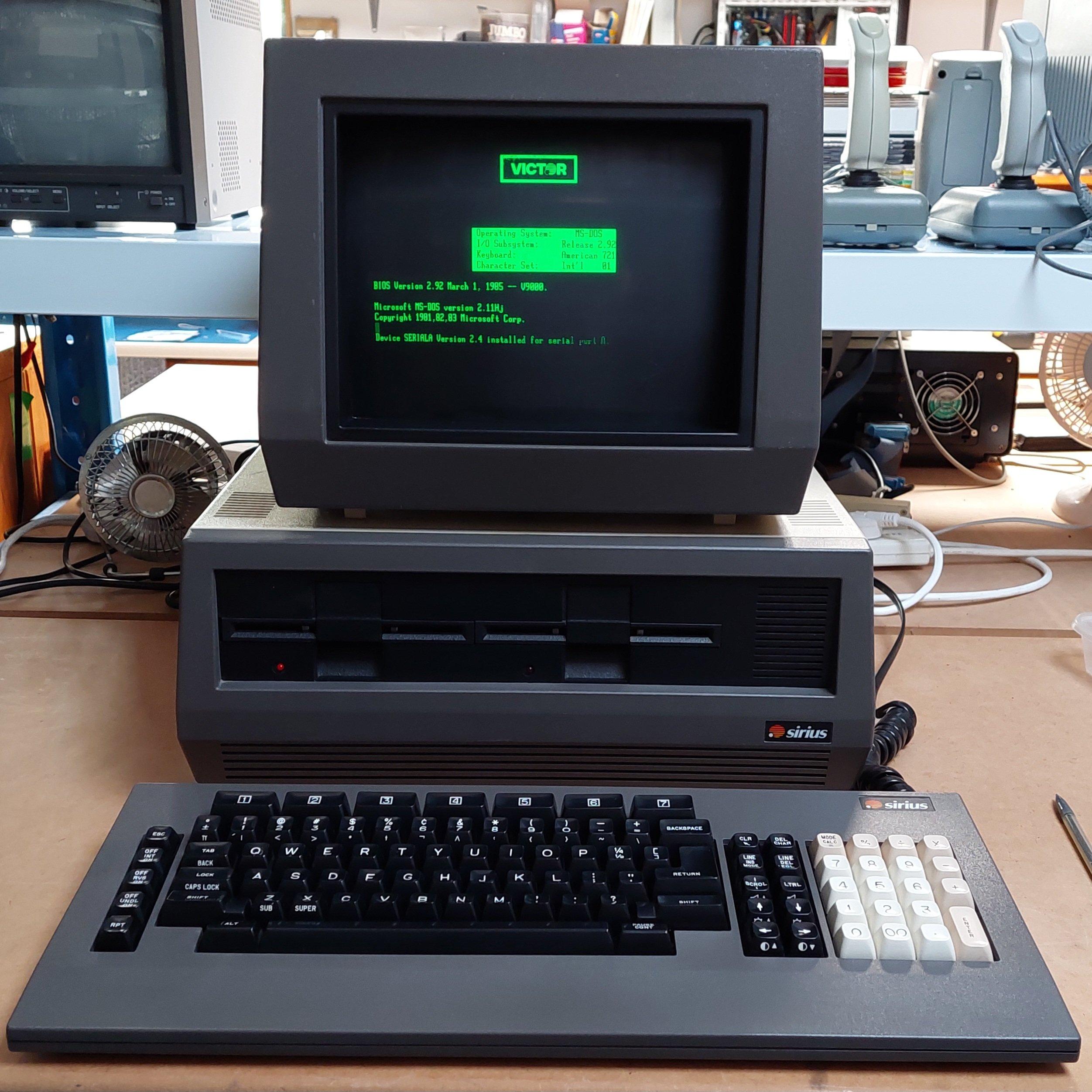
The Sirius One was a moderately successful attempt to produce a 16 bit business machine using MS-DOS and CP/M-86. It was targeting a similar market of that of the IBM PC and although it runs the same operating systems as an IBM PC it is not a PC-compatible. Both machines were released in 1981.
The machine was sold as the Sirius One in some markets and as the Victor 9000 in others.
It was designed by Chuck Peddle, who is famous for designing the Commodore PET. It sold well in the UK and Europe.
The Sirius One did have some significant advantages over the IBM PC, including 800 x 400 pixel graphics, more sophisticated sound, and 600k single-sided 80 track 5.25″ drives.
The drives used variable speed to more efficiently use the longer outside tracks. The Apple Macintosh 3.5″ drives used a similar approach.
Furthermore, it has some nice touches like prompting for disks with icons and automatically detecting disks. It is happy to boot from either drive.
Soft keys for contrast and audio volume also add to the feeling that this computer is quite highly evolved for 1981.
Like the IBM PC, it had expansion slots – but not the same as the IBM ISA slots.
This particular machine was spotted by a ARC colleague, Mike, at a former recycling depot. It had been a little mistreated during the “about to be recycled” process, but nothing too severe.
It has 128k of memory on the main board and another 128k on an expansion card. Printer and serial ports were built in.
I think the monitor should be sitting on a pivot base, but that must have been lost along the way.
The Monitor required a simple cable repair after some rough treatment. It’s powered from the main unit.
I inspected the power supply. Somebuddy had powered the unit on fairly recently, probably in preparation for sale, and one of the line filter capacitors had smoked. I replaced 3 X and 2 Y capacitors. I load tested the power supply, and it was good to go.
The drives were in very good condition and i just cleaned and lubricated the rails. One drive light is a little dull.
Overall, the machine gives an appearance of far greater quality than an IBM PC. It comes apart easily.
Looking from the top: Floppy Disk Controller. Three spare slots on the expansion bus.After Floppy Disk Controller has been removed: Motherboard128k Memory Board
The keyboard is not great. The foam pads will need to be replaced (like a Compaq Portable or Kaypro II).
The machine did not come with any floppy disks. Fortunately, there are a lot of disk images available online.
Writing them is a bit of a challenge because of the unique format. They need to be written with an 80 track drive but with double density. I used a Panasonic JU-475-5. I tried another drive (Newtronics), but it seemed to only write reduced current for high density disk media.
Fluxengine supports the disk format and is happy to write it using a greaseweazle:
I found this method a little prone to crashes. The alternative is to convert the images to scp format using fluxengine, and then write the scps using greaseweazle. This does not verify the writes, though.
I now have the fluxengine hardware so that’s a third option to try.
The screen is very sharp. The brightness is controlled with soft keys. The monitor has an antiglare mesh built in.
High density 5.25″ disks have much the same capacity as 8″ double density disks, and they operate at the same data rate. A 5.25″ FDD typically has a few more tracks than an 8″ FDD.
This means that a floppy disk controller expecting to see an 8″ disk drive can potentially be fooled into working with an HD 5.25″ drive. This can be very handy if you don’t have an 8″ drive or if you want a more compact setup. This trick seems to work ok with a real HD drive or with a gotek/flashfloppy. 8″ disk images can be written to HD 5.25″ media without alteration using Greaseweazle, for example.
There are a few small issues. The first is the 8″ drive interface is usually 50 pins and the 5.25″ interface is usually 34 pins. The disk controller may have both interfaces (eg the Jade DD and the 16FDC) but not always (eg the Pulsar Little Big Board only has a 50 pin interface). If there is no 34 pin interface, then an adapter will be required. The 50 pin interfaces vary a bit, so a specific adapter may be required.
The second is that 8″ drives can detect whether a drive is single or double-sided and tell the host. The operating system driver may exploit this information (eg Jade DD CP/M) so there may need to be a way to fake this. For systems that use only single sided or only double-sided disks the signal can be tied appropriately otherwise a switch may be required – and if there are different drives in the system then it may be necessary to take the signal low through a diode from the drive select line.
Third is that 8″ drives typically produced a ready (RDY) signal. Without this signal, a host may just hang. This signal is available on many drives and can usually be setup on a gotek/flashfloppy but it may not be connected on the 34 pin interface. This can be overcome by connecting pin 34 on the 34 pin interface to the appropriate pin on the 50 pin interface.
The disk drive looked awful inside and out and once the loose debris was removed it still looked awful.
The cover was very corroded and the IEEE-488 connector was broken although the pins were intact.
After a wipe over, a blowout, and a first board wash started to look a little better with the board appearing to be less corroded than the computer boards.
There was no rush to get the drive going because I didn’t have a computer to test it with, and I didn’t have a connecting cable. I ordered a short GPIB cable from China and an edge connector locally with a view to modifying the standard cable.
PCB corrosion was treated with soapy vinegar and after two passes the board was quite acceptable. The IC legs were in much better condition than those on the computer boards.
The tin can was treated with deoxit over several days and was then cleaned and painted with zinc paint.
The drive was thoroughly cleaned and lubricated. It had no corrosion and the head carriage moved freely.
The case was processed in much the same way as the computer bases. See above. The corrosion was severe enough that filler was required. I’m at a loss to explain why the case was so corroded but the PCB was good – despite the ventilation slots on the top of the case.
Transformer voltages were checked before power on. I was surprised to find that the drive started with a spin and then gave a solid light as per the manual. This was a good sign.
Alas, smoke followed, which is when I realised that there was probably a Rifa hidden away inside the IEC inlet filter.
Although I had a spare filter, it was too large to fit under the wiring cover, so I have reverted to a simple inlet with no filter. I don’t like doing this, and I will revisit in the future.
I made up the cable by unpicking one of the GPIB connectors and replacing it with an edge connector. The supplier sent the wrong size, so I had to cut it down to suit (2×12 rather than 2×22).
I made up a 2031 demonstration disk using a greaseweazle and a 40 track drive. I had trouble doing this via SCP, but it worked fine writing direct. Initially the drive was unreliable, but after a more exacting cleaning of the head it ran and passed the drive performance test.
Most games were written for 40 columns, so for the 80 column machine to work it has to run in a 40 column compatible mode. This is done by running a program which effects the changes: CBM4032.
The program was easy enough to find, but I had to put it in a disk image. As is often the case, there’s an app for that. I used DirMaster. Then the image just has to be written with greaseweazle.
I found that sometimes the disk drive stopped working. When it did, it is because the head carriage was not moving reliably. My best guess was that there is an intermittent fault in the stepper motor drive circuit. It did not seem to be the connector.
The soldering on the board looks very good.
When the drive worked it worked very well, so the fundamentals seem good.
I used the scope to have a look at the stepper motor drive signals. One was not like the others. The stepper is driven by a quad resistor array FPQ3724. The transistor at pins 12,13,14 did not seem to be presenting a 0.7V drop in operation. On the meter it looked fine. Pin 14 was quite corroded, so perhaps some moisture had got in. It’s also possible that it had just blown – not unusual. An identical array is quite hard to get so in the short term I’ve patched a BC337 transistor in parallel. This seems to have resolved the problem for now.
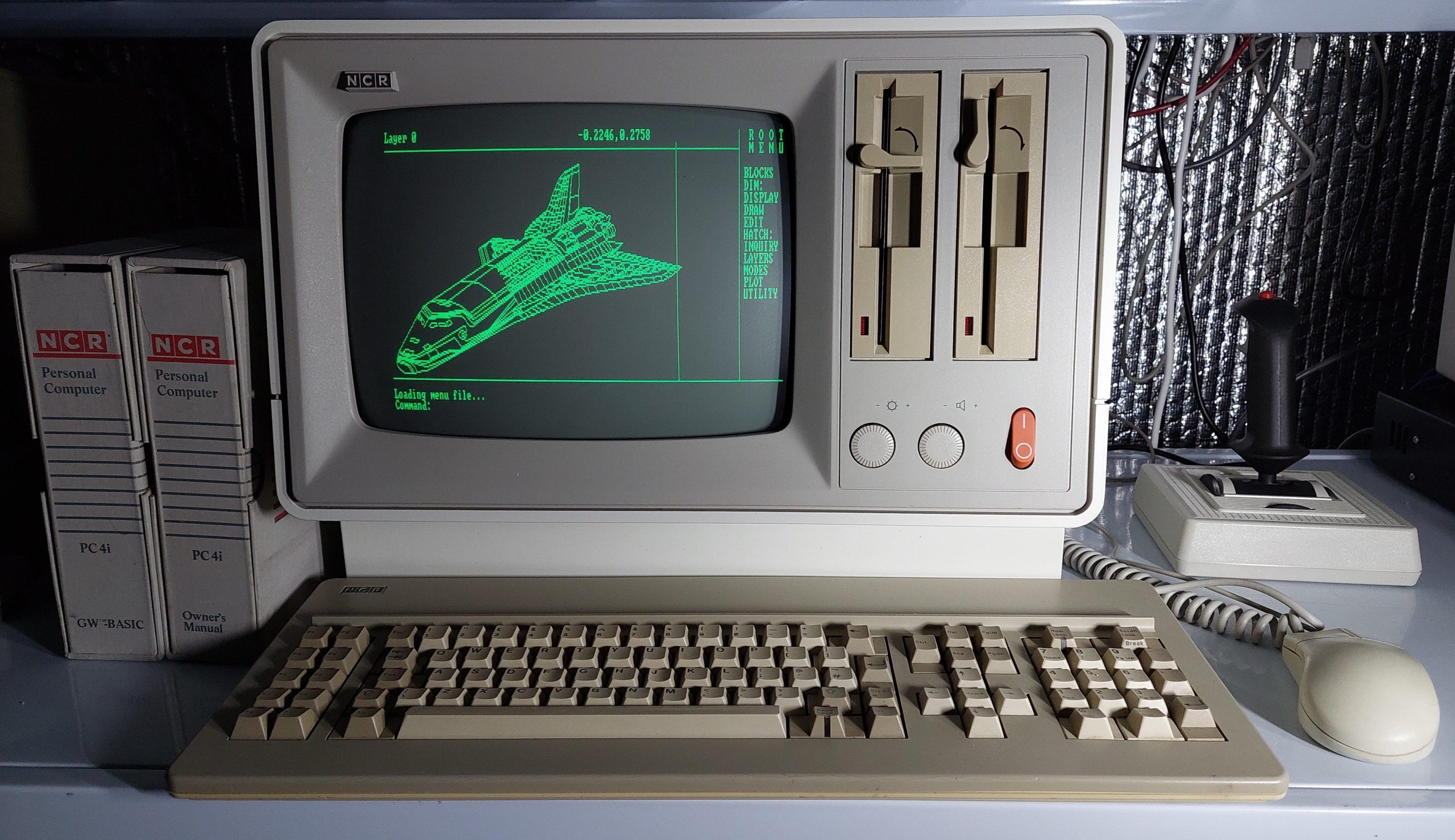
The NCR PC4i was a rather ridiculous example of love at first sight, and i paid accordingly! I purchased it via gumtree and after calling the seller and convincing myself that he was legit, i had it shipped from Perth to Adelaide. i still think it is a beautifully crafted and technically excellent IBM PC compatible.
This machine has monochrome CGA graphics. The motherboard, together with the ISA cards, is in a cage that is removed from the rear. Considering the all-in-one package (like a compact mac) everything is remarkably accessible.
I maxed out the memory to 640k and added serial I/O, game port, an ethernet card, and an XTIDE board. It happily connects to my network and can be accessed via FTP.
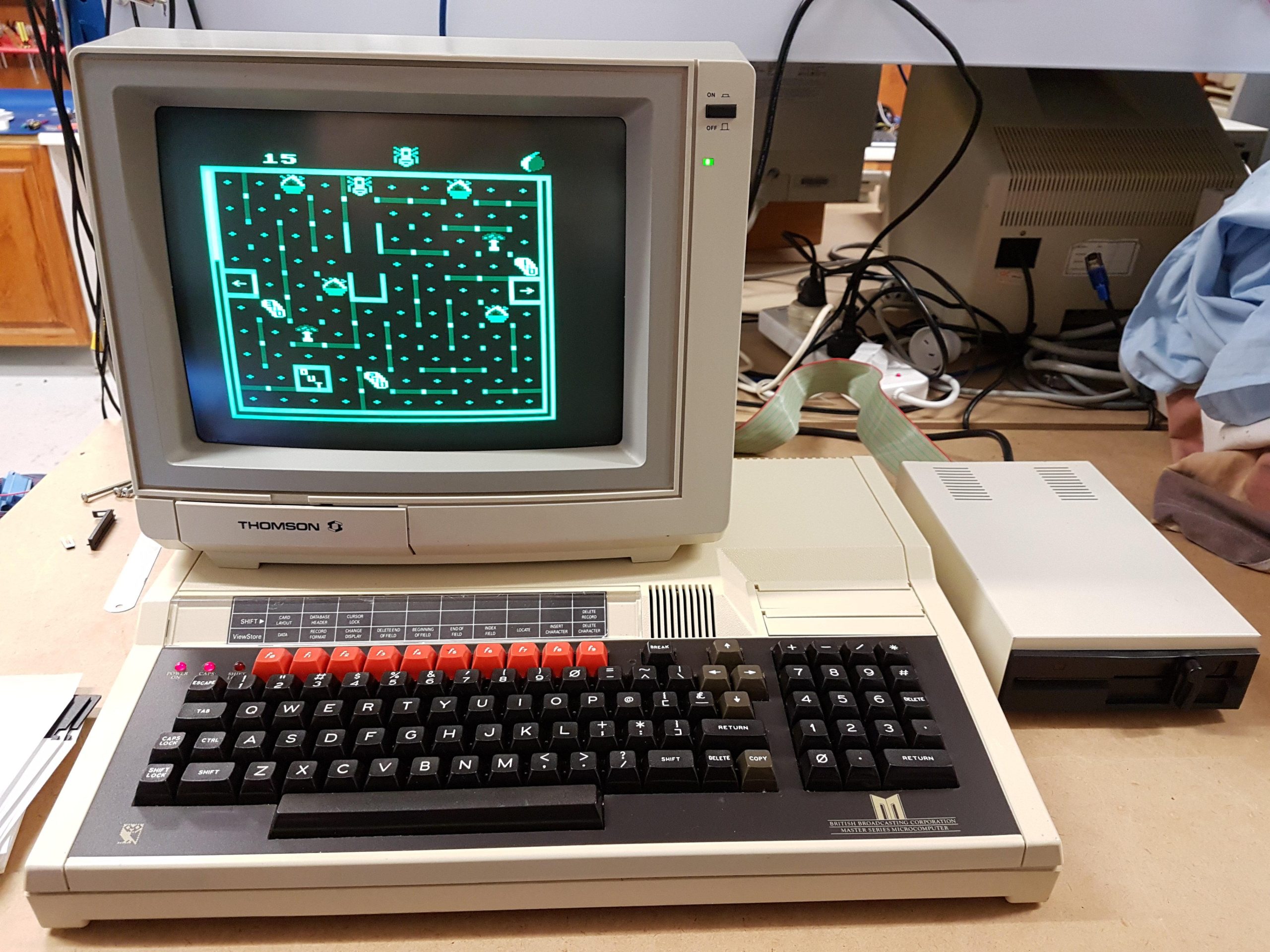
The BBC Master 128 is an evolution of the BBC micro and runs most of the software for that platform. The BBC ecosystem is like no other with its language and filing ROMs.
This machine was a gumtree purchase in about 2018. According to the seller, it was an ex-TAFE machine. It came with the Thompson monitor and a disk drive. After replacing the battery and reloading some parameters, it was good to go.
I added a modern mass storage solution Smart SPI which serves up more games than any person could ever hope to play.
The drive interface is just a normal shugart interface, so goteks play nicely as well.
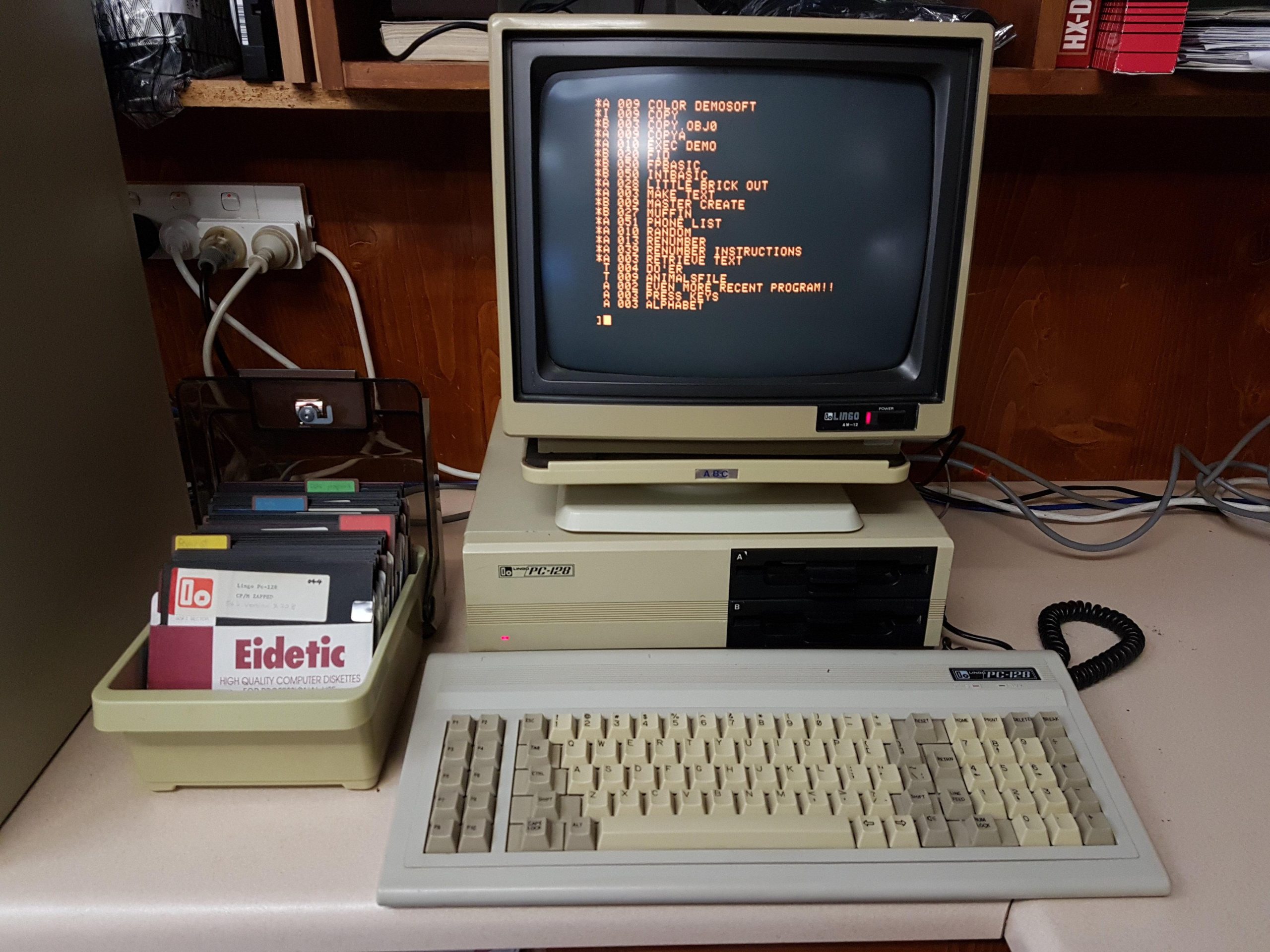
Over the 1984/85 summer, i earned enough money to buy my first computer. I was never going to be able to afford one of the big names, but my neighbour was selling some Apple II clones made in Singapore by Limco. I’m not sure that it was the most well-informed purchase that i’ve ever made, but the computer got me through my final year of uni and taught me a lot of things along the way.
It sat in a cupboard for many years and then in my shed for many more before i boldly applied power in about 2014. To my surprise, it booted up fine. I added a super serial card and used ADTPro to back up my floppy disks.
Compatibility is not perfect, but most programs run ok. The included CP/M included a RAM disk which used the additional 64k of memory. The keyboard interface is unique, but i have deciphered it so that i can use a PS/2 keyboard if the original fails.
The monitor is a rebadged Mitsubishi unit similar to the ones that were often used with Microbee computers.
It has two Chinon floppy disk drives in the flip top chassis. I’ve since added a couple more external drives – 160kB is not a lot to work with.
The machine came with an “80 column emulator”, a ROM Card, a disk controller, and a SAM card for speech synthesis.
The SAM card always amused people back in the eighties.
The white solder resist seems to have been unusual at the time. It seems to have been used on other Limco products as well.
The power supply is quite a neat unit.
It has RGB built-in. I only got to see it work 30 years after i bought it!
Sadly, i stupidly gave away the printer about 30 years ago. It was a rebadged Panasonic unit.
A couple of my reviewers noticed my tendency to use “i” as the first person rather than “I”. I won’t deny that it saves me using the shift key, but laziness isn’t the reason.
I use “i” because “I” overstates my importance in the grand scheme of things.
It’s something i adopted (probably copying a mentor) when i was young. I’ve carried it through my life for informal writing, including emails, notes, and stories.
I try to follow the rules for anything formal. This site is not, and will never be, formal!
For this site, i’m trying to describe my activities using the active voice style, which leads to a lot of “i”. I’d prefer to hide behind passive voice, but active voice is widely accepted as being easier to read.
Now stop wasting your time and enjoy the computers!