I received about 500 8″ floppy disks and some drives from a friend at the ARC Group (thanks Andrew). I set about archiving them and extracting the files. Alan Laughton helped sort out the disk definitions. There was some interest in how i’d done it so i wrote it up here.
The Apple II computer is iconic. It was the first computer that i ever touched – one arrived at Unley High in 1981.
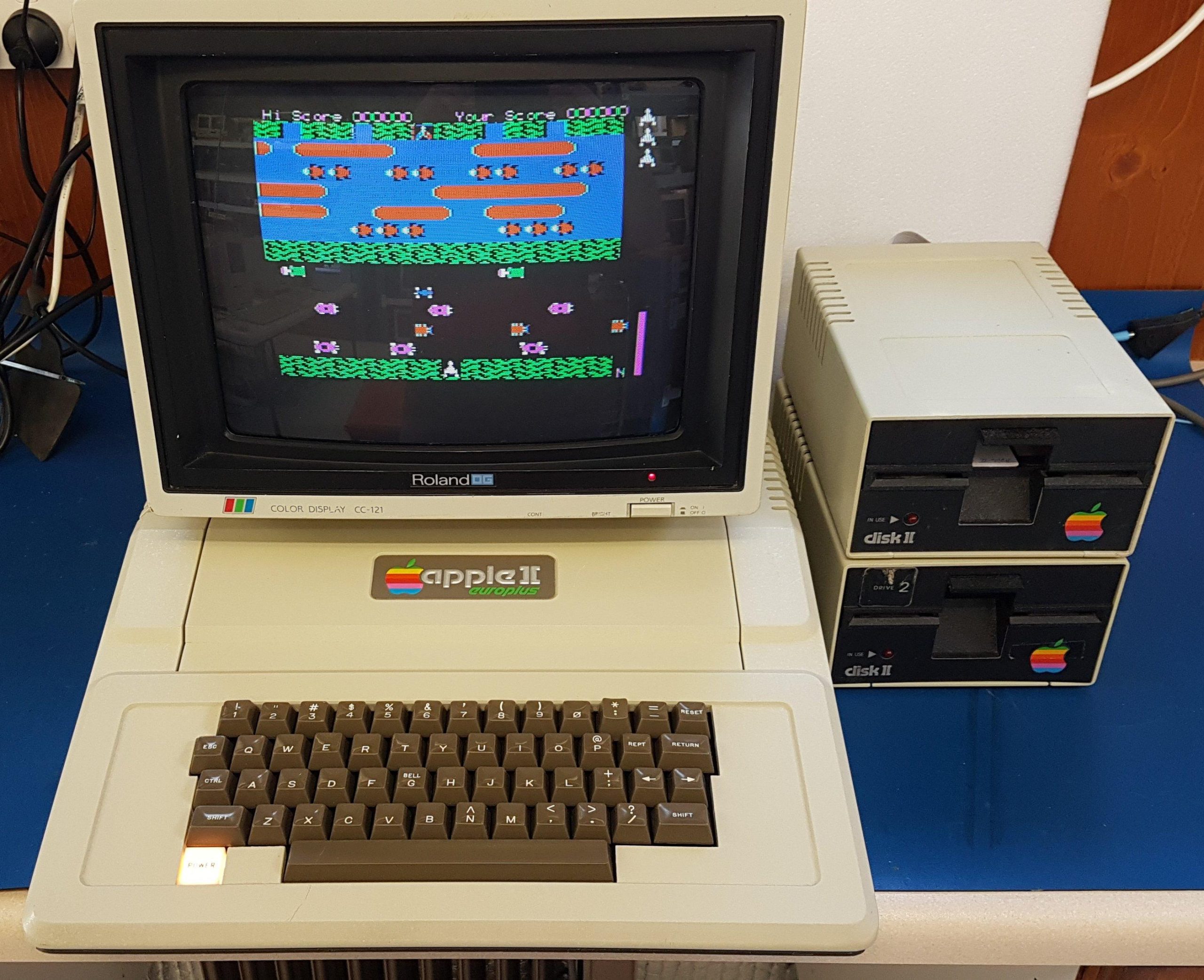
I’m sure there are original Apple II machines in Australia but the earliest i could expect to find was a Europlus which uses PAL video without the colour encoding from the factory. This one appears to have been manufactured in 1979 when i was still at school. It was owned by Flinders University.
This one was a gumtree purchase and came with two third party drives. It had a language card and a disk controller card.
The keyboard was missing a key, and the replacement i got was not for this particular keyboard – it’s easy to spot if you look in the pic. Perfection is not my goal.
The power supply looked fine other than the line filter caps, and the machine largely worked – most of the time. Often it would stop working, and then it would need a push or a prod on the motherboard to get it going again.
I don’t pull down stuff just for kicks, but i pulled all the chips, cleaned the board and the ICs – in some cases re-attached some legs that had broken – and put it all back together.
The controller card and drives were all faulty, so i suspect they came from a repair box at the university. The controller card needed one IC replaced. Both of the drives needed replacement Darlington drivers – one was cracked. I eventually replaced the third party drives with Apple units.
I like to fill slots, so i added:
Printer (Epson): Slot 1
Super serial: Slot 2
80 column card (Videx clone): Slot 3
Z80 card (softcard clone): Slot 4
Booti: Slot 5
Disk Controller (clone): Slot 6
RGB card (Taxan): Slot 7
I can also swap in a PAL card in place of the RGB which has some advantages when swapping between operating systems. The RGB card does not work with CP/M.
With the Z80 card installed i could boot CP/M but i got some strange behaviour including calculation errors in MBasic. The silkscreen indicated that IC B1 should be a 74S, but it was a 74LS. When i changed to the S part, the calculation issue resolved.
I also found an issue where the 80 columns mode would not work with Wordstar. This seems to have been related to a known problem with the Softcard when a Videx card is installed. The solution was to add a capacitor between pins 10 and 11 on IC15. This resolved the issue.
The booti card does a great job of serving up disk images including Total Replay. Real floppy disks provide a more genuine experience, but there’s no doubt that they take more patience.
Michael from the Adelaide Retro Computing Group had a Sun CDROM drive arrive for recycling. He kindly sent it my way. I think it’s probably one generation newer than the IPX but it will do.
Like the DEC CDROM, it was non-functional due to leaking capacitors. Once they were replaced, it made a great addion to the lunch box stack.
Michael also came up with a very weathered Sun CPD-1790AS monitor. It really needs a lot of work to clean up the interior metalwork. It is operational though.
The original optical mouse had always been a pain. While acquiring Sun Keyboards for my Ultra 5 project, i also gained several mice, including a Sun Compact 1 Ball Mouse which work much better than the optical mouse.
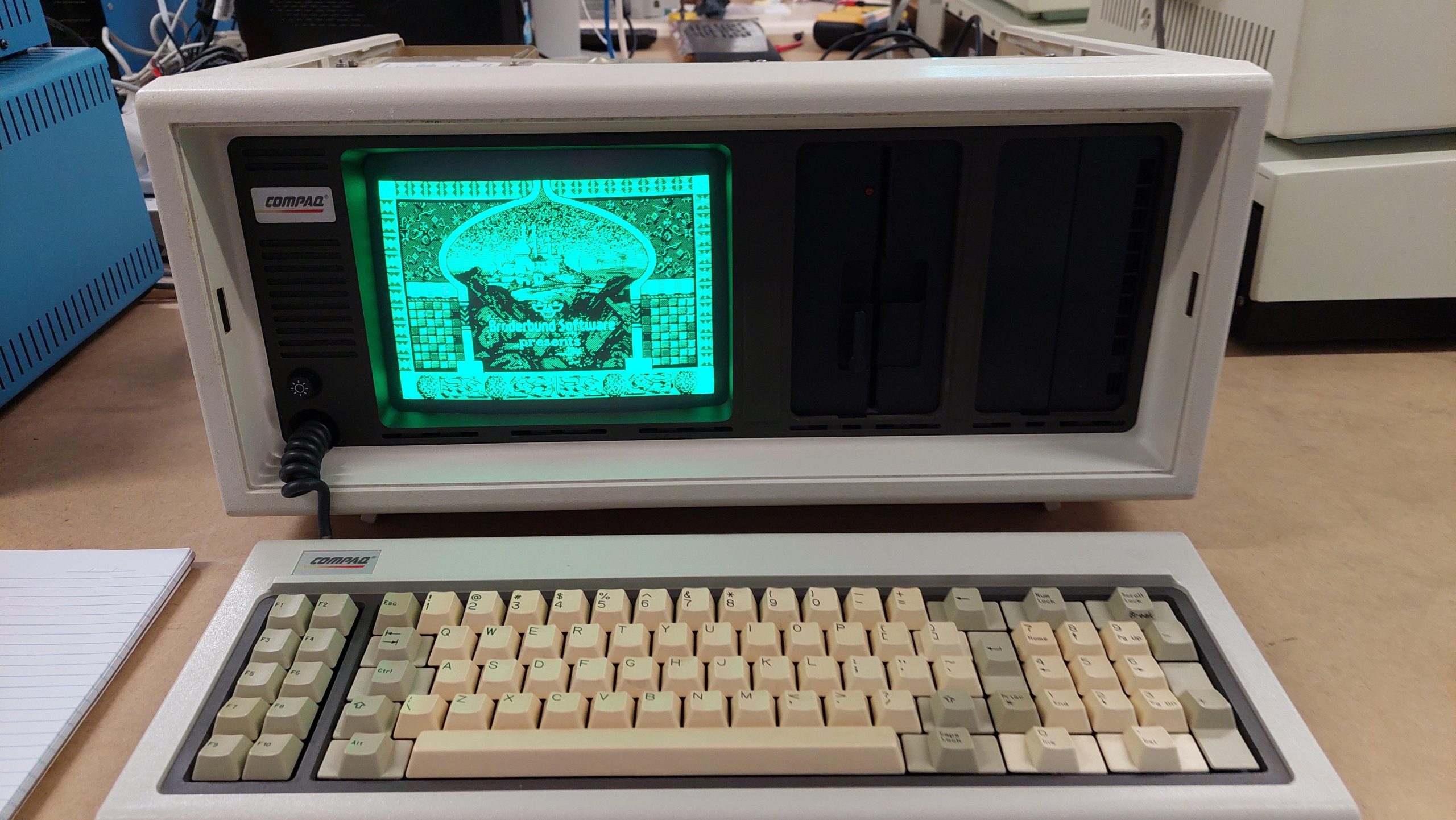
The Compaq Portable was an excellent engineering effort that established Compaq as a major player. The build is a sight to behold with its beautiful alodined aluminium panels.
The video display is monochrome CGA, but the text mode is of the same quality as IBM MDA. Nice work.
This one was a FB marketplace purchase in Adelaide. The seller said that a neighbour had given it to him when he was a kid in the late eighties.
The existing multifunction card had been badly damaged by battery leakage, so it has been replaced with another (thank you, Andrew). I added another multifunction card for some more I/O, including a gameport, and an Etherlink II network port so it can hop on my network.
The keyboard needed to be refoamed. I made the pads myself from some 5mm foam, a first aid blanket, and a leather punch. The foam i used was probably a little to dense, so they need a good tap. Quite usable though.
I often buy machines that need repairs because they are much cheaper and i get a kick out of fixing them.
I have benefited from a lot of support from ARC members. I try to pay those debts back/forward by doing repairs for other people. There are many in the vintage/retro community who do this. Andrew P and Daniel immediately come to mind.
This sometimes gives me the bonus of working on machines that i don’t own and has included a Lisa, A2000, X68000, 128D, Computer phone, ECS 4500, Microbee etc.
If i agree to do the job there is no labour cost, no warranty and no time limit! There’s no harm in asking, particularly if you have something interesting. No recaps though; i loathe them.
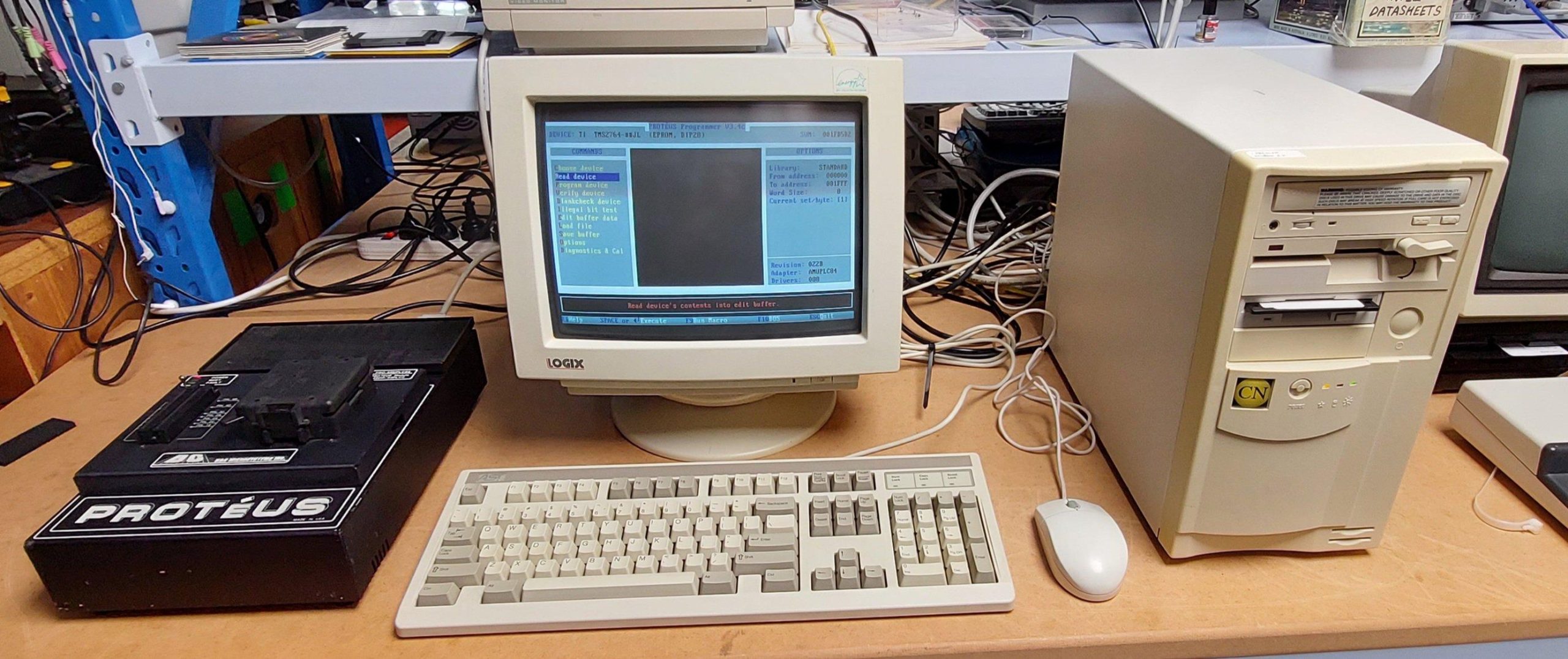
This machine is as much a tool as it is a toy. I use it to run the Proteus EPROM programmer (thank you, Andrew) which is very handy for programming old school EPROMs with high programming voltages.
The machine is quick enough to operate well with Windows 3.1 as well as doing a good job with a lot of DOS games.