Noting that some of the available software requires at least MicroVMS 4.5 i thought i would just create a new installation image to install of the physical machine.
This can be done using simh with the benefit of progressive backups. V4.7 seemed like the obvious candidate given that it seems to be well-supported by the VAX/VMS community.
There is a gnarly issue in that the available distribution seems to only be available in TK50 tape format and the Microvax I (even the emulated simh MicroVAX I) does not have a tape drive.
The solution suggested by https://microvax2.org, is to install on an emulated Microvax II and then migrate to the Microvax I. This can be done in one step by doing a standalone backup and restore, or in two steps by moving the disk image to the Microvax I emulation, adjusting it, and then using the standalone backup/restore to migrate to the physical device.
This last step, using the RQDX1 disk controller card and RX50 disk drive in the physical Microvax I, requires about 75 400kB floppy disks. It is a process that grows old quickly!
I opted for the two-step process so i could do some testing on the emulated MicroVAX I before doing the huge backup/restore.
Noting also that the physical Microvax has a 30MB RD52 hard disk and the RQDX1 disk controller i changed the MicroVAX II configuration to use the smaller RD52 drive rather than the RD54.
The migration from MicroVax II to MicroVAX I seemed to work ok. I ran sysgen in the hope that it would tidy up any residual issues.
$ run sys$system:sysgen
SYSGEN>  AUTOCONFIGURE ALL
SYSGEN>  EXIT
I also found that disk space with the RD52 is very tight. I reduced the pagefile.sys and swapfile.sys files to 4000 blocks (2MB) each and bravely ran a purge over the entire disk.
$ sh dev

Device                  Device           Error    Volume         Free  Trans Mnt
 Name                   Status           Count     Label        Blocks Count Cnt
DUA0:                   Mounted              0  MICROVMS          7360    25   1
DUA1:                   Online               0
DUA2:                   Online               0
DUA3:                   Mounted alloc        0  SHARE2         1160898     1   1

Device                  Device           Error
 Name                   Status           Count
OPA0:                   Online               0
RTA0:                   Offline              0
RTB0:                   Offline              0
TTA0:                   Online               0
TTA1:                   Online               0
TTA2:                   Online               0
TTA3:                   Online               0

Device                  Device           Error
 Name                   Status           Count
PUA0:                   Online               1
XQA0:                   Online               0
XQA1:                   Online               0$ sh mem
              System Memory Resources on  6-MAY-2026 15:26:40.61

Physical Memory Usage (pages):     Total        Free      In Use    Modified
  Main Memory (2.00Mb)              4096        1659        2166         271

Slot Usage (slots):                Total        Free    Resident     Swapped
  Process Entry Slots                 27          20           7           0
  Balance Set Slots                   24          19           5           0

Fixed-Size Pool Areas (packets):   Total        Free      In Use        Size
  Small Packet (SRP) List            101          21          80          96
  I/O Request Packet (IRP) List       68           6          62         208
  Large Packet (LRP) List             11           1          10        1584

Dynamic Memory Usage (bytes):      Total        Free      In Use     Largest
  Nonpaged Dynamic Memory         242176       34416      207760       30224
  Paged Dynamic Memory            138240       56528       81712       55520

Paging File Usage (pages):                      Free      In Use       Total
  DISK$MICROVMS:[SYS0.SYSEXE]SWAPFILE.SYS       7040        1056        8096
  DISK$MICROVMS:[SYS0.SYSEXE]PAGEFILE.SYS      12628         164       12792

Of the physical pages in use, 1508 pages are permanently allocated to VMS.
$ run sys$system:sysgen
SYSGEN>  CREATE DISK$MICROVMS:[SYS0.SYSEXE]SWAPFILE.SYS /SIZE=4000
%SYSGEN-I-CREATED, DISK$MICROVMS:[SYS0.SYSEXE]SWAPFILE.SYS;2 created
SYSGEN>  CREATE DISK$MICROVMS:[SYS0.SYSEXE]PAGEFILE.SYS /SIZE=4000
%SYSTEM-W-DEVICEFULL, device full - allocation failure
SYSGEN>  EXIT
$ delete DISK$MICROVMS:[SYS0.SYSEXE]SWAPFILE.SYS;1
$ run sys$system:sysgen
SYSGEN>  CREATE DISK$MICROVMS:[SYS0.SYSEXE]PAGEFILE.SYS /SIZE=4000
%SYSGEN-I-CREATED, DISK$MICROVMS:[SYS0.SYSEXE]PAGEFILE.SYS;2 created
SYSGEN>  EXIT
$ delete DISK$MICROVMS:[SYS0.SYSEXE]PAGEFILE.SYS;1
$ sh dev

Device                  Device           Error    Volume         Free  Trans Mnt
 Name                   Status           Count     Label        Blocks Count Cnt
DUA0:                   Mounted              0  MICROVMS         20260    25   1
DUA1:                   Online               0
DUA2:                   Online               0
DUA3:                   Mounted alloc        0  SHARE2         1160898     1   1

Device                  Device           Error
 Name                   Status           Count
OPA0:                   Online               0
RTA0:                   Offline              0
RTB0:                   Offline              0
TTA0:                   Online               0
TTA1:                   Online               0
TTA2:                   Online               0
TTA3:                   Online               0

Device                  Device           Error
 Name                   Status           Count
PUA0:                   Online               1
XQA0:                   Online               0
XQA1:                   Online               0
$ dir sys$system:*.sys /size

Directory SYS$SYSROOT:[SYSEXE]

PAGEFILE.SYS;2         4000
SWAPFILE.SYS;2         4000

Total of 2 files, 8000 blocks.
$ dir sys$system:*.sys;* /size

Directory SYS$SYSROOT:[SYSEXE]

PAGEFILE.SYS;2         4000
SWAPFILE.SYS;2         4000

$ sh dev

Device                  Device           Error    Volume         Free  Trans Mnt
 Name                   Status           Count     Label        Blocks Count Cnt
DUA0:                   Mounted              0  MICROVMS         23178    25   1
DUA1:                   Online               0
DUA2:                   Online               0
DUA3:                   Mounted alloc        0  SHARE2         1160898     1   1

Device                  Device           Error
 Name                   Status           Count
OPA0:                   Online               0
RTA0:                   Offline              0
RTB0:                   Offline              0
TTA0:                   Online               0
TTA1:                   Online               0
TTA2:                   Online               0
TTA3:                   Online               0

Device                  Device           Error
 Name                   Status           Count
PUA0:                   Online               1
XQA0:                   Online               0
XQA1:                   Online               0
Hopefully, the 10MB or so that is now available is enough to install some languages.
A better solution maybe a second hard drive, but that will involve a very expensive solid state option. An alternative may be to network with an emulated server. That would be a steep learning curve, and it will require a significant investment in an ethernet card.
This gave me a basic working image for MicroVMS 4.7 on the MicroVAX I.
I started by installing the 4 languages that i had chosen: pascal, basic, fortran and C. These were installed automatically on the 8650 emulation so i used following extract from the 8650 installation log as a guide.
 $ @sys$update:vmsinstal basic032 MTA0:


        VAX/VMS Software Product Installation Procedure V4.7


It is 3-MAY-1998 at 20:01.
Enter a question mark (?) at any time for help.

* Are you satisfied with the backup of your system disk [YES]? yes

Please mount the first volume of the set on MTA0:.
* Are you ready? yes

%MOUNT-I-MOUNTED, BASIC mounted on _795VAX$MTA0:

The following products will be processed:

  BASIC V3.2


        Beginning installation of BASIC V3.2 at 20:01

%VMSINSTAL-I-RESTORE, Restoring product saveset A...
%VMSINSTAL-I-RELMOVED, The products release notes have been successfully moved to SYS$HELP.

                VAX BASIC V3.2 Installation Procedure

   There are three possible installation options. They are described
   as follows:

   1) Perform a normal installation of BASIC.

   2) Install VAX/VMS system definitions text library only (10-45 minutes).

   3) Obtain a copy of the BASIC message text for modification.

* Which option do you want to use [1]: 1
* Do you want to install the BASIC HELP files [YES]? yes
* Do you want to install the VAX/VMS system definitions [YES]? yes
* Do you want to install the sample graphics programs [YES]? yes
* Do you want to purge files replaced by this installation [YES]? yes

%VMSINSTAL-I-RESTORE, Restoring product saveset B...

    ************************************************************************
    If you have VAX GKS V2.0 or later on your system, VAX BASIC V3.2 allows
    you to use graphics language statements.  The procedure:

        SYS$UPDATE:BASIC$GRAPHICS_IVP.COM

    will verify that VAX BASIC graphics capabilities work on your system.
    You must execute this procedure on a terminal with graphics capabilities.
    ************************************************************************

%VMSINSTAL-I-INSHELP, Installing BASIC Help files
%VMSINSTAL-I-RESTORE, Restoring product saveset C...
%VMSINSTAL-I-INSSTARLET, Installing BASIC system definitions
%VMSINSTAL-I-INSSTARLT1, Requires approximately 10 to 45 minutes
%VMSINSTAL-I-RESTORE, Restoring product saveset D...
%VMSINSTAL-I-INSSAMPLE, Installing sample programs and PICTURE libraries
%VMSINSTAL-I-RESTORE, Restoring product saveset E...
%VMSINSTAL-I-RESTORE, Restoring product saveset F...
%VMSINSTAL-I-SYSDISK, This product creates system disk directory VMI$ROOT:[SYSHLP.EXAMPLES.BASIC].

    *********************************************************************
    A number of sample programs demonstrating BASIC graphics statements
    have been copied to [SYSHLP.EXAMPLES.BASIC].

    Read [SYSHLP.EXAMPLES.BASIC]BASIC_EXAMPLES.TXT for information on the
    sample programs provided.
    *********************************************************************

%VMSINSTAL-I-MOVEFILES, Files will now be moved to their target directories...
%VMSINSTAL-I-RUNIVP, Executing installation verification procedure

%VMSINSTAL-I-IVPSUCCESS, VAX BASIC V3.2 Installation test PASSED

        Installation of BASIC V3.2 completed at 20:01


********************************************

        VMSINSTAL procedure done at 20:01


 $ @sys$update:vmsinstal pascal037,passtr034 MTA0:


        VAX/VMS Software Product Installation Procedure V4.7


It is 3-MAY-1998 at 20:01.
Enter a question mark (?) at any time for help.

* Are you satisfied with the backup of your system disk [YES]? yes

Please mount the first volume of the set on MTA0:.
* Are you ready? yes

%MOUNT-I-MOUNTED, PASCAL mounted on _795VAX$MTA0:

The following products will be processed:

  PASCAL V3.7
  PASSTR V3.4


        Beginning installation of PASCAL V3.7 at 20:01

%VMSINSTAL-I-RESTORE, Restoring product saveset A...
%VMSINSTAL-I-RELMOVED, The products release notes have been successfully moved to SYS$HELP.


        *-----------------------------------------*
        *    Installation Command Procedure for   *
        *             VAX PASCAL V3.7             *
        *-----------------------------------------*


* Do you want to purge files replaced by this installation [YES]? yes


    This kit contains a file summarizing the new features, changes,
    restrictions, and compatibility issues in this release of VAX
    PASCAL.  This file is named PASCAL037.RELEASE_NOTES and is
    placed in SYS$HELP:.

    This file contains information valuable to VAX PASCAL programmers.
    Please inform your user community of this file's existence.


    All questions regarding the installation have now been asked.
    The installation of VAX PASCAL V3.7 will now continue for
    approximately 5 to 120 minutes depending on your configuration.

%VMSINSTAL-I-RESTORE, Restoring product saveset B...

  Your VMS system will now be updated to include the following new and
  modified files:

    SYS$HELP:HELPLIB.HLB                   [modified]
    SYS$HELP:PASCAL037.RELEASE_NOTES       [new]
    SYS$LIBRARY:DCLTABLES.EXE              [modified]
    SYS$LIBRARY:LIBDEF.PAS                 [new]
    SYS$LIBRARY:MTHDEF.PAS                 [new]
    SYS$LIBRARY:PASDEF.PAS                 [new]
    SYS$LIBRARY:PASSTATUS.PAS              [new]
    SYS$LIBRARY:SIGDEF.PAS                 [new]
    SYS$MESSAGE:PASCALER1.EXE              [new]
    SYS$MESSAGE:PASCALER2.EXE              [new]
    SYS$SYSTEM:PASCAL.EXE                  [new]

%VMSINSTAL-I-MOVEFILES, Files will now be moved to their target directories...


        *-----------------------------------------*
        * Installation Verification Procedure for *
        *            VAX PASCAL V3.7              *
        *-----------------------------------------*


** Successful Installation of VAX Pascal V3.7-254 on  3-May-1998 at 20:01 **

        Installation of PASCAL V3.7 completed at 20:01


        Beginning installation of PASSTR V3.4 at 20:01

%VMSINSTAL-I-RESTORE, Restoring product saveset A...
%VMSINSTAL-I-RELMOVED, The products release notes have been successfully moved to SYS$HELP.


        *-----------------------------------------------*
        * Installation Command Procedure for VAX PASCAL *
        *     libraries STARLET.PAS and STARLET.PEN     *
        *-----------------------------------------------*


* Do you want to purge files replaced by this installation [YES]? yes

    This kit contains a file summarizing the new features, changes,
    restrictions, and compatibility issues in this release of the
    VAX PASCAL STARLET library.  This file is named
    PASSTR034.RELEASE_NOTES and will be placed in SYS$HELP:.

    This file contains information valuable to VAX PASCAL programmers.
    Please inform your user community of this file's existence.


    All questions regarding the installation have now been asked.
    The installation of VAX PASCAL STARLET.PAS and STARLET.PEN
    will now continue for approximately 20 to 25 minutes.


    Your VMS system will now be updated to include the following new files.

         SYS$HELP:PASSTR034.RELEASE_NOTES
         SYS$LIBRARY:STARLET.PAS
         SYS$LIBRARY:STARLET.PEN

%VMSINSTAL-I-MOVEFILES, Files will now be moved to their target directories...


        *-----------------------------------------------*
        *    Installation Verification Procedure for    *
        *            VAX PASCAL STARLET V3.4            *
        *-----------------------------------------------*


** Successful Installation of VAX PASCAL STARLET libraries **

        Installation of PASSTR V3.4 completed at 20:01


        VMSINSTAL procedure done at 20:01


*****************************************************************


 $ @sys$update:vmsinstal fort048,fhlp048 MTA0:


        VAX/VMS Software Product Installation Procedure V4.7


It is 3-MAY-1998 at 20:02.
Enter a question mark (?) at any time for help.

* Are you satisfied with the backup of your system disk [YES]? yes

Please mount the first volume of the set on MTA0:.
* Are you ready? yes

%MOUNT-I-MOUNTED, FORT mounted on _795VAX$MTA0:

The following products will be processed:

  FHLP V4.8
  FORT V4.8


        Beginning installation of FHLP V4.8 at 20:02

%VMSINSTAL-I-RESTORE, Restoring product saveset A...

        +-------------------------------------------------------+
        |          Installation of VAX FORTRAN V4               |
        |                     FORTRAN HELP                      |
        +-------------------------------------------------------+


        This  kit  contains two separate  HELP  files,  a  large
        version (approximately 600 blocks) including information
        on FORTRAN  language  features,  and  a  smaller version
        (approximately 100 blocks)  describing only the  FORTRAN
        command.  Both versions contain on-line release notes.

* Do you want to install the larger version of FORTRAN HELP [YES]? yes

        Your  VMS  system  will now be updated  to  include  the
        following new and modified file(s):

        SYS$HELP:HELPLIB.HLB            [modified]

%VMSINSTAL-I-MOVEFILES, Files will now be moved to their target directories...

        Installation of FHLP V4.8 completed at 20:02


        Beginning installation of FORT V4.8 at 20:02

%VMSINSTAL-I-RESTORE, Restoring product saveset A...
%VMSINSTAL-I-REWIND, The tape will be rewound to try again.
* Do you want to purge files replaced by this installation [YES]? yes
* Do you wish to have the VAX FORTRAN compiler installed [YES]? yes

        +-------------------------------------------------------+
        |          Installation of VAX FORTRAN V4               |
        |                       Compiler                        |
        +-------------------------------------------------------+


        This kit contains an Installation Verification Procedure
        to  verify the correct installation of the  VAX  FORTRAN
        compiler.

* Do you want to run the IVP after the installation [YES]? yes

        This kit contains a file, VAXFORUPD.MEM, summarizing the
        changes made  to the VAX FORTRAN compiler since its last
        release.

* How many copies would you like to print [0]: 0

        A new FORSYSDEF.TLB is available with this installation.

        In order to build your FORSYSDEF library, this procedure
        requires at least 5500 blocks of available  disk  space,
        most  of  which  is  used for temporary work files.  The
        FORSYSDEF library itself will  take  approximately  1500
        blocks  of  disk space upon completion of this procedure
        and will be placed in your SYS$LIBRARY area.

                                  Note

        Before installing the kit, be sure to have read  section
        1.5.1.1, UPDATING FORSYSDEF.  It addresses  the question
        of when a new FORSYSDEF.TLB should be built.

* Do you wish to build a new FORSYSDEF.TLB [NO]? yes

        Building FORSYSDEF.  This should take about 20 minutes.


        Your  VMS  system  will now be updated  to  include  the
        following new and modified file(s):


        SYS$SYSTEM:FORTRAN.EXE          [new]
        SYS$MESSAGE:FORTERR1.EXE        [new]
        SYS$MESSAGE:FORTERR2.EXE        [new]
        SYS$LIBRARY:FORTV4CLD.CLD       [new]
        SYS$TEST:FORTTEST.COM           [new]
        SYS$TEST:FORSYSDEFTST.COM       [new]
        SYS$LIBRARY:DCLTABLES.EXE       [modified]
        SYS$UPDATE:VAXFORUPD.MEM        [new]
        SYS$LIBRARY:FORSYSDEF.TLB       [new]

%VMSINSTAL-I-MOVEFILES, Files will now be moved to their target directories...

        +-------------------------------------------------------+
        |           Verification Command Procedure for          |
        |                      VAX FORTRAN                      |
        +-------------------------------------------------------+

VAX FORTRAN V4.8-276 TEST PASSED

        Installation of FORT V4.8 completed at 20:02


        VMSINSTAL procedure done at 20:02


*******************************************************************************
 $ @sys$update:vmsinstal vaxc024 MTA0:


        VAX/VMS Software Product Installation Procedure V4.7


It is 3-MAY-1998 at 20:29.
Enter a question mark (?) at any time for help.

* Are you satisfied with the backup of your system disk [YES]? yes

Please mount the first volume of the set on MTA0:.
* Are you ready? yes

%MOUNT-I-MOUNTED, VAXC02 mounted on _795VAX$MTA0:

The following products will be processed:

  VAXC V2.4


        Beginning installation of VAXC V2.4 at 20:29

%VMSINSTAL-I-RESTORE, Restoring product saveset A...
%VMSINSTAL-I-RELMOVED, The products release notes have been successfully moved to SYS$HELP.

        VAX C V2.4-026 Installation is commencing ...

* Do you want to run the IVP after the installation [YES]? no
* Do you want to purge files replaced by this installation [YES]? yes
* Do you want to extract .H files from the text library [YES]? yes


 All the questions regarding the installation have
 now been asked.  The installation will now continue
 for another 20 minutes.

%VMSINSTAL-I-RESTORE, Restoring product saveset B...
        VAX C V2.4-026 : copying images, libraries and release notes.
        VAX C V2.4-026 : extracting .H files.

        A summary of the Software Performance Reports (SPRs) for this release
        can be found in the file SYS$LIBRARY:VAXCSPR.DAT.


        VAX C V2.4-026 Installation is completed.


        Your VMS system will now be updated to include the following new
        and modified files:

        SYS$SYSTEM:VAXC.EXE             [new]
        SYS$LIBRARY:VAXCDEF.TLB         [new]
        SYS$LIBRARY:VAXCSPR.DAT         [new]
        SYS$MESSAGE:VAXCERR.EXE         [new]
        SYS$HELP:VAXC024.RELEASE_NOTES  [new]
        SYS$HELP:HELPLIB.HLB            [modified]
        SYS$LIBRARY:DCLTABLES.EXE       [modified]
        SYS$EXAMPLES:VAXCIVPP.C         [new]
        SYS$EXAMPLES:VAXCIVPC.C         [new]
%VMSINSTAL-I-MOVEFILES, Files will now be moved to their target directories...

        Installation of VAXC V2.4 completed at 20:29


        VMSINSTAL procedure done at 20:29
VAX Basic and VAX Fortran played nicely right from the start. VAX pascal 3.7 failed test compilations with an internal error. VAX C 2.4 required configuration files to link – apparently because of the absence of a library in a particular format. I tried different versions but got the same result. The C issue does have a workaround; it seems that the VMSCRTL.OBJ file is absent from the system – perhaps because i am using MicroVMS rather than VMS.
$ create test.c
#include <stdio.h>

int main() {
    printf("Hello, World! In C\n");
    return 1;
}
 Exit
$ cc test


$ link test
%LINK-W-NUDFSYMS, 2 undefined symbols:
%LINK-I-UDFSYM,         C$MAIN
%LINK-I-UDFSYM,         PRINTF
%LINK-W-USEUNDEF, undefined symbol C$MAIN referenced
        in psect $CODE offset %X00000006
        in module TEST file SYS$SYSROOT:[SYSMGR]TEST.OBJ;2
%LINK-W-USEUNDEF, undefined symbol PRINTF referenced
        in psect $CODE offset %X00000013
        in module TEST file SYS$SYSROOT:[SYSMGR]TEST.OBJ;2

$ create test.opt
SYS$LIBRARY:VAXCRTL/SHAREABLE

$ link test, test/options

$ run test
Hello, World! In C
The pascal issue was a mystery; i wondered if it was related to using a MicroVAX II installation on a MicroVAX I. I started reading about autogen and sysgen, and found a myriad of options described in what felt like a foreign language. It was overwhelming.
I am not proud, but i chose a 2026 solution in the form of AI – Gemini. It was not always correct, but i was able to paste in screen dumps which it used to make further corrections. In a couple of cases it broke the system, but that was ok because, working with an emulator, it is easy to take system disk snapshots and backtrack. Gemini gave quite specific instructions about what parameters to change and the process for updating the system. After a couple of hours it had seemingly resolved the issue with the pascal compiler internal issue.
The changes were as follows.
Comparing files working_params.dat and OLD_PARAMS.DAT
***** working_params.dat
!
VERSION="V4.7    "
CPUTYPE=7
SID=117441793
WSTYPE=0
MEMSIZE=4096
DISKSPEED=1
***** OLD_PARAMS.DAT
!
VERSION=" KG     "
CPUTYPE=8
SID=134217728
WSTYPE=0
MEMSIZE=32768
DISKSPEED=1
*****

***** working_params.dat
DISKSIZE=60480
NUM_DISK=4
NUM_TAPE=0
NUM_SCOM=2
NUM_CARD=0
NUM_TERM=7
NUM_LP=0
***** OLD_PARAMS.DAT
DISKSIZE=60480
NUM_DISK=3
NUM_TAPE=0
NUM_SCOM=1
NUM_CARD=0
NUM_TERM=15
NUM_LP=0
*****

***** working_params.dat
NUM_REALTIME=0
NUM_BUS=1
NUM_MAILBOX=0
***** OLD_PARAMS.DAT
NUM_REALTIME=0
NUM_BUS=2
NUM_MAILBOX=0
*****

***** working_params.dat
NUM_CI=0
NUM_ETHERNET=2
NUM_SERVER=1
NUM_HOST=1
DRIVER_NPAGEDYN=93886
DECNET="true"
***** OLD_PARAMS.DAT
NUM_CI=0
NUM_ETHERNET=1
NUM_SERVER=2
NUM_HOST=1
DRIVER_NPAGEDYN=107671
DECNET="true"
*****

***** working_params.dat
PEDRIVER_LOADED="false"
! Parameters specified in SYS$SYSTEM:OLDSITE2.DAT
! Parameters specified in SYS$SYSTEM:OLDSITE3.DAT
ACP_SWAPFLGS=14
TIMEPROMPTWAIT=65535
! Parameters specified in SYS$SYSTEM:OLDSITE4.DAT
DISK_QUORUM="                "
SCSNODE="        "
TTY_DEFCHAR2=4106
! Parameters specified in SYS$SYSTEM:VMSPARAMS.DAT
***** OLD_PARAMS.DAT
PEDRIVER_LOADED="false"
! Parameters specified in SYS$SYSTEM:VMSPARAMS.DAT
*****

***** working_params.dat
VMS$ACP_DATACHECK=2
VMS$ACP_MAXREAD=6
VMS$ACP_SWAPFLGS=14
***** OLD_PARAMS.DAT
VMS$ACP_DATACHECK=2
VMS$ACP_MAXREAD=12
VMS$ACP_SWAPFLGS=14
*****

***** working_params.dat
VMS$ACP_SYSACC=4
VMS$DUMPFILE=0
VMS$GBLPAGES=1415
VMS$GBLSECTIONS=52
VMS$IJOBLIM=8
VMS$IRPCOUNT=30
VMS$IRPCOUNTV=800
VMS$LGI_BRK_TMO=0
***** OLD_PARAMS.DAT
VMS$ACP_SYSACC=4
VMS$IRPCOUNT=30
VMS$IRPCOUNTV=2000
VMS$LGI_BRK_TMO=0
*****

***** working_params.dat
VMS$LGI_HID_TIM=0
VMS$LOCKIDTBL=40
VMS$LRPCOUNT=8
***** OLD_PARAMS.DAT
VMS$LGI_HID_TIM=0
VMS$LRPCOUNT=8
*****

***** working_params.dat
VMS$MPW_LOLIMIT=120
VMS$NPAGEDYN=120000
VMS$NPAGEVIR=256000
VMS$RESHASHTBL=20
VMS$RJOBLIM=10
VMS$SCSBUFFCNT=3
VMS$SCSRESPCNT=20
VMS$SRPCOUNT=60
VMS$SRPCOUNTV=1200
VMS$SWPOUTPGCNT=80
***** OLD_PARAMS.DAT
VMS$MPW_LOLIMIT=120
VMS$SRPCOUNT=60
VMS$SRPCOUNTV=3000
VMS$SWPOUTPGCNT=80
*****

***** working_params.dat
VMS$VMSIMAGES_GBLSECTIONS=17
! Parameters specified in SYS$SYSTEM:MODPARAMS.DAT
ADD_VIRTUALPAGECNT = 10000  ! Give the compiler more "virtual" room
MIN_PGFLQUOTA = 10000       ! Ensure your user account can use it
MIN_GBLPAGES = 3000
MIN_GBLSECTIONS = 100
MIN_VIRTUALPAGECNT = 12000
!
***** OLD_PARAMS.DAT
VMS$VMSIMAGES_GBLSECTIONS=17
!
! This data file should NOT be modified.  Users wishing to alter the
! data in this file should modify SYS$SYSTEM:MODPARAMS.DAT instead.
!
*****

***** working_params.dat
! This data file should NOT be modified.  Users wishing to alter the
! data in this file should modify SYS$SYSTEM:MODPARAMS.DAT instead.
!
***** OLD_PARAMS.DAT
*****
Memory size and CPU Type were obvious ones, but others were beyond me. MIN_GBLSECTIONS=100 was the last change that i made to get the Pascal compiler working.
But then, maybe it was not actually fixed. At random the error would return, and then, just as randomly, fix itself. A different conversation with Gemini suggested that the emulation was potentially part of the issue.
Throttle SIMH (The "Race Condition" Fix):If your host PC is very fast, SIMH can process instructions faster than the emulated VMS 4.7 clock/interrupt handlers expect, causing internal timing errors in the compiler's memory management.In your SIMH configuration file (or at the sim> prompt), try:

textsim> SET THROTTLE 1M

Use code with caution.(This slows the virtual VAX down to ~1 MIPS, closer to a real MicroVAX I speed, which often stabilizes older compilers).
Remarkably, this does seem to have settled the issue down. I have set the throttle to 300k as per the option in the microvax1.ini file. I cannot be sure whether the various other “optimisations” mattered at all!
I ended up sticking with earlier versions of C and Pascal just to minimise consumption of disk space.
I turned off networking via the SYS$SYSTEM:SYSTARTUP.COM file. The networking component could be removed. Practically, the system is already struggling so it is unlikely that i will add a network card unless i find more disk space and memory at a sensible cost.
I have less than 5MB of disk space left, but that should be enough to play with the compilers.
For the record, my microvax1.ini file is:
; ================================================
; microvax1.ini
; ================================================
;
; KD32 CPU
; 2 MSV11-QA = 2MB Memory (or 4 MSV11-PL)
; DZV11 Four-Channel Asynchronous Serial Interface
; RQDX1 Floppy/Fixed Disk Controller
; RX50 400KB 5.25" Dual Floppy Drive
; RD52 31MB 5.25" Fixed Disk
; DEQNA Ethernet Network Adapter

SET QUIET

SET CONSOLE LOG=uVMS_gen_installed_001.log

SET CPU IDLE=VMS

; Uncomment the next line if you want a more realistic MicroVAX I speed
SET THROTTLE 300K
; This seems to help reduce pascal compiler errors.

SET CPU 2M

; The RD52 at 30MB is the largest drive supported by the RQDX1 Floppy/Fixed Disk Controller
SET RQ0 RD52
; Becomes DUA0:

ATT RQ0 MicroVMS_47.rd52
; This originally came from the MicroVAX II emulation.

SET RQ1 RX50
; Becomes DUA1:

SET RQ2 RX50
; Becomes DUA2:

SET RQ3 ENABLE
SET RQ3 RD52
; Becomes DUA3:

; This image is a copy of a drive on the 8650 emulation.
; It has the software kits.

ATT RQ3 share2_795.vhd

SET DZ ENABLE
; The real machine does not have this card.
SET DZ LINES=4
ATT DZ 6666

SET LPT DIS
SET RL DIS

SET XQ ENA
; The real machine does not have this card.
SET XQ TYPE=DEQNA

BOOT RQ0
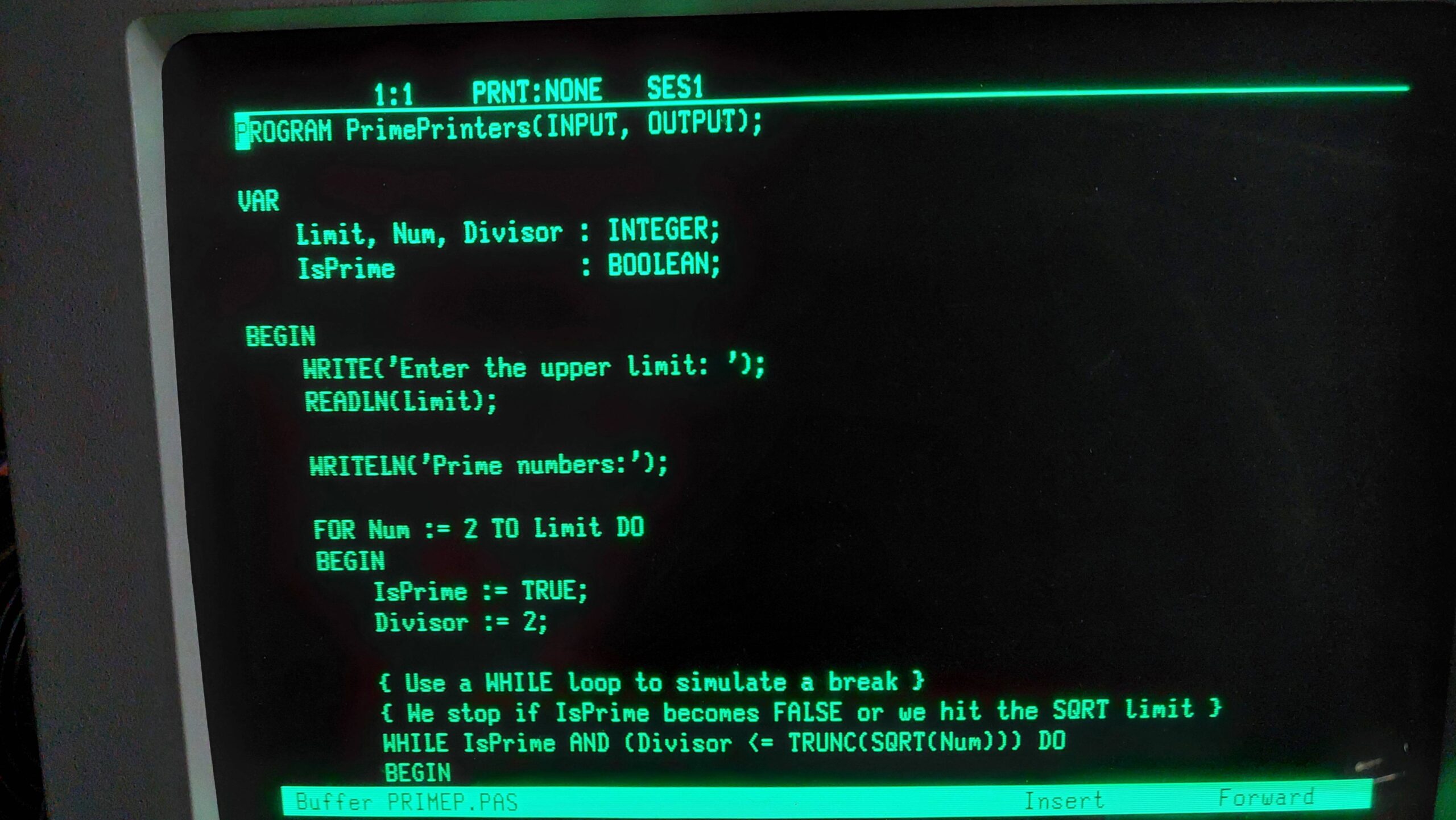
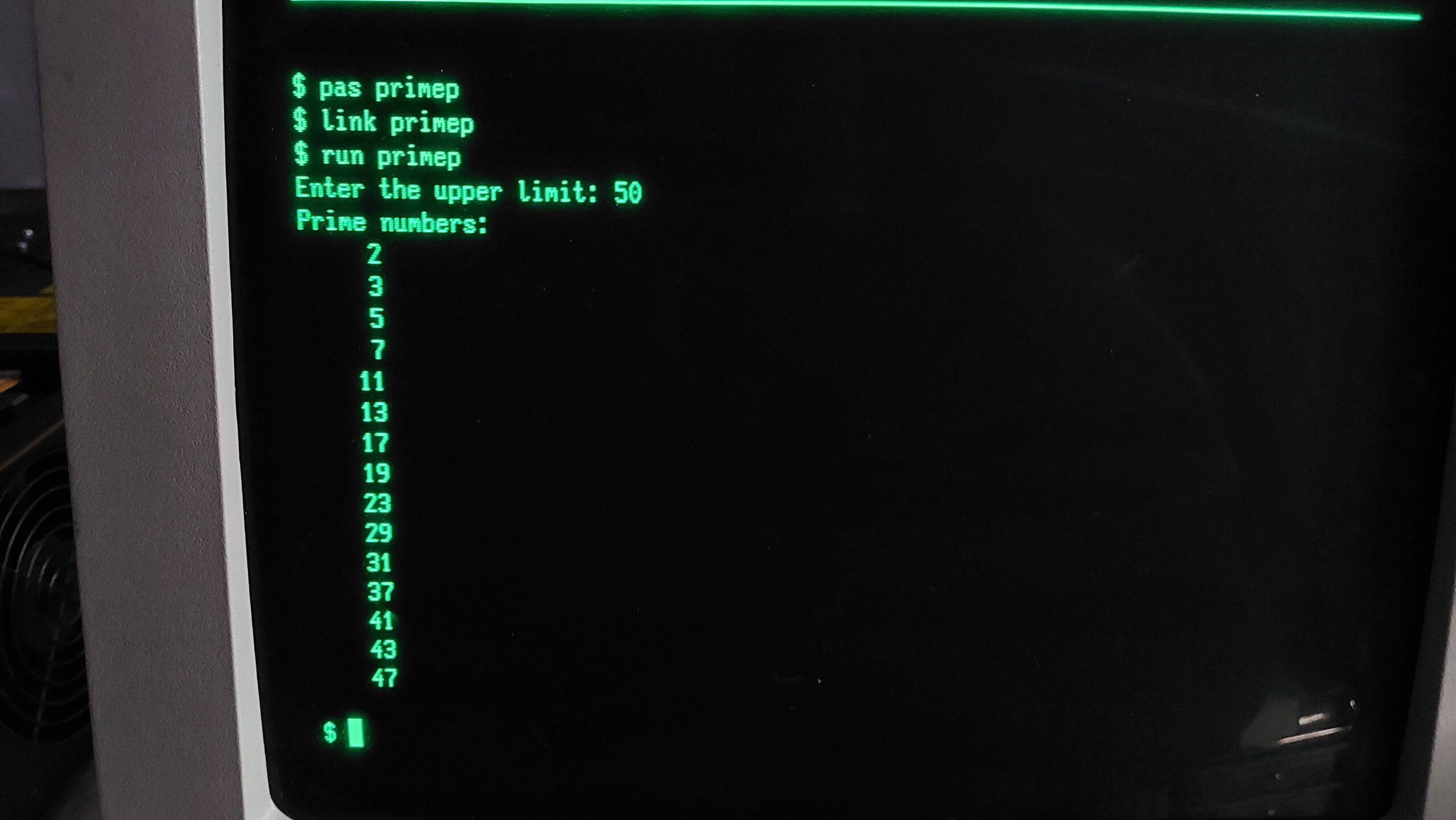
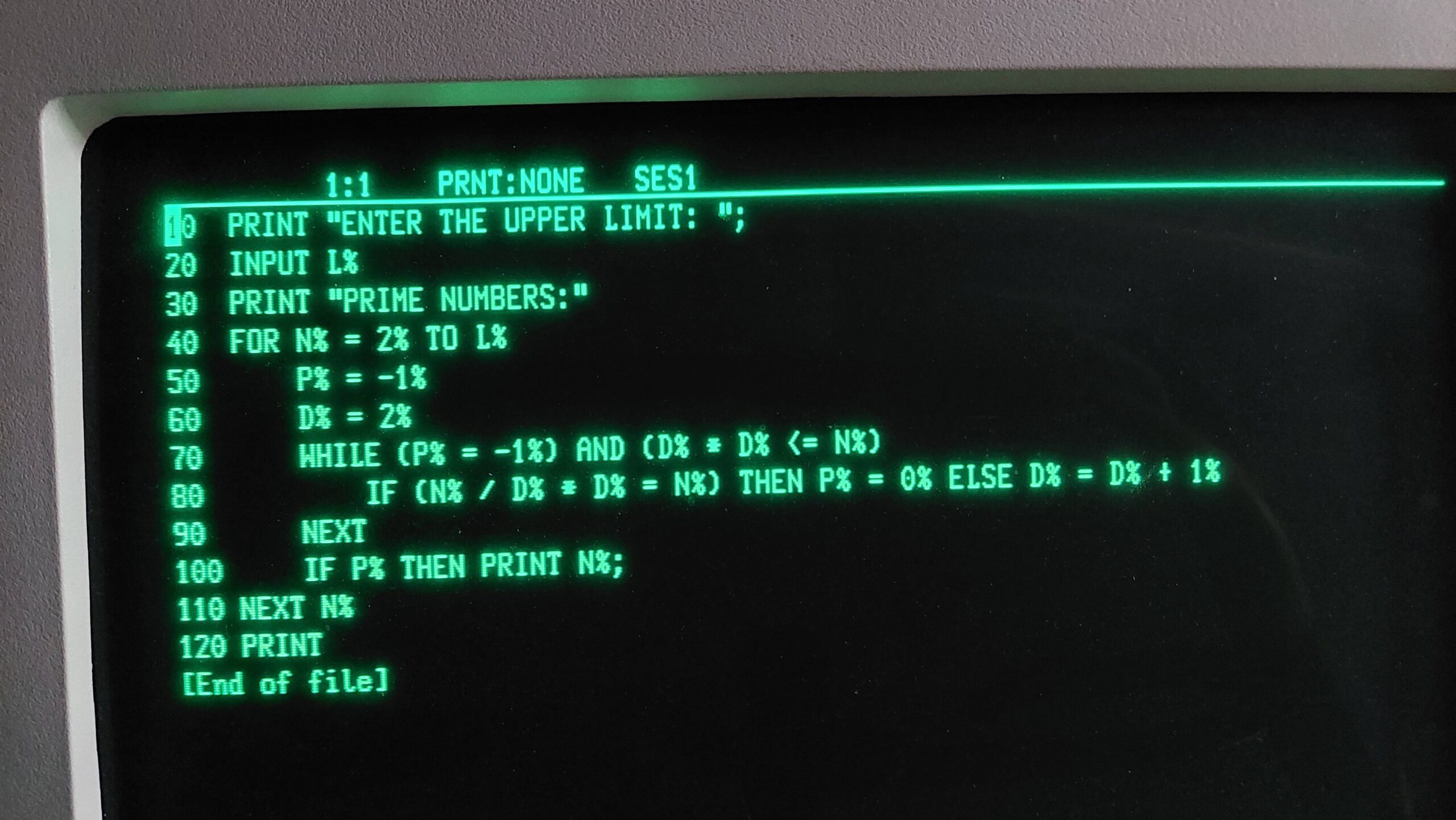
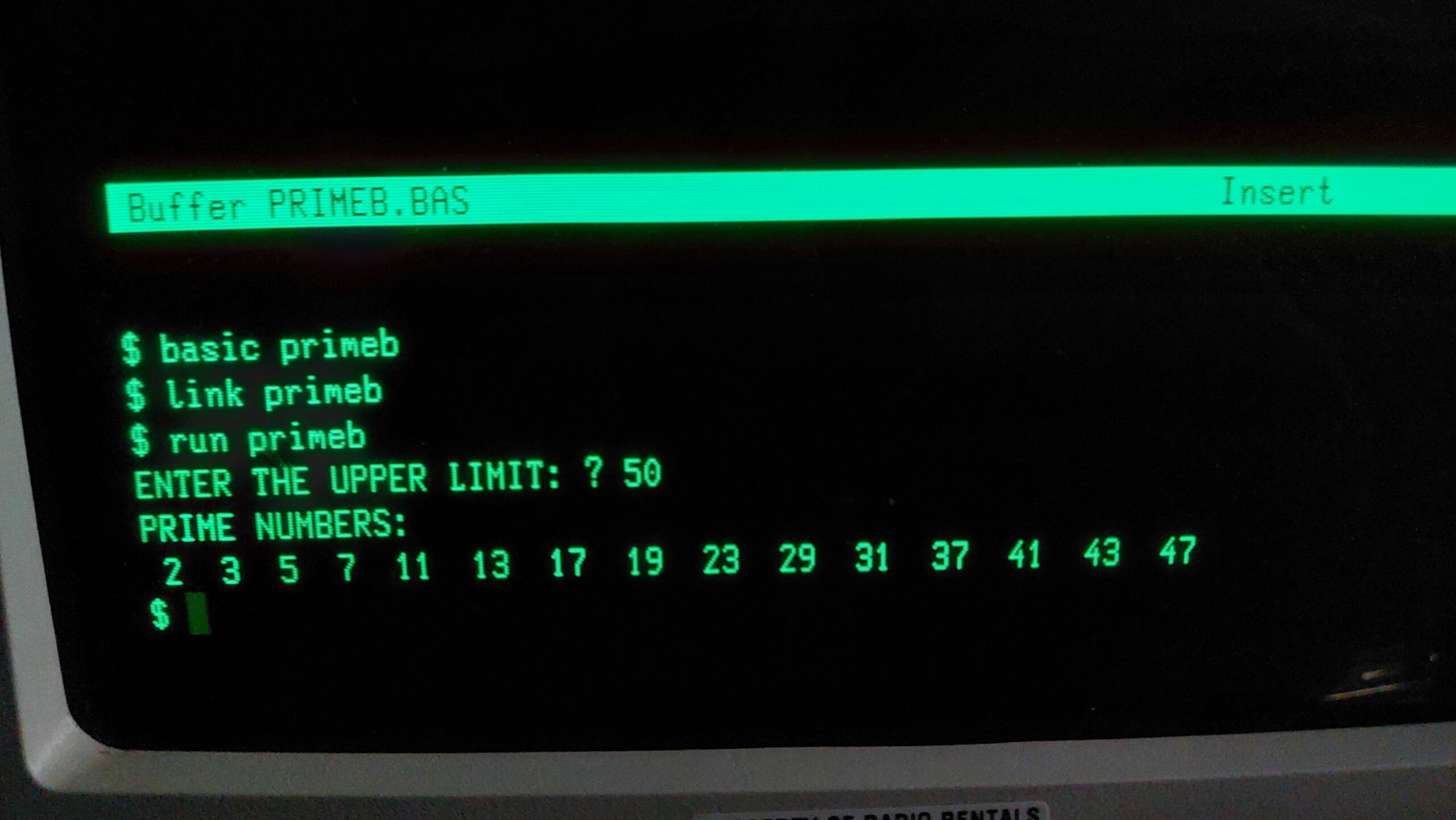
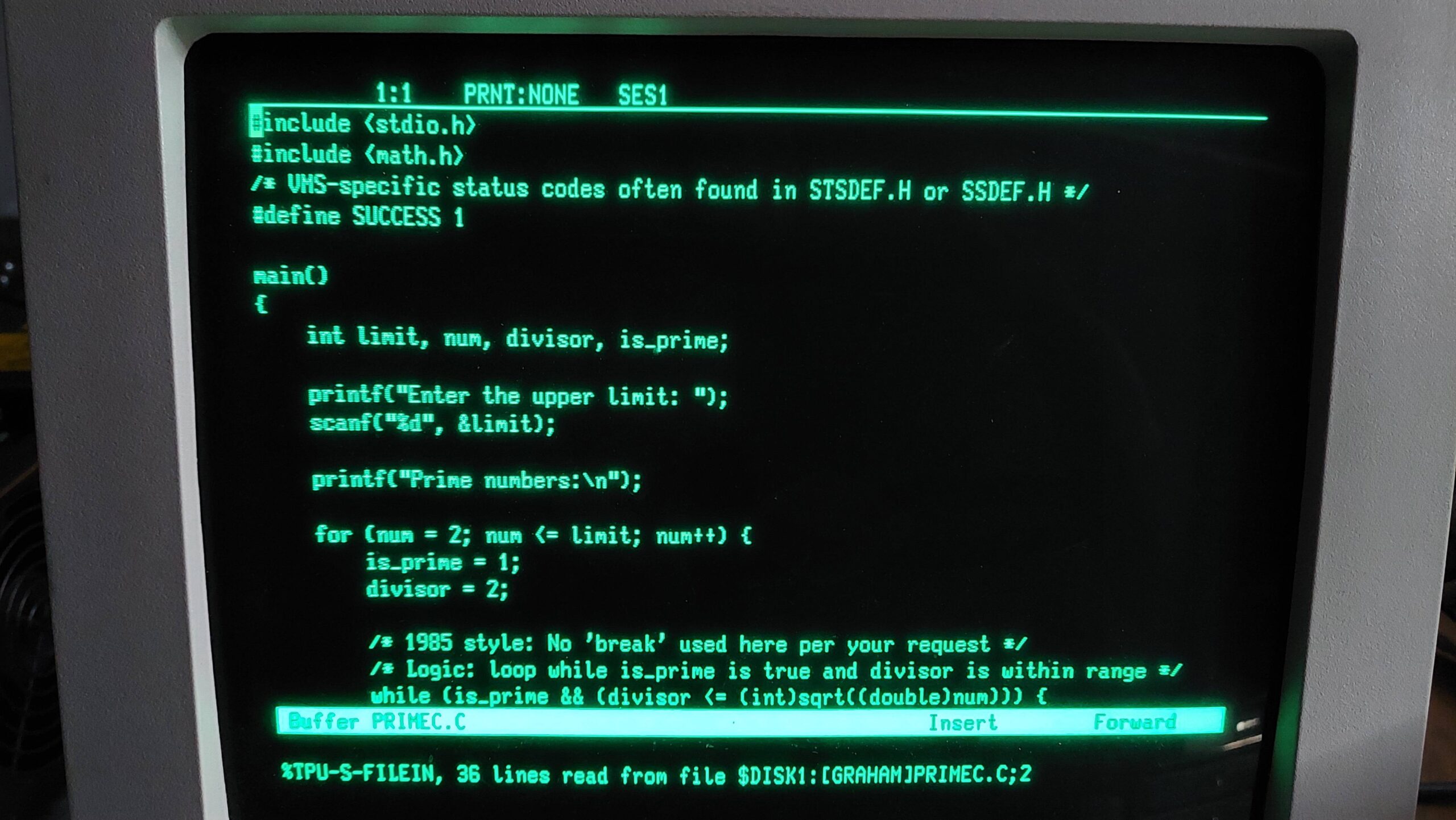
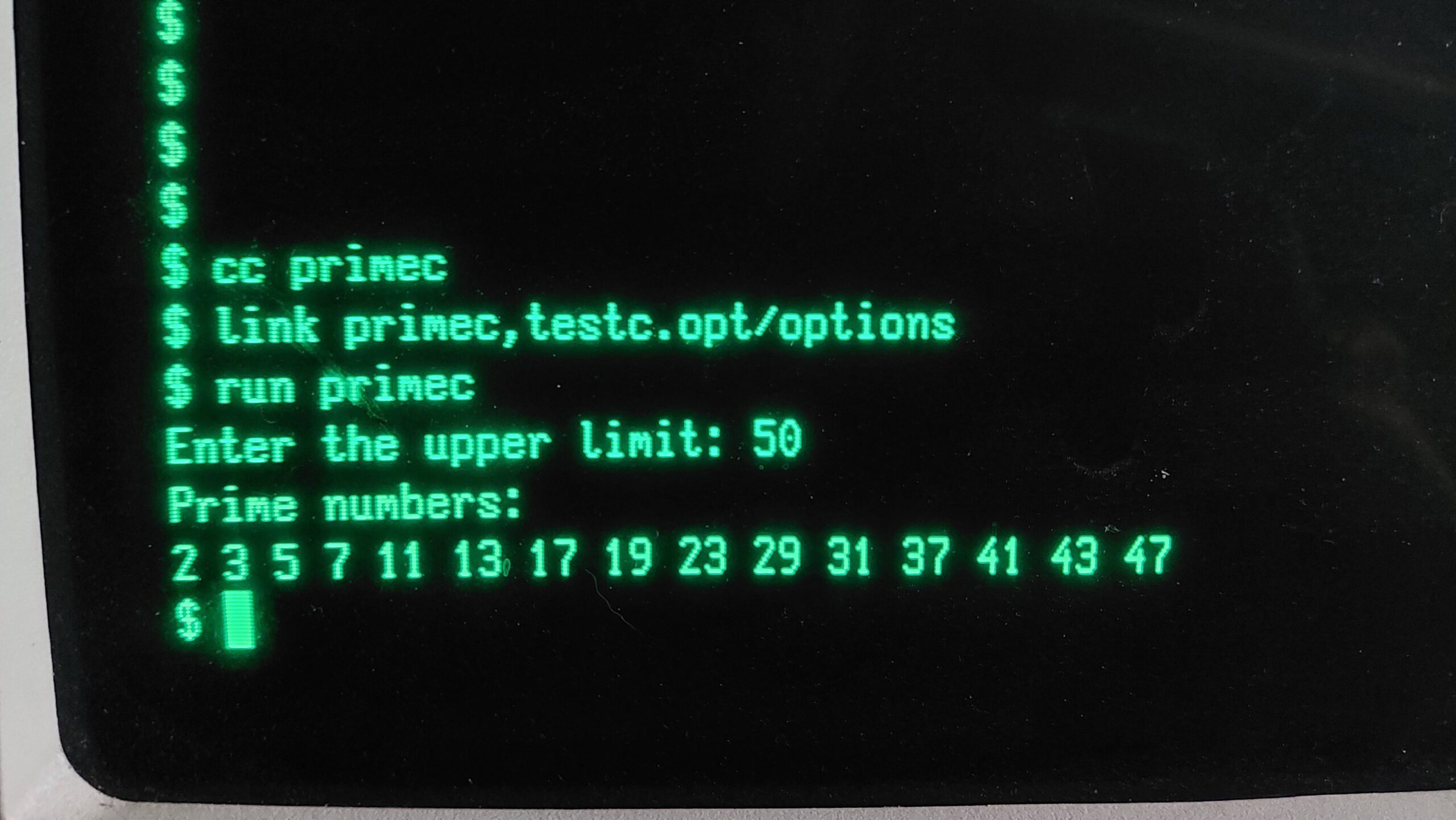
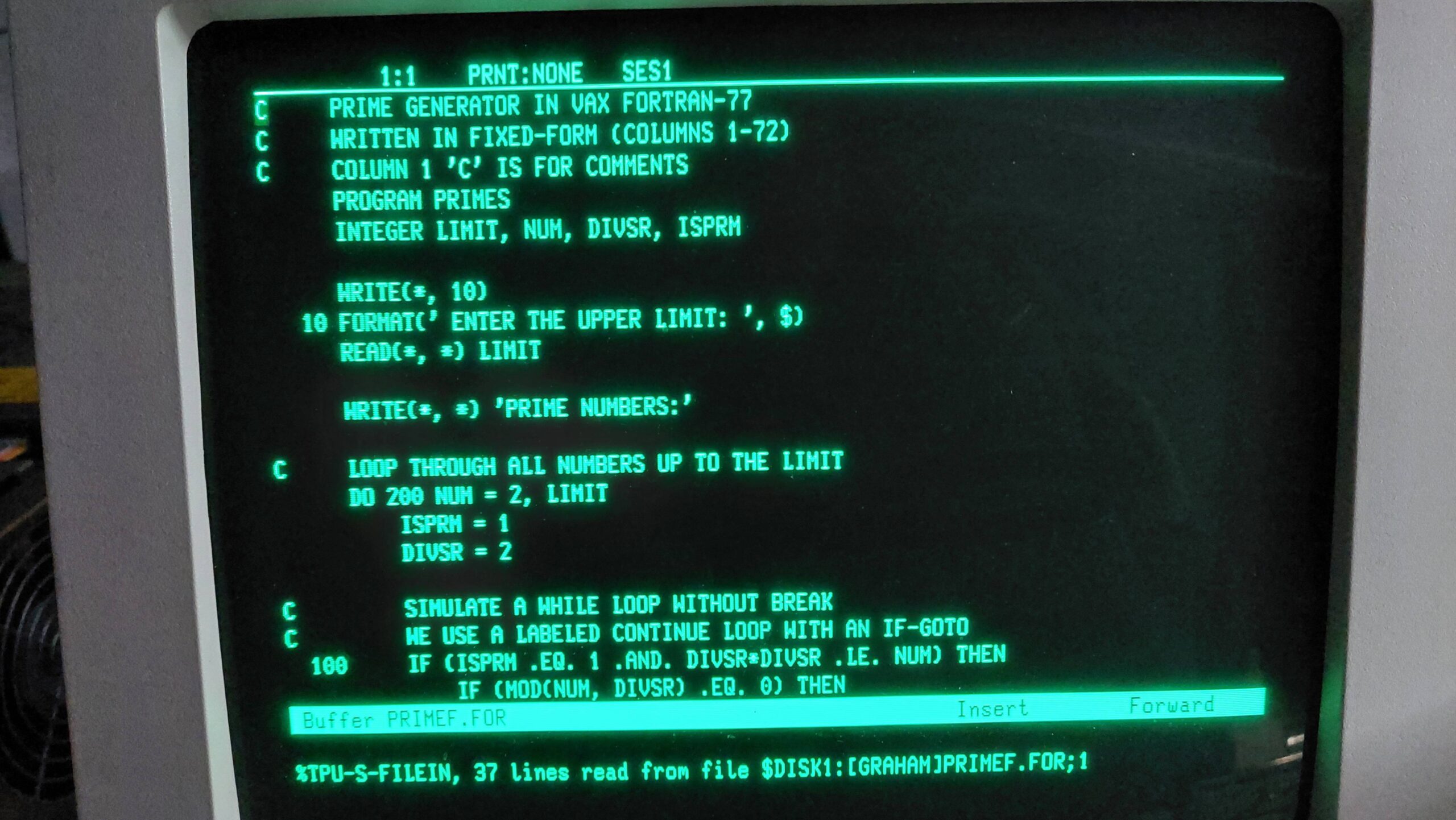
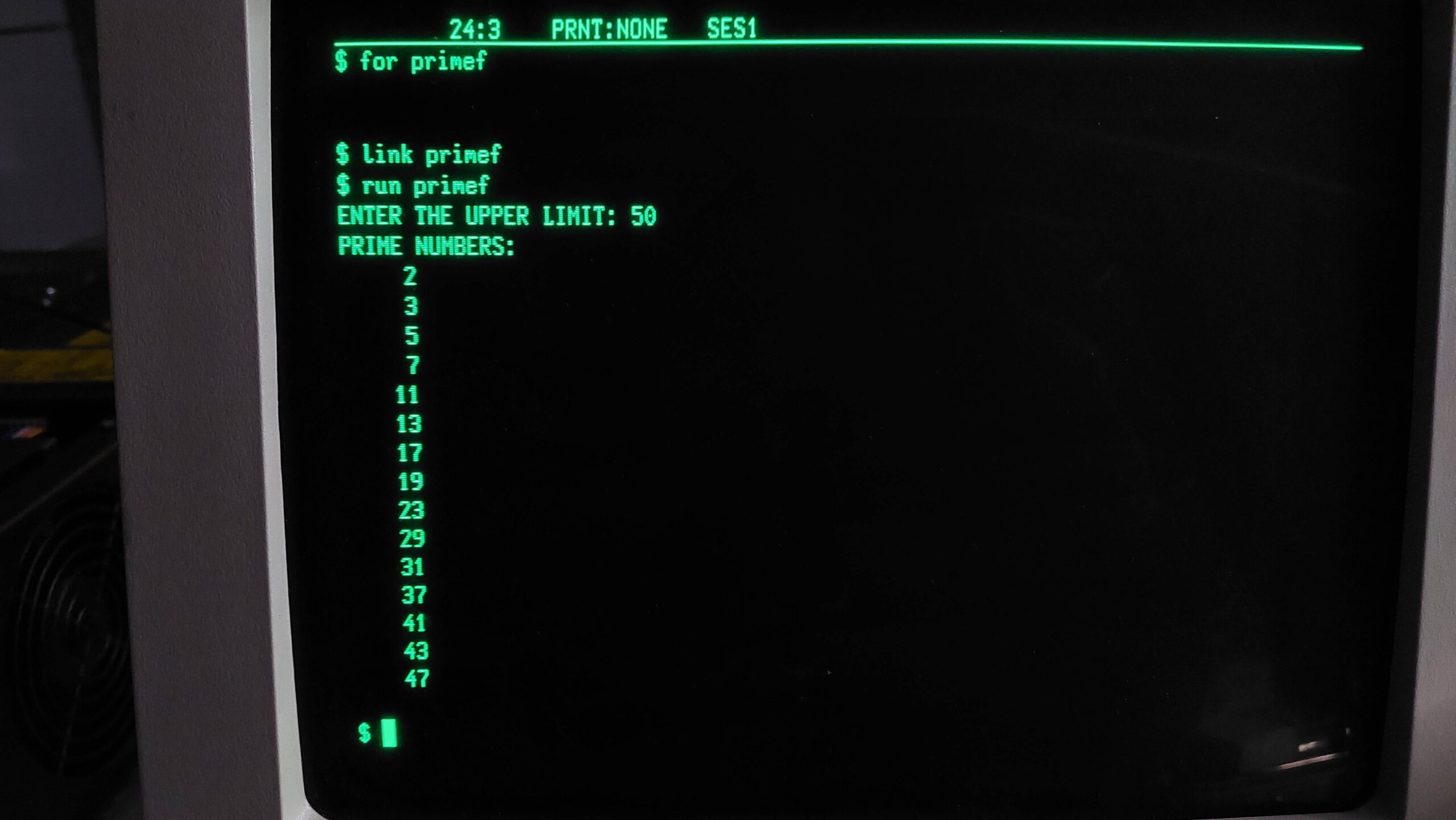
I created (ok AI created) a program to calculate prime numbers in Pascal, C, Fortran, and Basic. They all compile, link, and run just fine which is rather pleasing. Curiously, Basic is a compiler, but has an editing mode that looks and behaves much like an interpreter. The macro assembler that ships with MicroVMS is also present, so there are a total of 5 languages to choose from.
I think this is now ready for the long journey to the physical Microvax I.