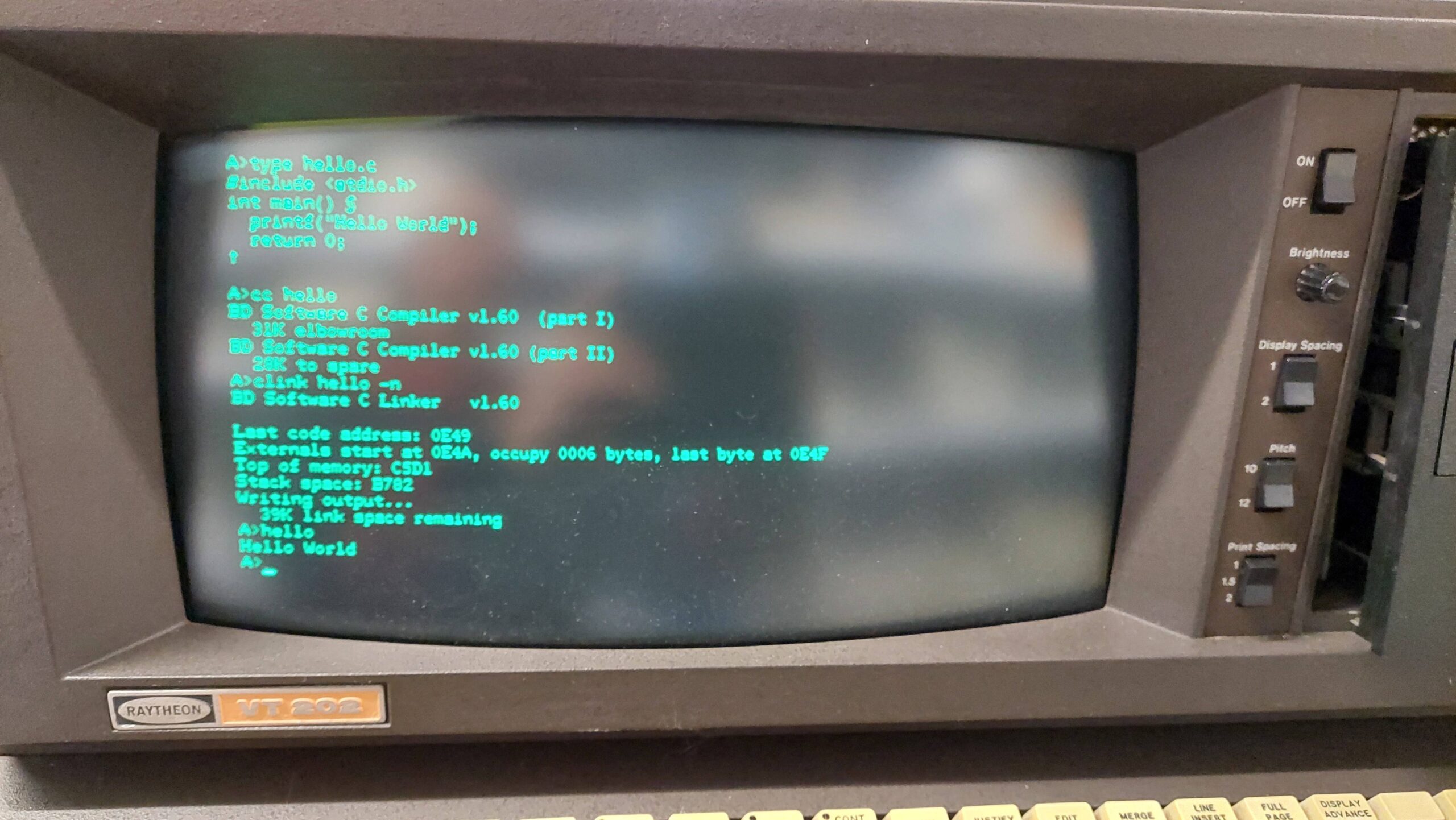
I have a couple of working Lexitron word processors that run the CP/M operating system. They use an unusual disk format for which i have no means of decoding or encoding. The only input that these machines have is the keyboard which is a somewhat tedious means of transferring programs and data. This has limited the applications that i have been able to transfer to these machines.
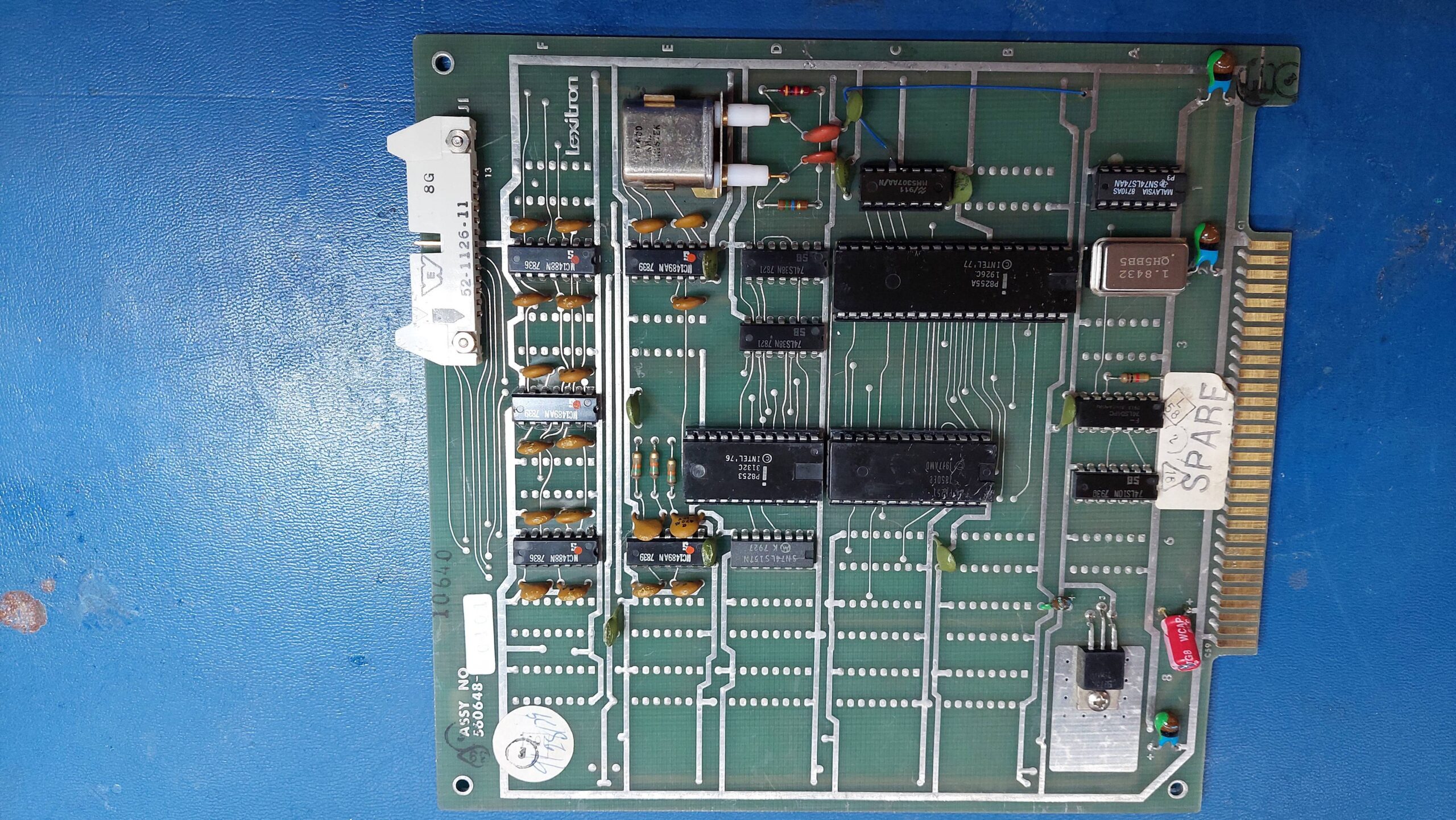
Documentation and the CP/M implementation both suggested that Lexitron produced a communications card that could do asynchronous serial communication but i had never seen one. Recently i did a search on ebay, and discovered a card that was likely to be the unicorn communication card so i snapped it up. It arrived from the UK within a couple of weeks.

It has a 8251 programmable communication interface (PCI), an 8253 programmable interval timer (PIT), a 8255A programmable peripheral interface (PPI), and an MM5307 baud rate generator (BRG). It has a lot of RS232 drivers/receivers so i suspect that a bunch of parallel port lines use them.
I couldn’t be sure that this was the right card for either the VT1303 or the VT202 but i crossed my fingers and took the lid off the VT202.
Looking at the relationship between the PCI and the drivers/receivers, the pinout on the DIP connector was consistent with the usual RS232 pinout. The connector allows for external transmit and receive clocks, but there is some logic which allows the PCI to also use the clock from the onboard baud rate generator.
The card seemed to be in good condition. I checked for shorts on the power rails but found none. The spare slots in the card frame a little different to the slots that are home to the other cards, but the affected pins were not in use by the communications card.
Unfortunately the card developed a short on power up, resulting in the -15V fuse blowing. After replacing the offending tantalum capacitor and the fuse, the system started up ok with the board present.
I ran the configuration program on the CP/M disk to set port to 9600, no parity, one stop bit, 8 data bits. I also set up pun: and rdr: to use the serial port. I tried to get it to transmit data using:
pip pun:=rdr:
Alas, there was nothing so i started checking things out – which is a little laborious without an extender or a schematic. I did confirm that the card accessed both the PCI and the PPI, which i took as a sign that it was the correct card.
The PCI transmit/receive clock was missing and this was because the BRG was not oscillating. Everything around it looks ok:
- Power lines
- Crystal connected
- Parallel control inputs from PPI changing as they should
- Capacitors values are plausible
Currently, i’m concluding that the IC is dead which is a shame because it’s not easy to get.

In the interests of progress i pulled the IC and provided my own clock from a lab waveform generator. Frequency= 9600 x16 = 153.6kHz.
Lo and behold, there was communication:


Although the BRG is disappointing the overall result is very good. I can either knock together an emulator or try to source a replacement.
Before charging in, i decided to see if it was just the oscillator that was at fault. It would make life easier if the divider was still a going concern. I configured it for an external oscillator – again provided by a waveform generator. This seemed to work ok. It is possible that the oscillator fault is due to the crystal and the IC is actually fine.
Given some uncertainty about the crystal characteristics, testing that hypothesis seemed more trouble than putting together a replacement oscillator. There are plenty of spare footprints on the board.
Oscillator modules at 2x 921.6kHz = 1.8432MHz so i settled on that frequency. A flip-flop will divide by 2.
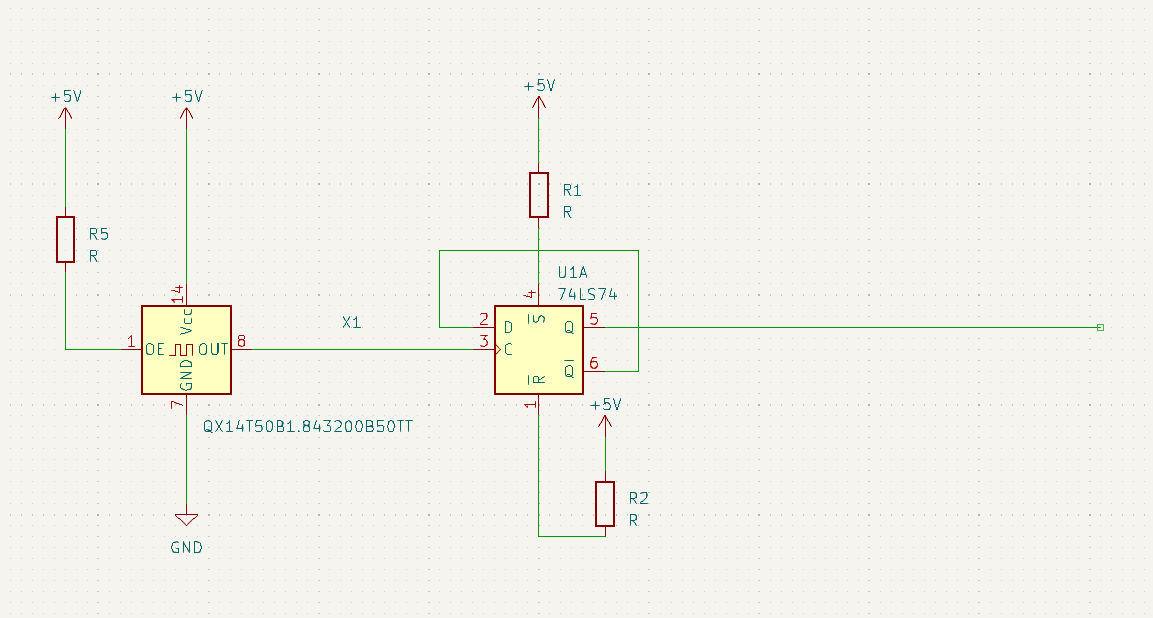
I built up the mod above and reconfigured the baud rate generator to use an external oscillator. It worked fine. The oscillator and divider are in the bottom left hand corner.
Unfortunately, i have found that the xon/xoff does not seem to work with data being sent to the lexitron. The configuration program does call the setting “output flow control” so i guess i should have been forewarned!
This means that i will either need to write a transfer program or adapt kermit to this machine – or i suppose i could attempt to write my own driver. I think the best course of action is to adapt kermit. I’ve never done that before and if i learn i might be able to make a version for the Osborne Executive as well.
The operating system seems capable of setting up the communication parameters so i would just need to correctly set the address of UART on an 8251 version of kermit.
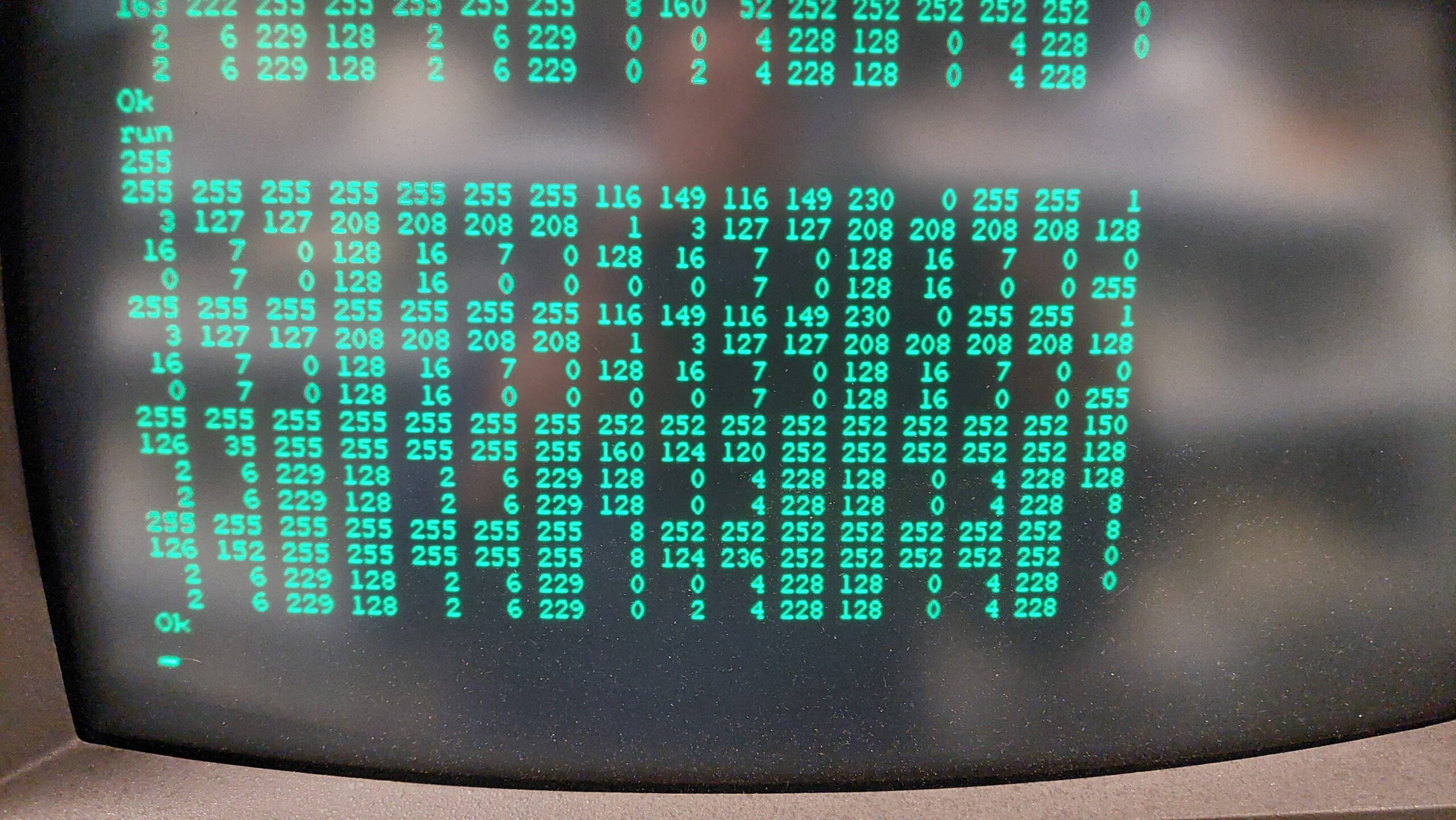
The first thing i need is the base address of the UART. I wrote a little basic program to read all the I/O locations and sent a character to the UART from a PC with the hope that it would appear in the data register of the UART. Sure enough it did “t”=116. It is at 48H and again at 4AH.
Actually, i may be able to use the generic version of kermit. In doing a bit more reading i see that there is a generic version that uses operating system calls. This version relies on the the CP/M IOBYTE being used by the Lexitron OS version. There is a speed penalty from using the generic version but i could live with that for now.
A handy place to start is here:
Kermit80 is distributed as a common part (CPSKER.HEX) and a customised part. The generic part for CP/M 2.2 is CPVGEN.HEX.
The initial transfers to the target machine are a little tricky because i needed to rely on the tools that were already present on the machine. In this case i have a serial port that can be accessed with PIP.
In principle, it should be possible to transfer hex files fairly safely using PIP as long as the OS supports XON/XOFF flow control. I’ve already discovered that this support is limited. That means that there is a risk that the computer will not keep up with the data. I experimented and found that it was quite reliable at 2400 baud unless the machine got distracted by some other I/O eg a disk write.
I had previously found that PIP has quite a good buffer and that 4k of data translated to hex (ie about 12k of text) does not trigger a disk write during the transfer.
CPSKER.HEX weighs in at about 70kB. I divided it up into 6 files and transmitted each one using kermit on a PC and PIP on the Lexitron.
Because the disks don’t hold a lot of data and the hex files are inefficient, there is some disk juggling to be done. I find it convenient to create working disks with a boot track and PIP, STAT, and LOAD. Two of these gives sufficient working space.
At the Lexitron i configured the serial card to use 8 bits, no parity, and 2400 baud and received with PIP via the RDR: device:
B> a:pip kerm0.hex=rdr:At the PC:
Kermit> set port com4
Kermit> set baud 2400
Kermit> transmit cpsker.hex
Once the transfer is complete it is necessary to connect to the Lexitron as a terminal and send an end of file character, Ctrl-z.
I repeated this for kerm[1..5] and also for the custom file CPVGEN.HEX.
Then the files can be concatenated locally with PIP:
B> a:pip kerm411.hex=kerm0.hex,kerm1.hex,kerm2.hex,kerm3.hex,kerm4.hex,kerm5.hex
At this point the files are ready to be converted to an executable. The standard LOAD program can only do one file at a time. The kermit411 distribution includes a more advanced load, MLOAD, as a small hex file. I transferred it in the same way as above and then converted it to an executable:
B> load mloadAnd then created the kermit executable:
B:> mload kerm411,cpsker
B:> kerm411
Kermit on the Lexitron requires some setup:
Kermit> set port tty
Kermit> set file binary
Note that the baud rate is already set by the OS config program.
Then any file can be transferred using send and receive. I sent pacman95.com as a test. The terminal characteristics aren’t quite right, but it got there.
It does not sound like much, but this is a very important step forward for the Lexitron ecosystem. I should now be able to transfer a bunch of generic CP/M programs and data.
Using the terminal mode in kermit on the Lexitron is a little complicated by the unusual keyboard. I could connect using “connect” but i could not find the exit key. Shift-Menu does provide a menu though, and this does have a command to exit. More experimenting required.
At the PC end, timeouts occur during disk writes. The length can be increased to, say 10s, at the PC end with:
Kermit> set transmit timeout 10The error limit can also be increased at the PC end:
Kermit> set retry limit 100