I first used one of these machines back in the 1980s. Back then i used it as a very portable serial terminal. A few lines of basic allowed it to be stretched to serial conversations for running tests. This was very handy for the embedded computing kit that i was working on at the time.
I bought this machine a few years ago and have used it for much the same purposes and will continue to do so. It’s capable of more though, and with some additional software i thought it might have more of a chance to shine.
This machine is similar to the Tandy Model 100; they share the same Kyocera base design. The Model 100 was very successful and there is a lot of software available for it. The NEC was less successful and has smaller software catalogue. It will run some of the Model 100 software, but there are hardware and firmware differences that limit compatibility. In some cases this can be overcome with some utility programs.
My unit came with 16k of RAM which can be used to store text files and basic programs. These files can be created on the machine but can also be loaded via the serial port using the ROM based terminal program. There is also provision for a floppy disk drive but i don’t have one. Programs can also be saved to and loaded from tape.
The easiest way to demonstrate the capabilities of the machine is to store programs on the machine so that they are read to go. 16k is very limiting though so, practically, more memory is required. An expansion pack is out of reach, but the unit does have provision for another 48k of memory using 8kB memory modules.
These modules are unobtainium, but a kind soul has designed a modern replacement and has made the design available to all:
A bought some PCBs and the required components, and set about applying my awful surface mount skills to their construction. Don’t look too closely!
The expansion of bank #1 from 16kB to 32kB was immediate but recognition of the second bank of 32k proved troublesome. It requires a Shift-Bank command followed by Shift-Ctrl without lifting the Shift and with just the right timing. I got there in the end.
The transfer just requires Term followed by Download on the 8201A and then a file copy on the PC. The copied file must be text – binaries won’t work with Term. The file extension given to Download must be DO ie a document.
After receiving a basic program as a document, invoke BASIC and then convert it to tokenised basic by:
load "wumpus.do"
save "wumpus"
The DO file can be deleted afterwards to save space. It does not take long to fill the available space on both banks. It takes less than 10 minutes to fill 64k even at 1200 baud. The storage relies on batteries, so there is every chance that this exercise will be repeated regularly!
Wumpus went the same way as normal.
Starfighter was fun.
Frogger requires graphics characters to loaded for Model 100 compatibility by running chr100. I’m really not sure that the characters are quite right, but the game seemed to play ok.
I had been quite intrigued by the idea that the Cromemco Z80 Monitor and 3k Basic could save programs to EPROMs instead of, for example, paper tape, magnetic tape, or floppy disk.
I was thinking particularly of my Cromemco Single Card Computer (SCC) but the same trick is possible using a Cromemco ZPU Card.
To do this requires a card capable of programming an EPROM eg Cromemco 8k Bytesaver, 8k Bytesaver II, or a 32k Bytesaver.
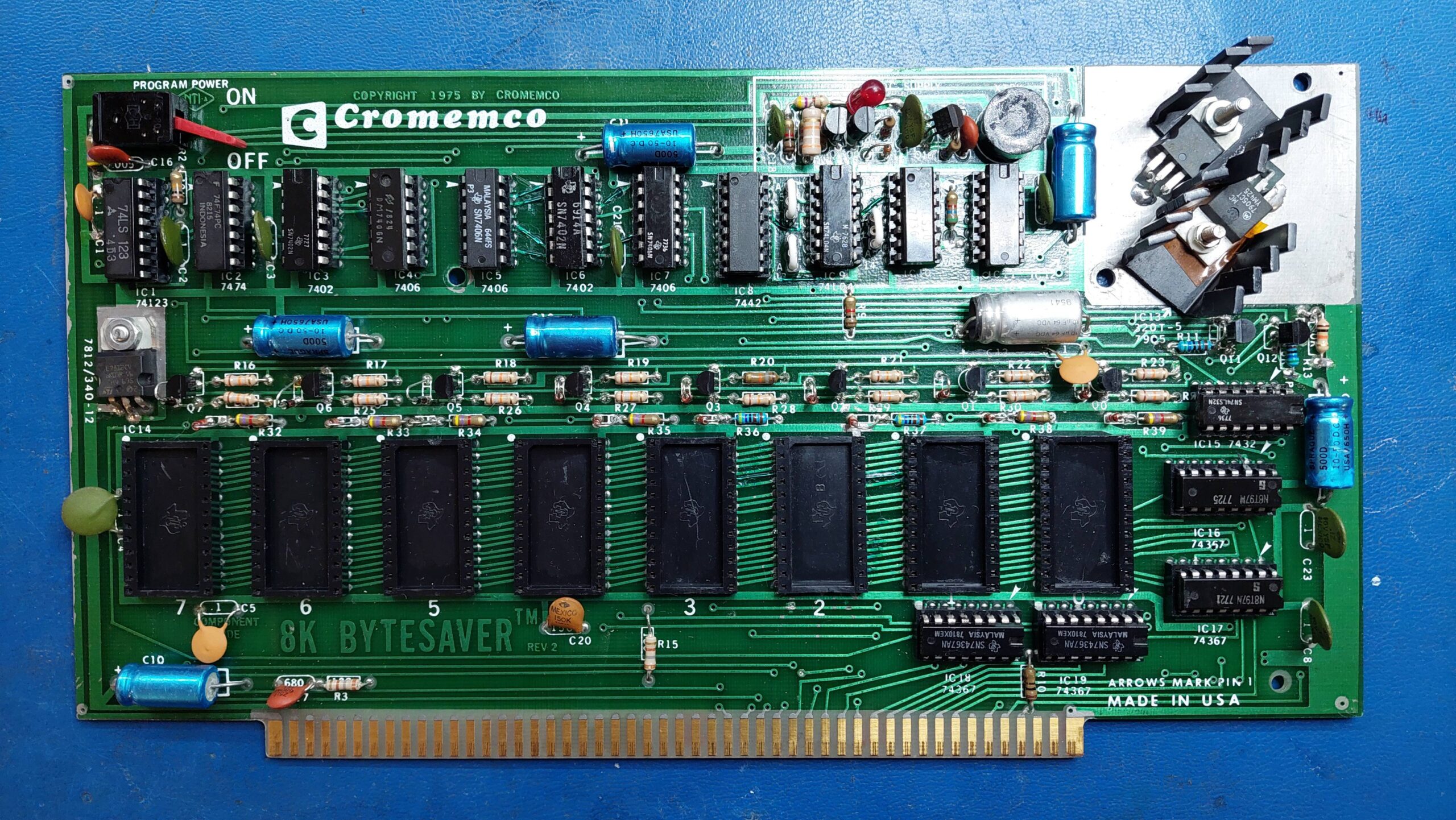
The cards that i had seen on ebay were in the States and were prohibitively expensive, even before adding the postage. Fortunately, though, an 8k Bytesaver come up for sale in Adelaide. Despite its poor condition and significant price, i acquired the card so that the itch could be scratched.
The 8k Bytesaver was a milestone card; the first S-100 card to provide EPROM storage. Prior to this, machines were typically bootstrapped by entering a boot-loader at the front panel. This card was released in 1976 shortly after Intel released the device that made it possible, the 1k x 8 bit 2708 EPROM.
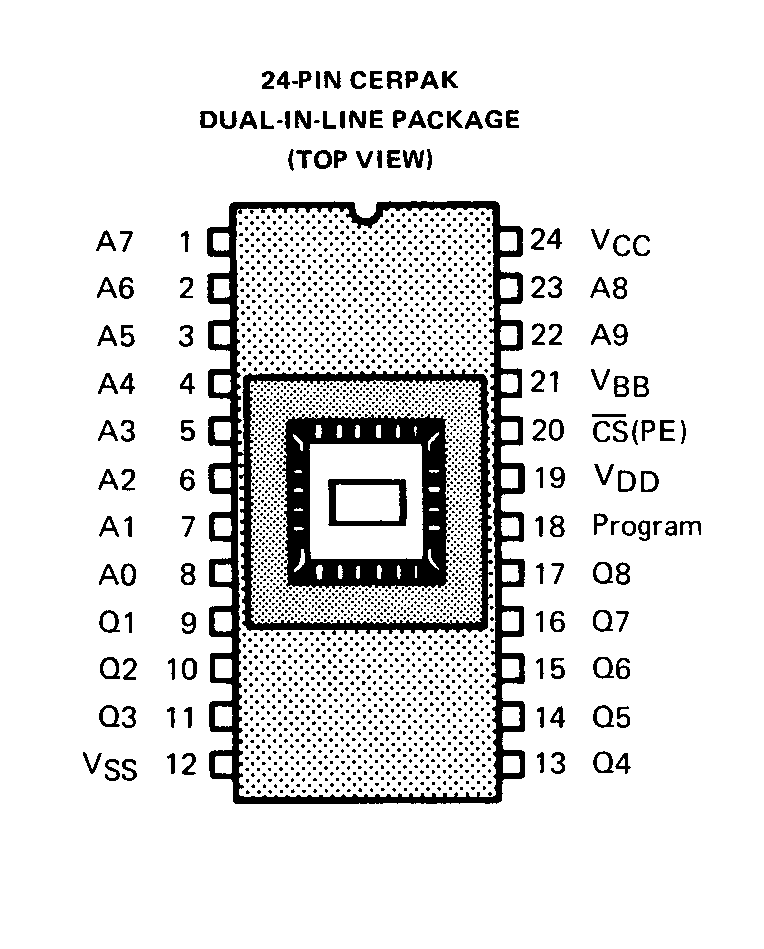
The 2708 is not as easy to work with as later EPROMs. Even for reading it requires +5V, +12V, and -5V supplies. For programming, it requires CS to be taken to 12V and an additional programming voltage at 26V.
The EPROMs themselves are not particularly common, but i have a bunch that i have previously imaged, and they can also be purchased for about AU$6 each.
I wasn’t sure that the 8k Bytesaver would work with the SCC (the SCC manual was a little ambiguous), but i also had the option of using a ZPU.
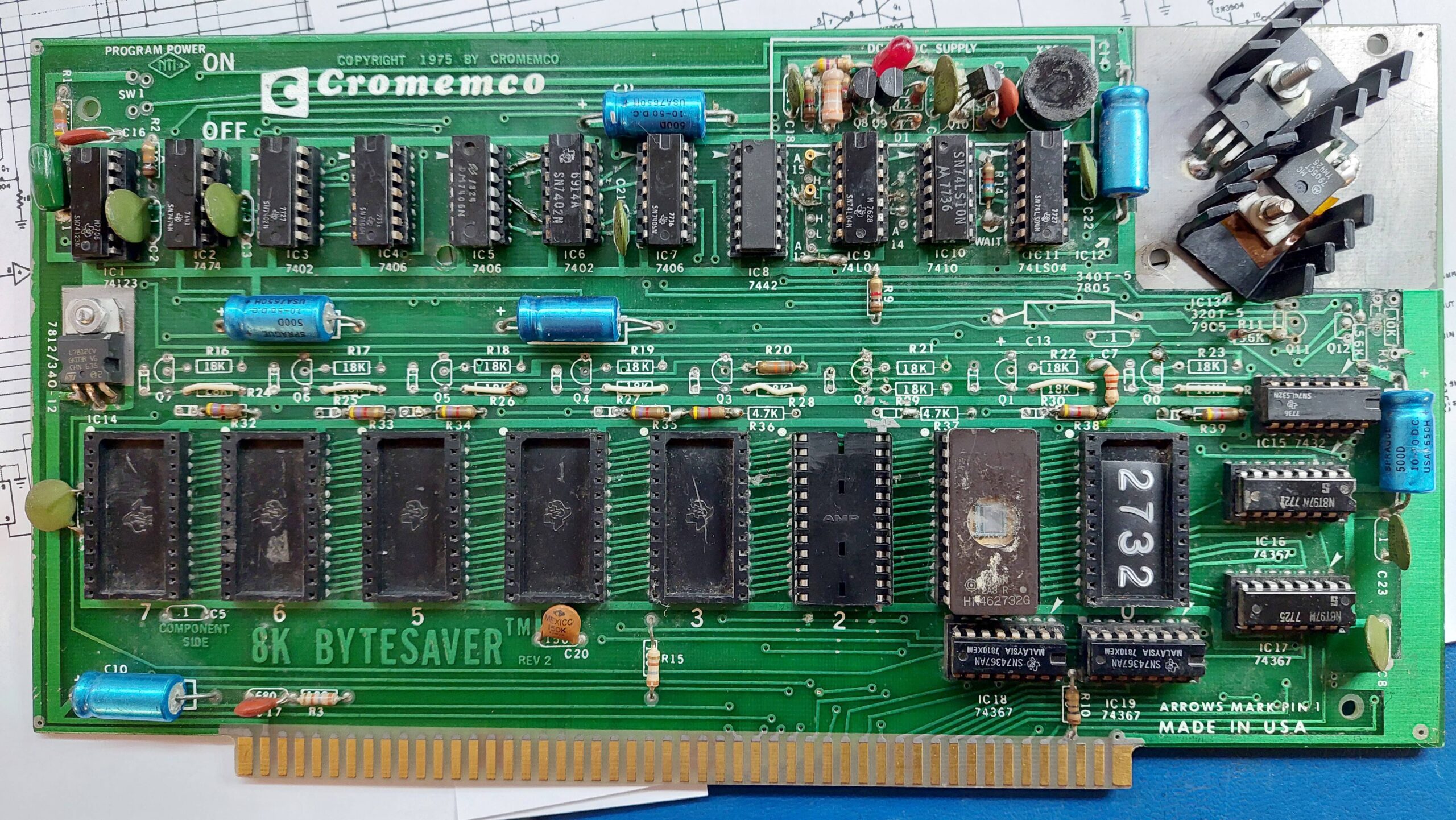
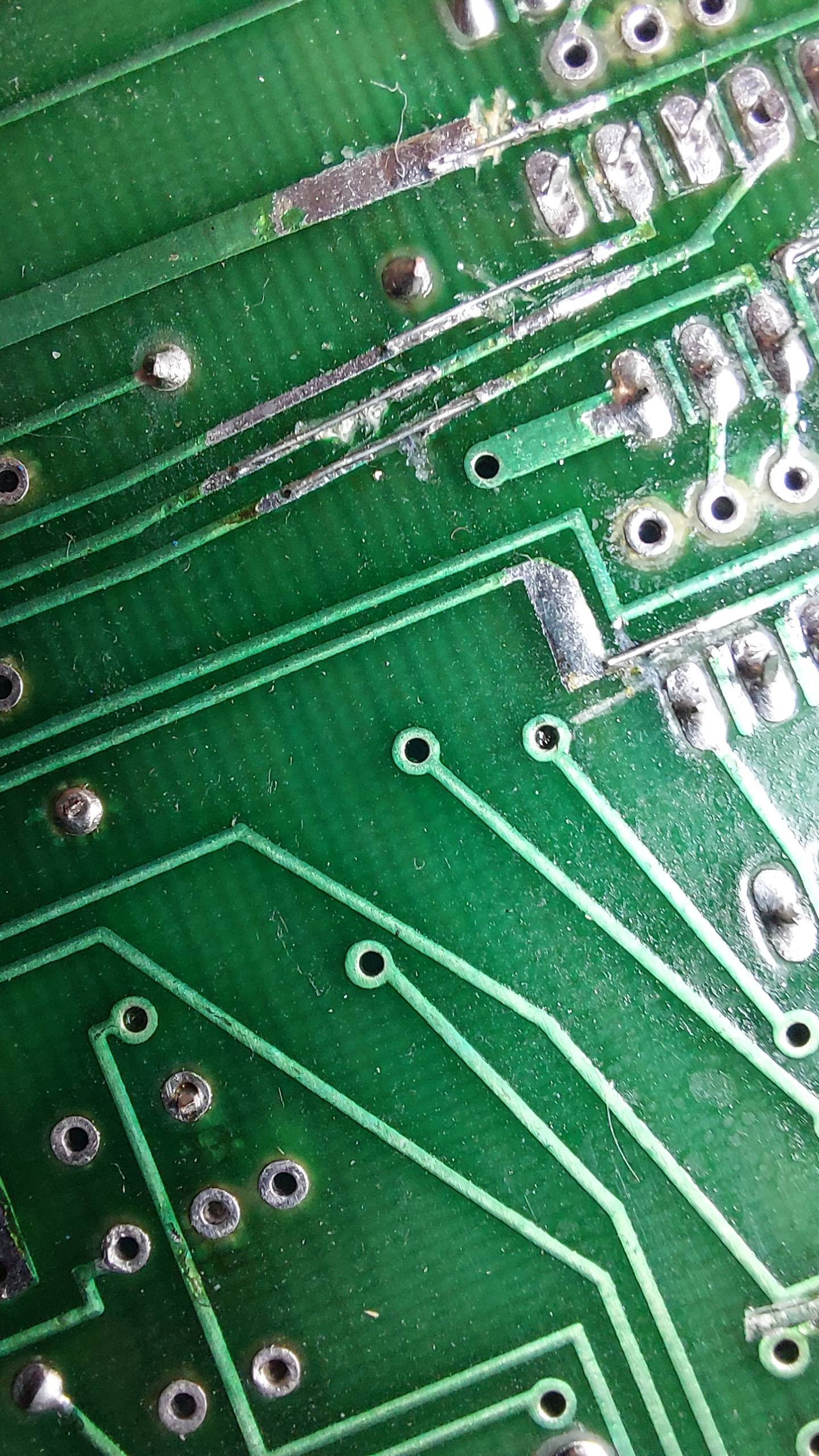
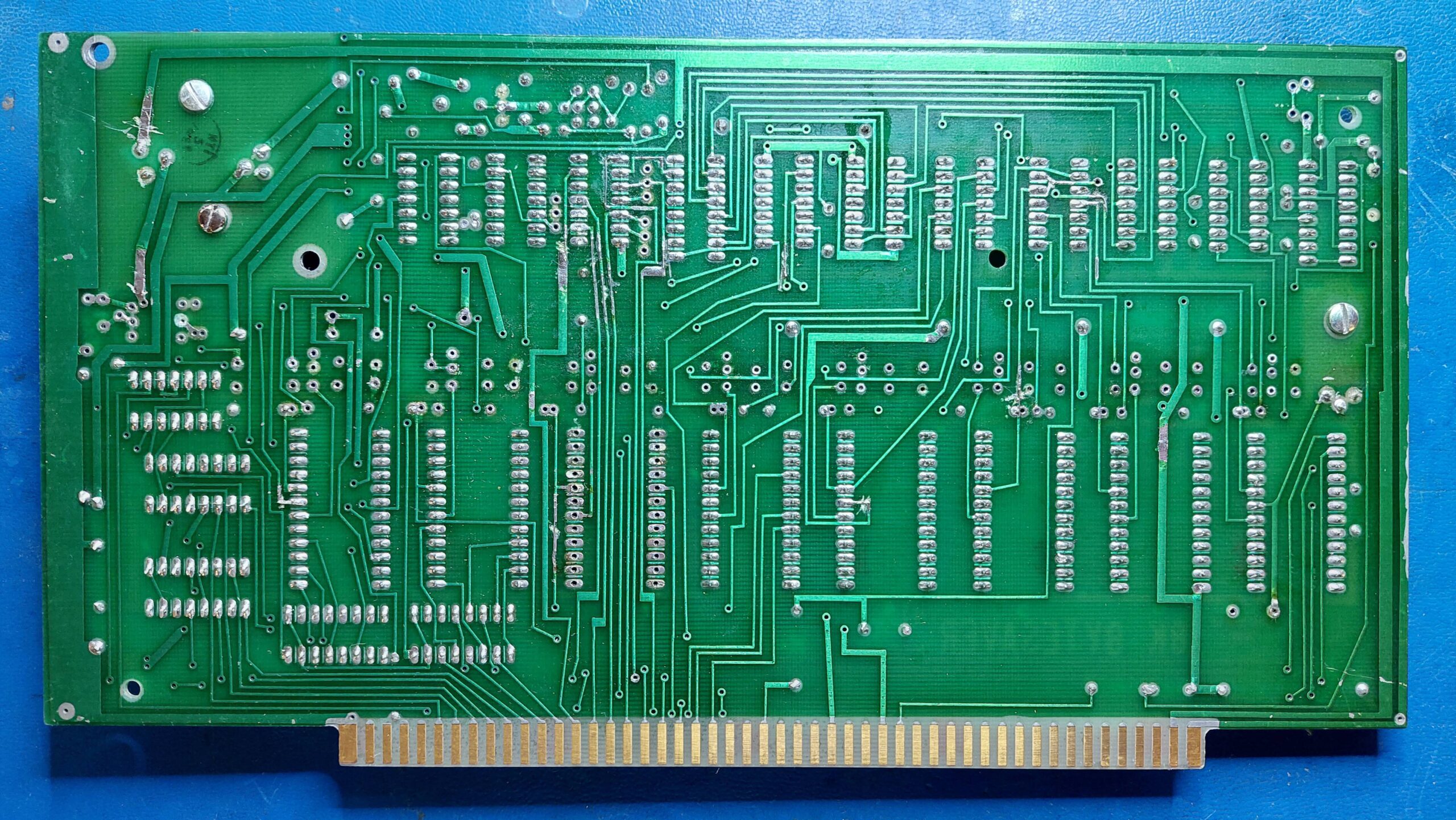
The purchased card had been modified to use 2732 EPROMs with, as far as i could see, no ability to program the EPROMS. Many tracks had been cut and components removed. Even the original heatsink had been replaced with a lesser version.
As a 2732 EPROM card it was useful, but it was nothing i couldn’t put together on a prototype card as i had done once before. Fully restored it would be far more interesting so that’s what i decided to do.
Cromemco sold the card as a kit, it looks like it was assembled by an amateur, it had been modified (probably twice) by an amateur, and was now about to be restored by an amateur. Some cards are born to a life of hardship.
I checked the programming power supply first; a terminal fault would mean there was no point proceeding. It worked fine.
The programming switch had been stolen, so i stole one from a faulty Lexitron floppy disk controller board. Not sure what to do about the heatsink.
One socket had been replaced with a different type. I found a donor board with the matching type and swapped it out.
I started by removing everything that wasn’t supposed to be there and tidied up the original soldering.
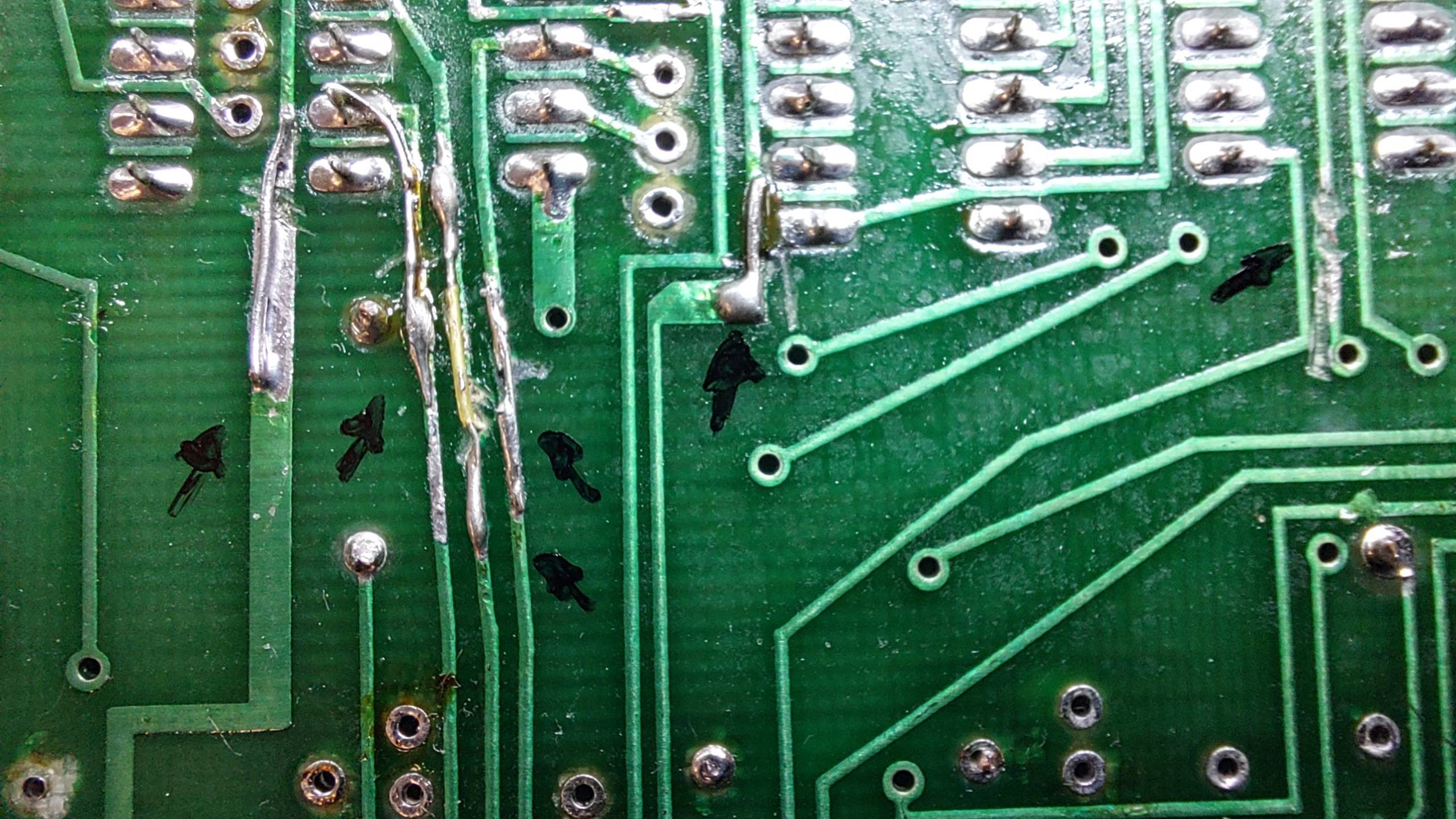
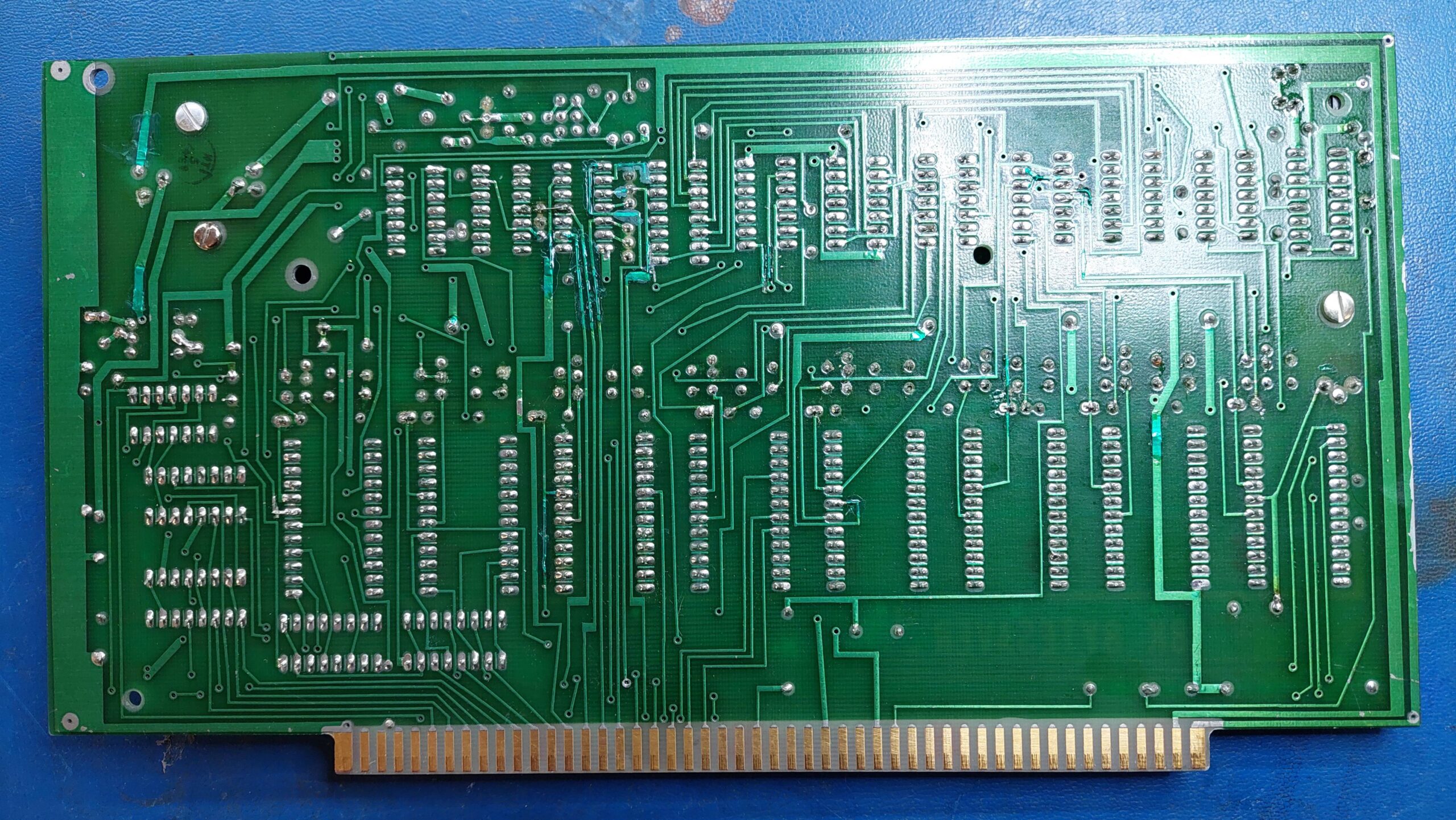
Then i started looking for the track cuts. There were a lot of them on both sides of the board. Many cuts had been made and then repaired. They were a bit rough with deep gouges to the fibreglass and large gaps in the copper.
Each was made good as neatly as possible with the available skill.
I covered the mods with UV cured solder resist just for appearances. It can’t be perfect, but it is a lot better.
I replaced all the missing components, which were fairly generic.
I gave the board a good wash and all the sockets and ICs were given a couple of rounds of deoxit. Many of the ICs had very black legs – i suspect that many of them had silver-plated legs.
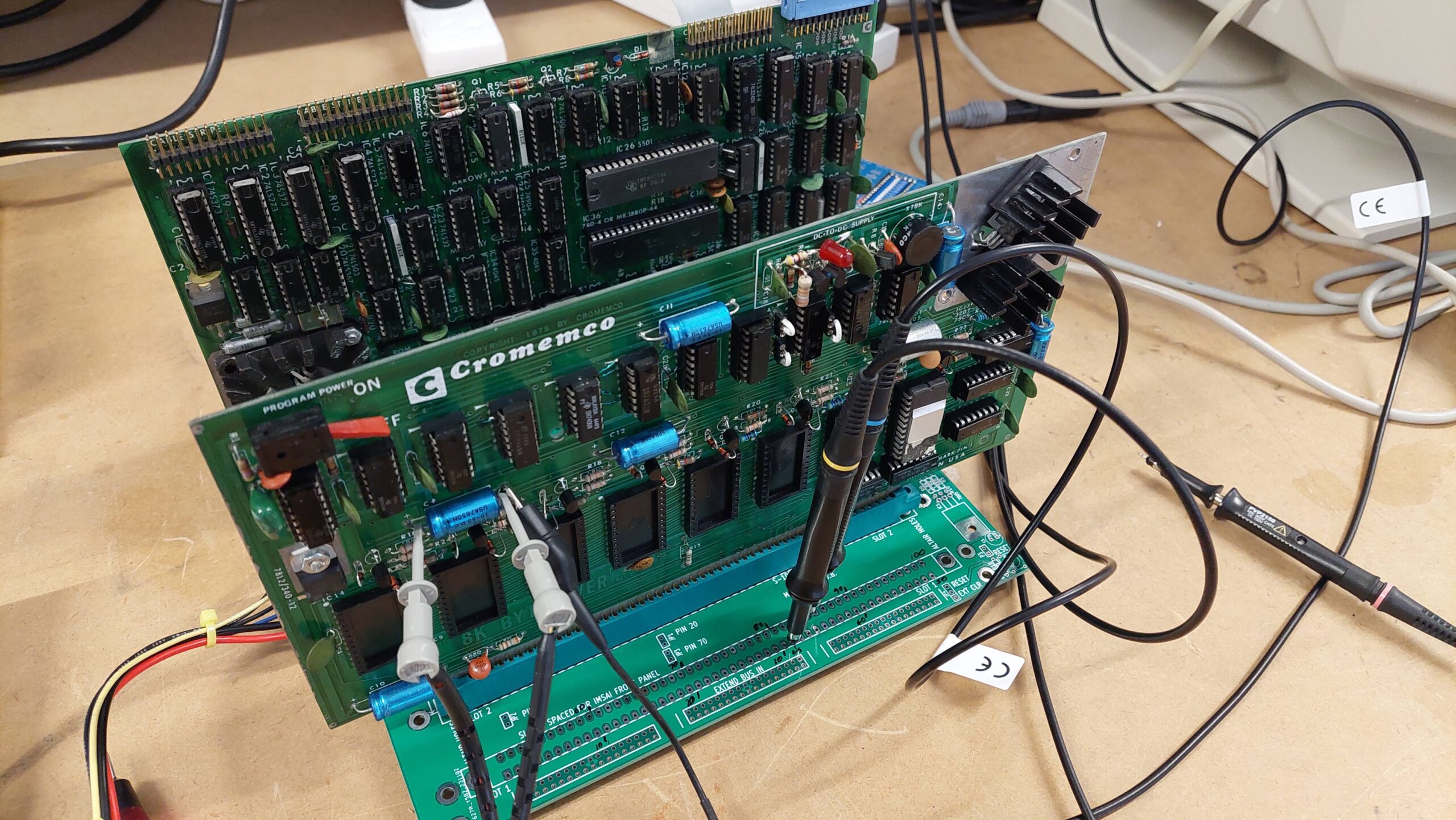
With my only two racks in use, i needed to get around to building up a third backplane. This one is based on the S100 Computers 9 slot backplane. Being lazy, i added just the two connectors that i needed.
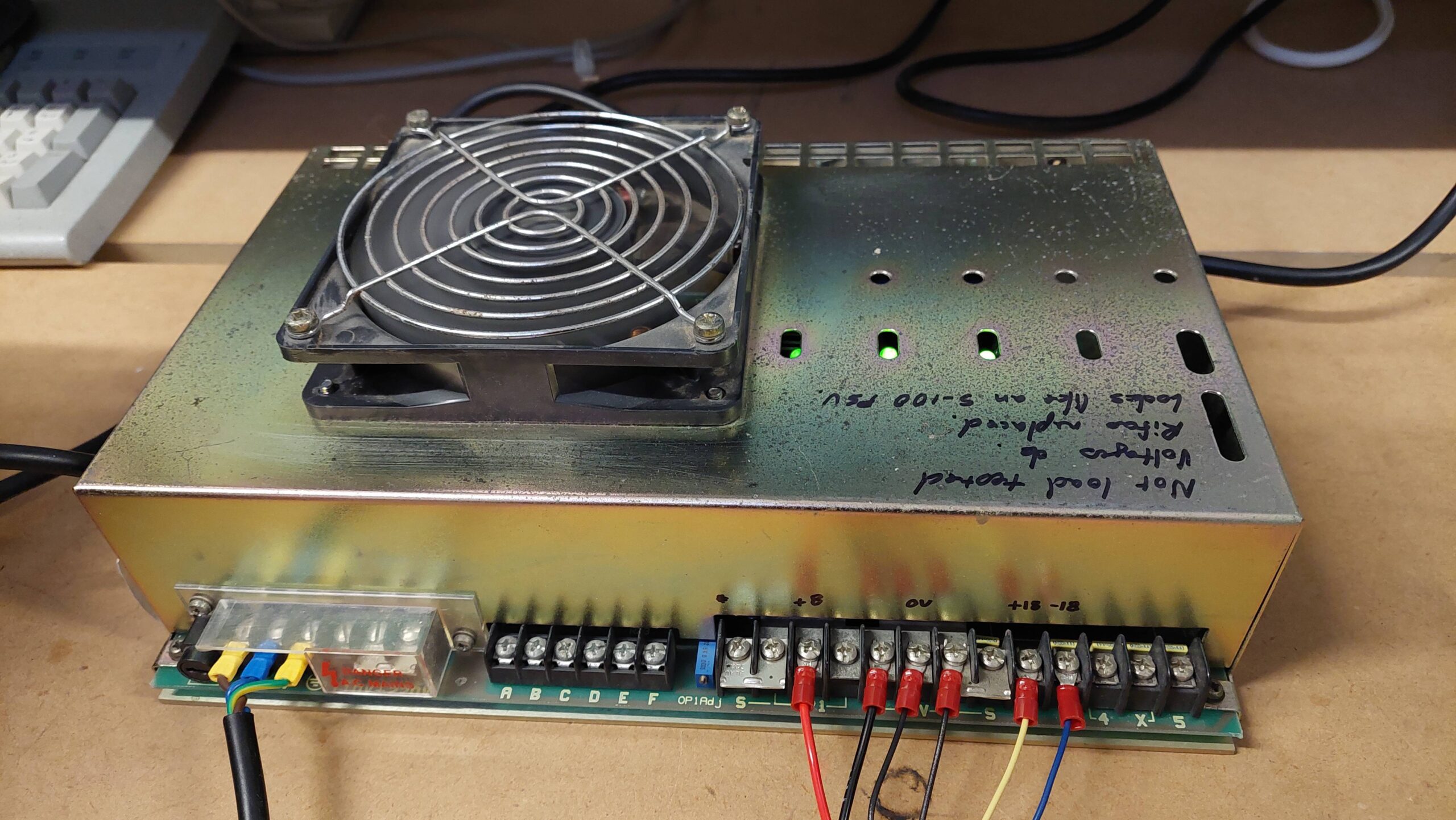
I was fortunate to have picked up a monster of an S-100 power supply off FB marketplace a while ago. With the power loom made, it was ready to go.
I checked the supplies without any ICs inserted. All good. Then i added the ICs.
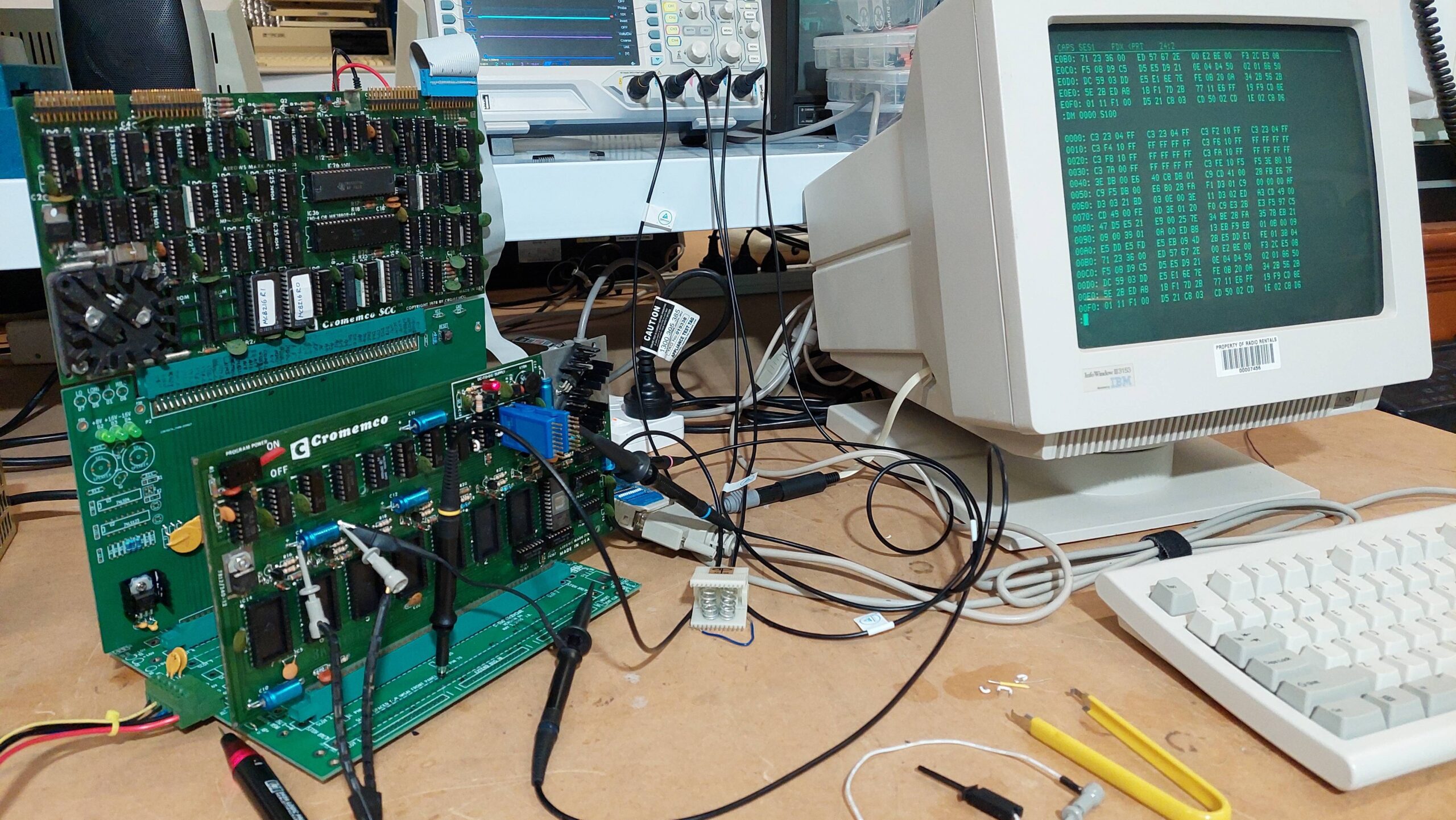
The simplest test option for me was the Cromemco SCC. It had been a while, so i had to re-acquaint myself with its operation. It has 2 x 2kB EPROMs holding 3k Basic and the Z80 monitor. The SCC talks with a user via a serial monitor.
On power up, the user has to send a couple of carriage returns so that it can detect the baud rate.
I configured the Bytesaver to be at E000H which is well away from the SCC EPROM/RAM space. It uses no I/O space. Attempts to write to the card are treated as programming cycles with lengthy wait states inserted.
There are several manual scans available, and they do contain schematics, but the resolution is such that they are very difficult to read. This is not helped by Cromemco’s policy of prioritising low sheet count over clarity!
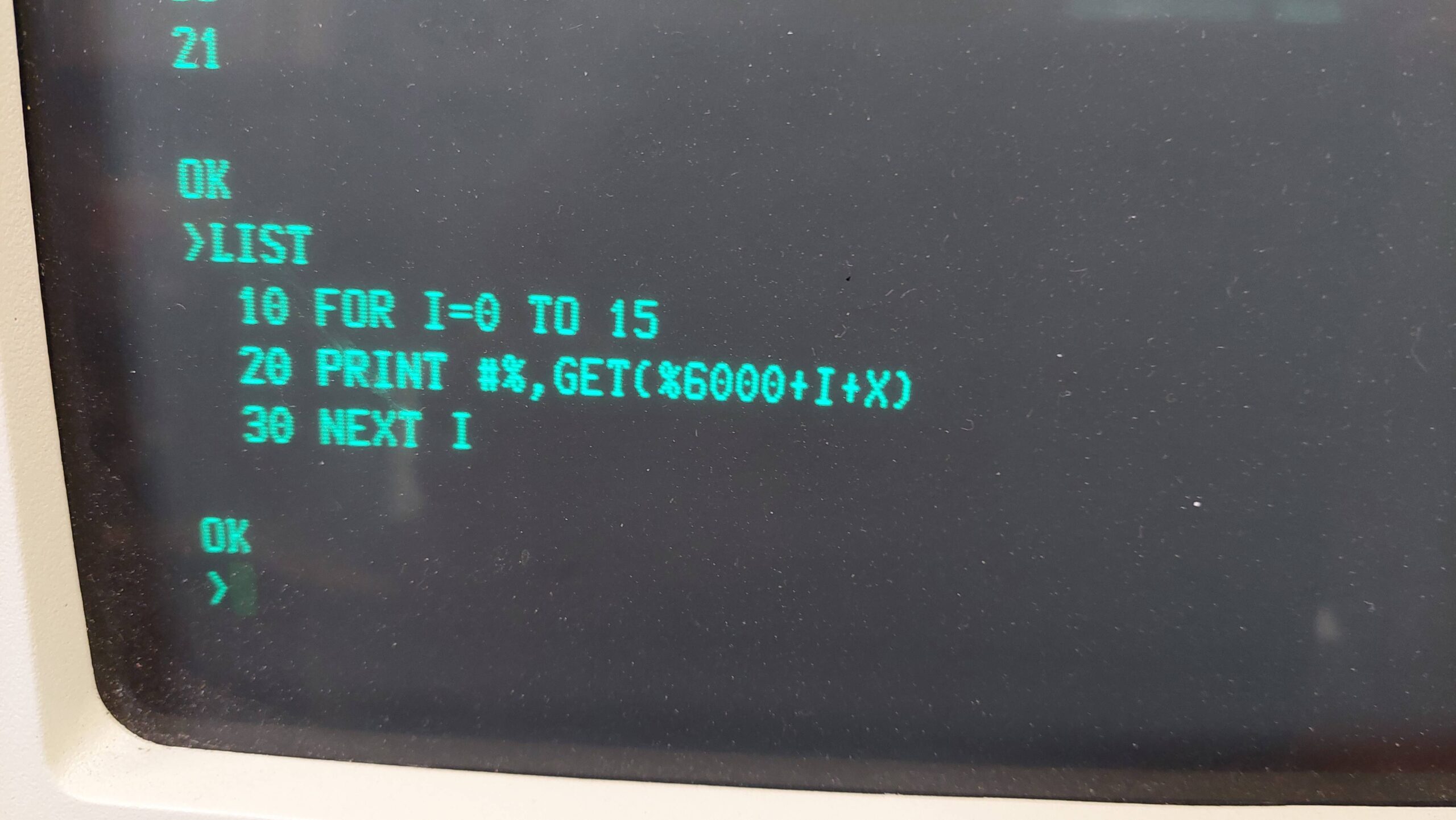
I was not able to reliably quit from the 3k Basic to the Z80 monitor so i did a lot of the debugging in Basic (pic with base address at 6000 rather than E000).
I checked a few signals without EPROMs, and then tried reading some EPROMs that had previously been imaged. I found the fifth EPROM overlapped with the first (a bad address line from the SCC) but once that was corrected (IC48 74LS244) it all looked good.
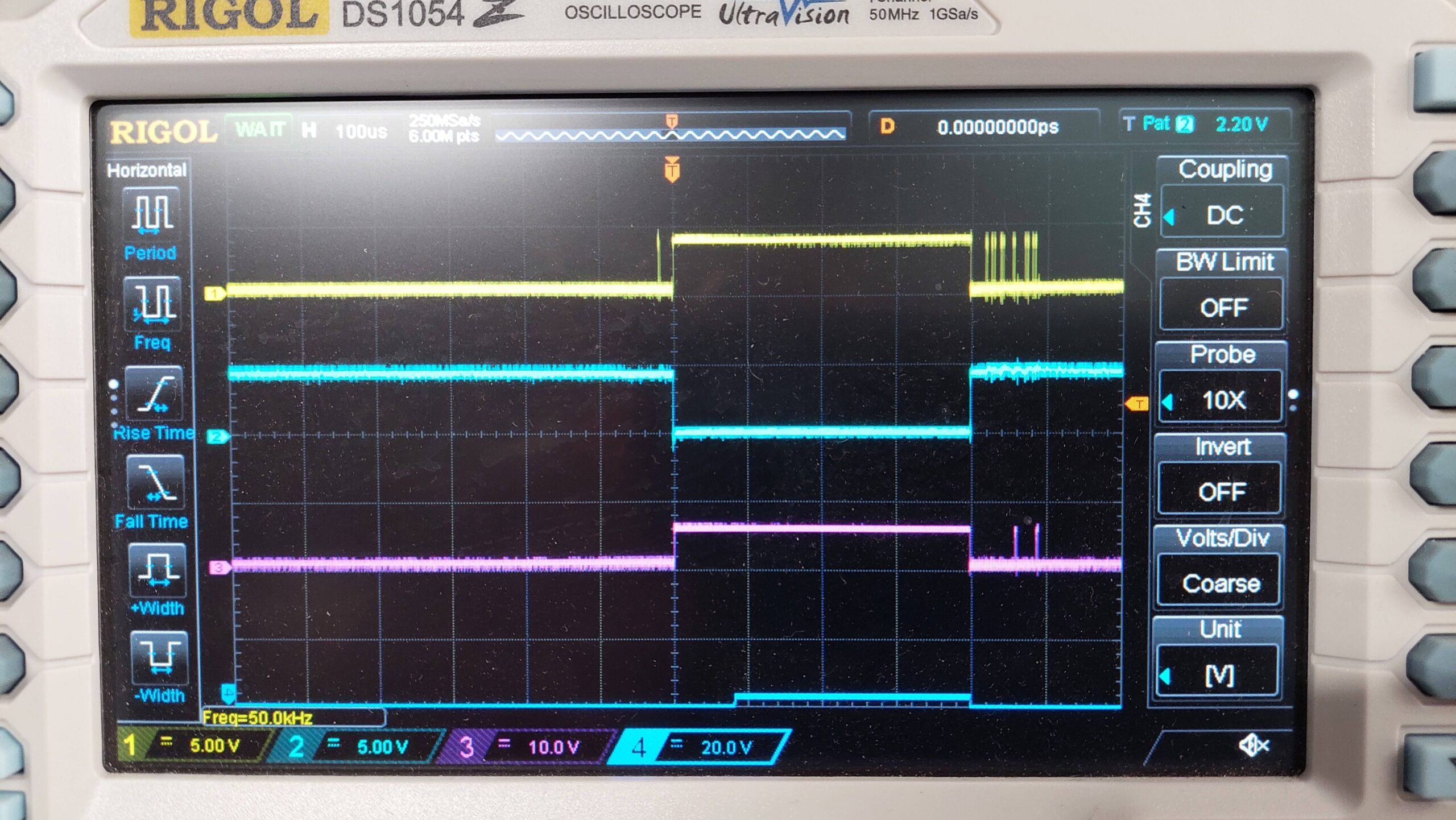
Then i removed the EPROMs and had a look at the programming cycle. This cycle relies on monostables to do the timing and they weren’t. I replaced the IC1 74LS123 and got some cycles that looked good.
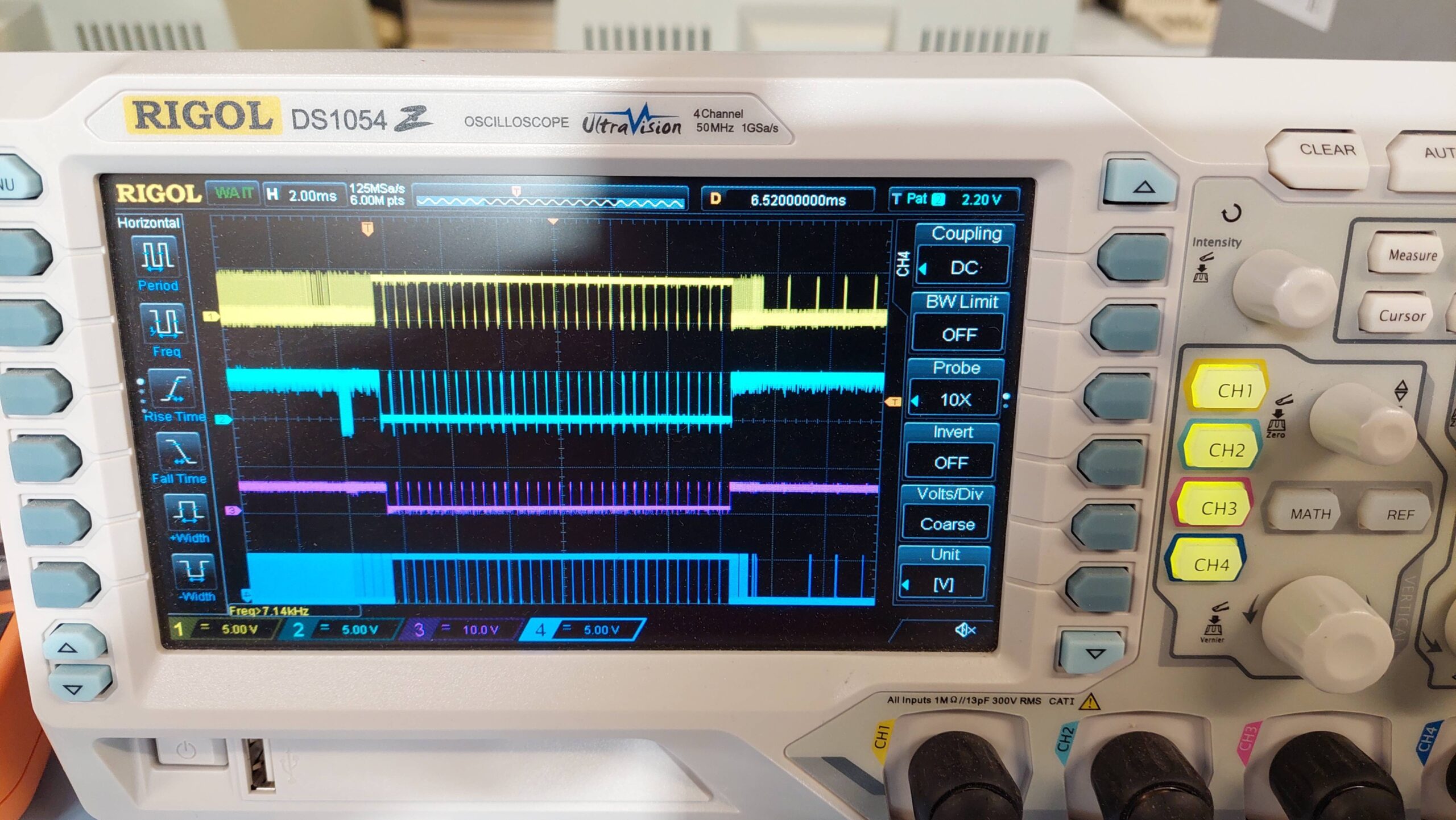
Write cycle with switch OFF:
MWRT, Board_Select, EPROM CS (pin 20), EPROM Program (pin 18)
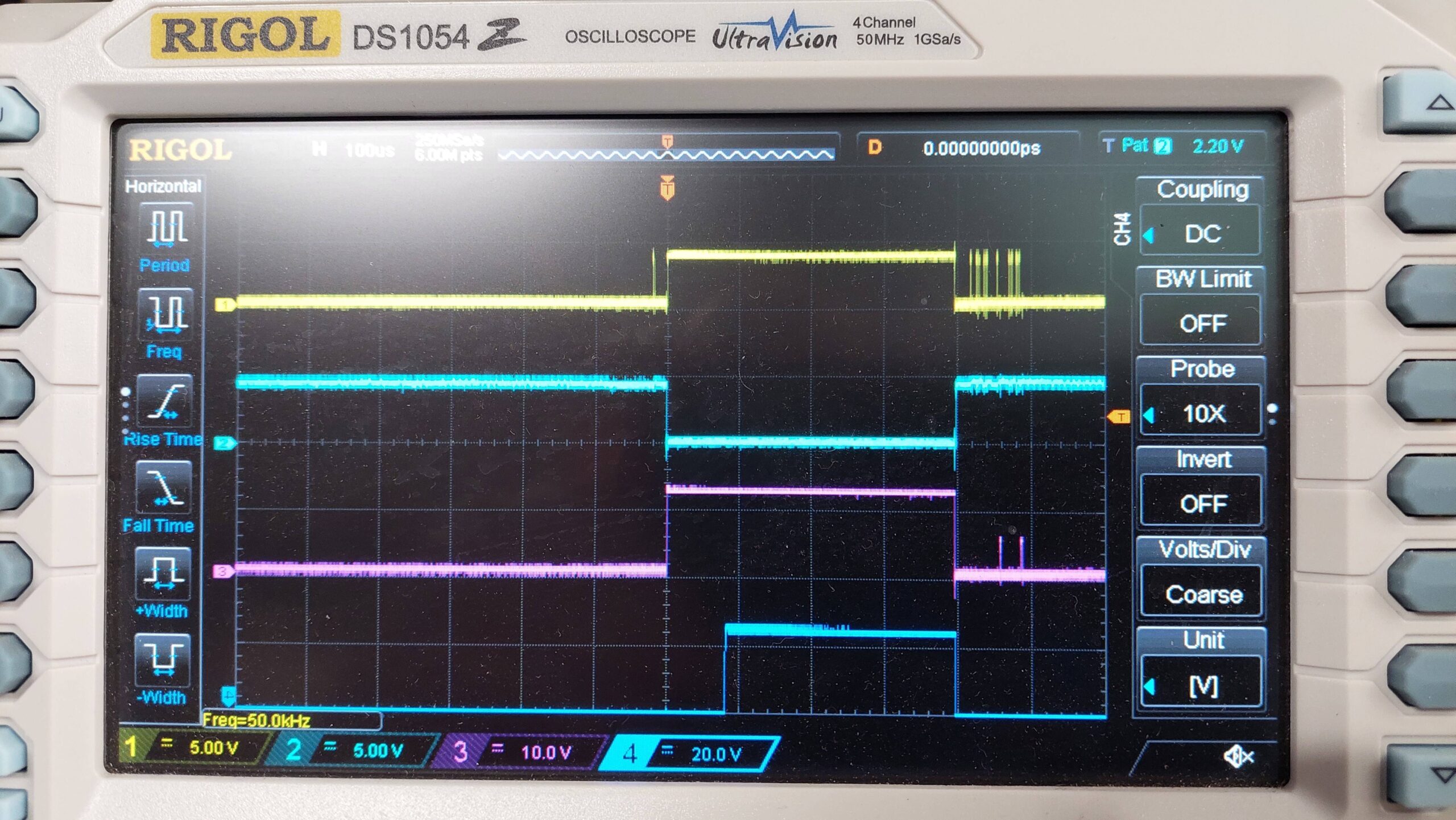
Write Cycle with switch ON:
This is how it should work according to the manual. With the programming switch on the CS pin rises to 12V and then a short time later the programming voltage is applied.
I looked further at the issue with the transition to the Z80 monitor. I found that it is fine if the PRDY signal is disconnected during the transistion, eg remove IC16-3 and connect with lead after transitioning. This is not a long term solution!
This is what it looks like when QUIT works:
WRT, Board_Select, EPROM CS (pin 20), PRDY
It seems to do 32 writes – is it scanning for available RAM with a write/read check?
I tried replacing the 74367 that drives PRDY. This seemed to have an effect. The transition would work repeatedly. And then it didn’t work repeatedly. And so on and so forth.
I then replaced all the 74367s without any very good reason. It will take some time to work out whether the issue has been resolved.
I tried programming an erased 2708. Remarkably, it programmed just fine! I used the Z80 monitor to copy the first 1k of the SCC ROMs to the blank 2708:
P 0000 S400 E000
I think it verifies during programming, but i verified it anyway:
V 0000 S400 E000
I eyeballed some of the data because i didn’t quite believe it.
It takes about 6 minutes to program a 2708, so a large program would take some patience.
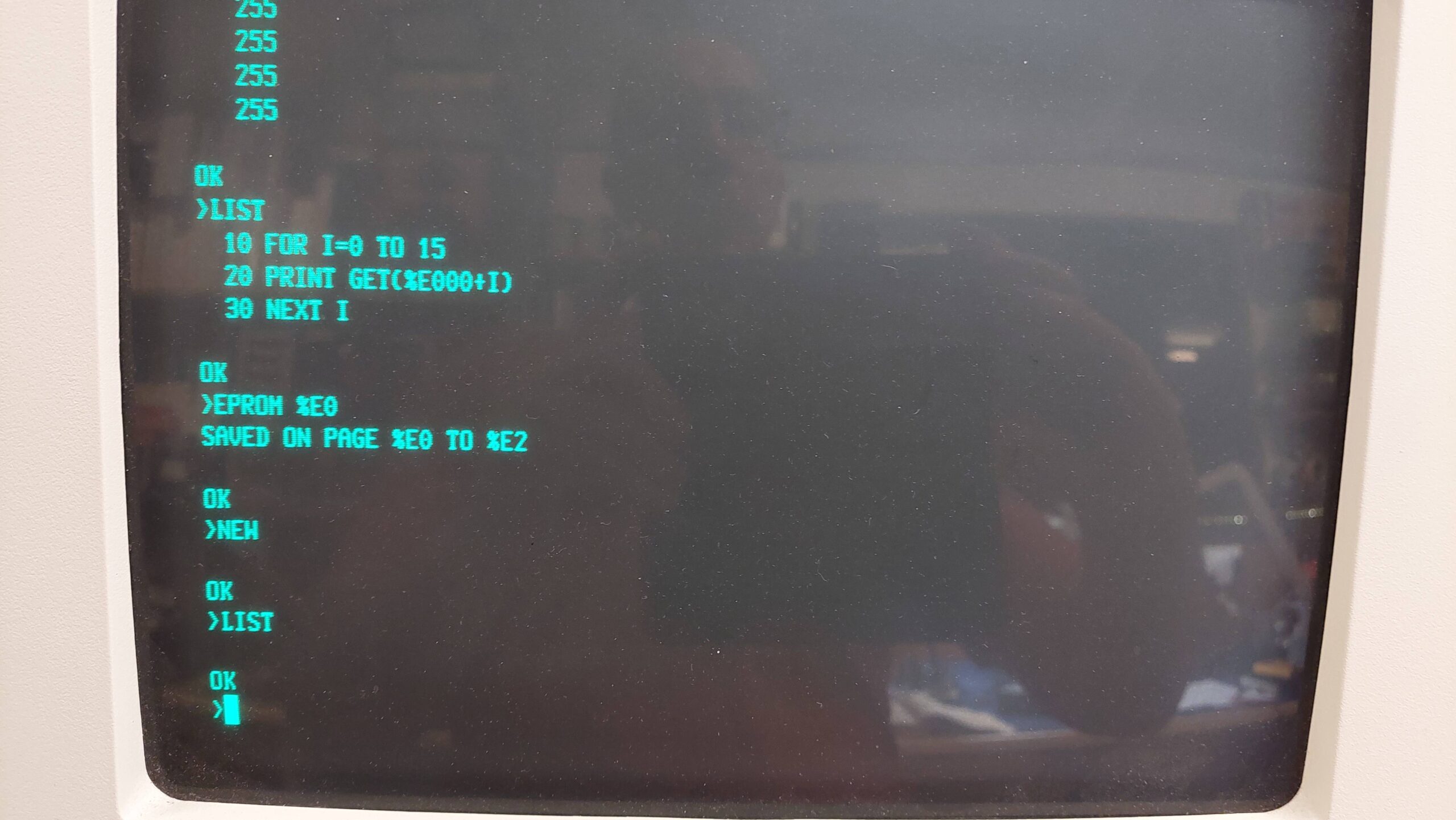
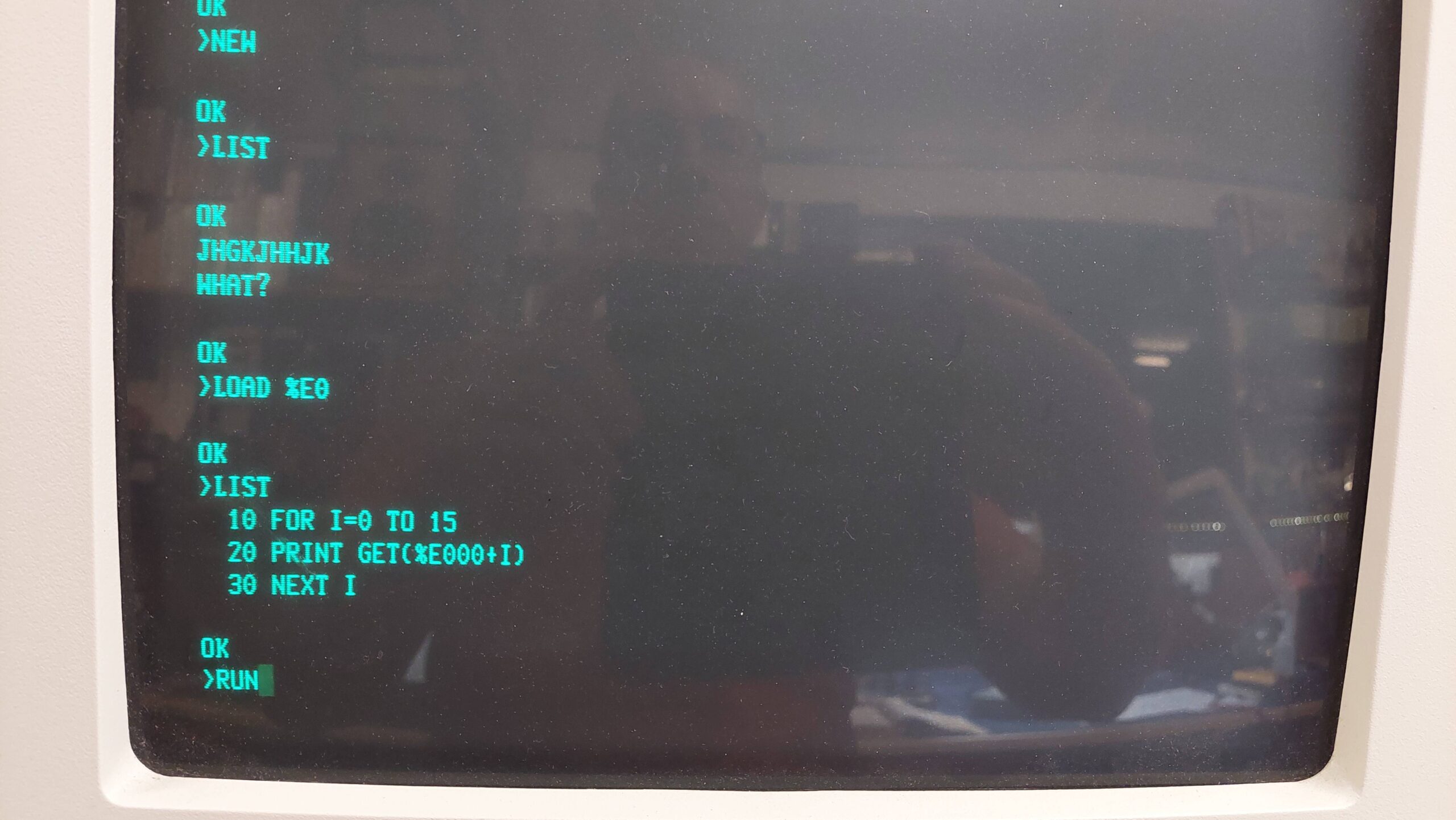
After erasing the EPROM, i tried saving a program in 3k Basic. Victory!
It is worth noting that it is fairly easy to accidentally overwrite an eprom. Just the random check for RAM that seems to occur when the Z80 monitor is invoked would be enough to do it. The programming switch should be set to ON only for the act of programming.
It probably doesn’t look like a big deal, but it has been a fairly painstaking effort to achieve this goal.
Apart from monitoring the reliability issue, i think the next step is to repeat the exercise with the older version of the Monitor & Basic: CB-308. This will require the binary to be programmed into two 2716 EPROMs and placed in the spare sockets of the SCC. Then the binaries can be copied into a set of 4x 2708s. This should also work on the SCC. After that, i can attempt to use the ZPU card together with some RAM and a TUART.
Other Notes:
Top left hand blue capacitor is good for Logic Probe power. It is also good for a scope ground connection.
A modern socket plugged into the old sockets is more accessible for buzzing out connections.
Board_Select AND sMEMR can be picked up at IC16-1.
MWRT can be picked up at S100-68
CS is pin 20 on the EPROM socket
BASIC won’t successfully quit to the Z80 monitor if the RDY signal is connected. Remove IC16-3 and connect with lead after transitioning. This needs to be resolved.
The row of 4.7k resistors should be 18k but, this may have been due to a change for Revision 2.
This machine came from Craig M of the ARC group. It is a Data General One from 1984. It is often credited as being the first battery powered IBM compatible(ish) laptop.
The impressively large LCD screen with its unimpressively low contrast is its Achilles heel. If not for that, it probably would have been a very successful machine.
The machine arrived with an expansion box, some disks, and lots of old-school manuals. Much of the software was packaged specifically for the One.
The Data General One Systems Programmer’s Manual contains a lot of technical detail about the machine include specific compatibility issues.
I also found this comprehensive and well-written article very helpful:
My story is different in that the machine came with a battery and an expansion unit, but did not come with a power supply. Somewhere along the way i also acquired the external 5.25″ drive unit but not the attachment cable.
Looking at the images in the article and comparing with my unit, i think the screen on mine seems to be somewhat clearer. It does seem to have what looks like some dust behind the panel, and it certainly needs good light (a camping headlamp works quite well) but it is quite useable if that’s all you have. It’s so much better, and clearly has a shade of green, that i wonder if the LCD is the same.
The expansion unit includes a floppy disk controller and 5.25″ floppy disk, a hard disk controller and a IMI hard disk built like a brick dunny, and a printer card. The manual indicated that it was possible for the system to use a CGA card in the expansion unit together with a CGA monitor to provide an external display – a blessed relief from the built-in LCD although far from portable.
The battery is charged from an external power pack, but it came as a surprise to learn that this was not intended to power the computer as well – although, as it transpired, it did do that job with some help from the battery. I couldn’t see this being sustainable.
Without an external supply or even the mating connector, i was forced to jump start it using a bench supply and some croc cables. Later i made up a power supply using an old laptop power supply and an adjustable DC/DC converter. The connector is a bit rough at present.
With power, the computer gave a beep and then, after a delay, it gave a further two beeps. The screen was blank initially but could be adjusted with the contrast buttons (command page-up and page-down). A carriage return allowed the system to boot from the front floppy drive.
Both symptoms were related to the backup battery being very flat. The battery was just a 2025 in a battery holder under the internal modem card.
The system reported a full 464kB of RAM – sadly, 48kB of the physical 512kB is lost to graphics memory. I have no idea whether another 128k can be added in the expansion unit.
I can confirm that the LCD screen is quite awful. It’s curious to me that Amstrad used a similar screen in its PPC512 a couple of years later. It was similarly awful, but at least external CGA was available on the Amstrad base machine.
The expansion unit connects to the computer via a cable and “dock”. The dock plugs into the expansion connector on the back of the computer and is held in place by two screws. When i tried to mount the dock, one of the mating nutserts released itself from the computer, and being worried that some debris may have been fallen inside the machine, i decided to open the unit. I had to anyway, to replace the battery.
Through this process, i learned that it is not necessary to remove the floppy disk drive screws or the keyboard screws.
<picture>
The remainder do need to be removed, together with the 6 metal clips – three on each side. The LCD cable can be released via the battery compartment by pulling up on the top half of the connector. Then the top half of the computer can be lifted and completely removed if the power switch is disconnected.
You have to be impressed with the amount of electronics crammed into the unit. There is a lot of surface mount technology for 1984 and the line sizes on the PCBs are very small.
The top card in the stack is the internal modem card. This seems to be controlled through a parallel interface and seems only to be available to the ROM resident terminal program.
The next card is the I/O card with floppy disk controller, real time clock, and the two serial ports. There’s a ton of surface mount on the back, which i neglected to photograph. The offending 2025 real-time clock battery was replaced.
And that’s the main board with the 8088. Most of the cabling has been done with a flexible PCB which is very space efficient. I fear for its longevity, though, as the bends are quite severe.
The memory expansion unit is very cute with three 128MB cards.
After all that, there was no debris, and i cannot see any way to restore the nutsert. I did a full disassembly to clean the keyboard and to have a look at the innards.
Care has to be taken with the main board – the ground springs need to hook under the plastic insulating layer.
I was somewhat aghast to see some scratching on the main board. This is caused by a metal cable retaining clip under the DC/DC converter on the rear panel. I inspected this pretty thoroughly to make sure that no tracks had broken. I added some tape to the metal clip to protect the board. Not great design.
I have not resolved the issue with the dock mechanics, but i pressed on.
The power arrangements for the machine are a little unusual. It can run from mains power adapter or from a large nicad battery pack. The battery pack is charged in the machine from a separate battery charger – not from the mains supply.
The mains supply, is according to ?????, a 30W 5.8V DC supply provided on a two pin connector of unknown type. I initially “jump started” the machine with a bench supply and some alligator clips.
The actual power drawn by the unit seemed to be no more than a couple of amps – perhaps the optional thermal printer takes power from the machine.
That seemed to be easily within the realms of a DC/DC converter. I found a simple one that could take a wide input voltage and could be adjusted to 5.8V. I’m yet to put it in a box, but it should be easy enough.
The DG One power connector is probably impossible to find but i did find some contacts that were close enough. I’ll need to craft a shell for the contacts.
As for the Nicad battery and charger – well, i think they can be relegated to exhibits.
With the base machine seemingly working well, it was time to try my luck with the expansion unit. I really should have inspected the power supply first because it let out quite a lot of smoke from a line filter capacitor self emolliating.
Accessing it involved removing the cover, removing the fan cowling, and then releasing the supply which, conveniently, has connectors at both the mains and DC ends. I replaced both line filter caps.
The hard disk drive did spin up, but that seemed to be all it did. There didn’t seem to be any calibration activity. On power-down it sounded like it ground to a halt. I think it’s unlikely to be viable. I removed it – a very chunky full height IMI 18MB unit.
The floppy disk drive did work, which was good because that meant that the link to the expansion box was working and, of course, the floppy disk controller was also working. The 5.25″ drive appears as drive C. The CMOS settings need to be changed to 3 drives for it to work.
The expansion unit also had a printer card to accommodate a centronics style printer. The printer port on the computer is serial and maybe specifically set up for the data general printer. Both the serial ports on the computer are incompatible with IBM ports.
I added a spare CGA card and connected a CGA monitor. With the computer settings set to MONO the external CGA monitor becomes the default screen. The mode can be set to BW40, BW80, CO40, and CO80. If the mode is set to MONO the LCD is reactivated. Without the expansion unit connected, all of these modes work with the LCD. The external monitor makes life much easier.
I thought that an XTIDE card might work with the One. I just took one from an XT and plugged it into the expansion unit. DOS 5.0 booted, but there were some issues during the autoexec. That was enough to show the potential, though.
The system will also boot from the 5.25″ drive in the expansion unit. It will not boot from the rear floppy disk drive, which unfortunately doesn’t seem capable of formatting, although i have been able to write with it. Perhaps a gotek candidate.
I have been able to boot later generic versions of MS-DOS but they may have incompatibilities, eg the real time clock does not work.
I added an XTIDE card and programmed it with the large XT BIOS. The behaviour was a little unexpected, probably because the floppy disk implementation is not 100% compatible with an IBM PC. The Universal BIOS has trouble associating the drive with drive letters often confusing the flash disk with the third floppy. Selecting floppy drives by letter at startup also resulted in boot failures.
The XTIDE Universal BIOS does seem to be a little befuddled by the machine. Selecting the boot drive by typing a letter sometimes worked, but at other times produced baffling results. Curiously, invoking the menu and then using the arrow keys to select the boot drive from that menu worked fine. Perhaps the relevant data is reread at that point; only a universal BIOS expert would know.
Also, fortunately, the Universal BIOS will allow the system to boot from any of the floppy drives – as long as it is selected from the Universal BIOS menu.
MS-DOS 3.2 is limited to 32MB partitions, which is a little tight. This is probably not a major issue for this machine which is likely to have only occasional use. I could not get the card to boot, but it worked fine otherwise.
I set up a second CF card with DOS 5.0. I was able to make this one bootable and i could set up a full 512kB partition. There is no specific version of MS-DOS 5.0 for the One, so there are a few places where IBM incompatibility rears its head. Firstly the battery backed real time clock does not work, and secondly MS-DOS 5 seems to politely ignore the incompatible serial ports.
With XTIDE and Universal BIOS there are a variety of oucomes depending on the operating system and the boot drive:
OS
Boot Drive
Notes
MS-DOS 2.1
A 3.5″ Front Internal
Boots. Can access floppy drives A(front), B(rear), C(5.25″). Appears to not have hard disk support. Was unsuccessful formatting C.
MS-DOS 2.1
B 3.5″ Rear Internal
Boots. Can access floppy drives A(rear), B(front), C(5.25″). Appears to not have hard disk support. Was unsuccessful formatting C.
MS-DOS 2.1
C 5.25″ External
Not attempted.
MS-DOS 2.1
CF Card
Appears to not have hard disk support.
MS-DOS 3.2
A 3.5″ Front Internal
Boots. Can access CF card with 32MB disk as D. Can access floppy drives A(front), B(rear), C(5.25″). Can write to rear drive but not format. Can format 5.25″ drive and write.
MS-DOS 3.2
B 3.5″ Rear Internal
Boots. Can access CF card with 32MB disk as D. Can access floppy drives A(rear), B(front), C(5.25″). Can write to rear drive but not format. Can format 5.25″ drive and write.
MS-DOS 3.2
C 5.25″ External
Boots. Can access CF card with 32MB disk as C. Can access floppy drives A (5.25″), B(front), D(rear). Can write to rear drive but not format. Can format 5.25″ drive and write.
MS-DOS 3.2
CF Card
Does not boot. Have to boot from floppy. Then card can be accessed. See above.
MS-DOS 5
A 3.5″ Front Internal
Boots. Can access CF card with 512MB disk as C. Can access floppy drives A(front), B(rear), D(5.25″). Can write to rear drive but not format. Can format 5.25″ drive and write.
MS-DOS 5
B 3.5″ Rear Internal
Boots. Can access CF card with 512MB disk as C. Can access floppy drives A(rear), B(front), D(5.25″). Can format 5.25″ drive and write.
MS-DOS 5
C 5.25″ External
Boots. Can access CF card with 512MB disk as C. Can access floppy drives A(5.25″), B(rear), C(front). Can format 5.25″ drive and write.
MS-DOS 5
CF Card
Boots. Can access CF card with 32MB disk as C. Can access floppy drives A(front), B(rear), D(5.25″). Can format 5.25″ drive and write.
The rear drive seems to have a strange fault that allows writes but prevents format. May just be in the detail of the format program. The drive system is not 100% IBM compatible.
When formatting DOS 5 seems to treat all drives as 360kB by default. It may be possible to use format options to override but i found it very reluctant. Use driver.sys in config.sys to create new drives E and F that are 720k. Required on any DOS 5 boot disk.I thought that an XTIDE card might work with the One. I just took one from an XT and plugged it into the expansion unit. DOS 5.0 booted, but there were some issues during the autoexec. That was enough to show the potential, though.
The system will also boot from the 5.25″ drive in the expansion unit. It will not boot from the rear floppy disk drive, which unfortunately doesn’t seem capable of formatting, although i have been able to write with it. Perhaps a gotek candidate.
I have been able to boot later generic versions of MS-DOS but they may have incompatibilities, eg the real time clock does not work.
All up, it’s a pretty complex picture!
I thught there may be a performance hit from using the expansion unit so i ran the performance test that is in checkit. The video speed is a little faster on the internal screen. Of course this may be due to the graphics implementation.
I added an XTIDE card and programmed it with the large XT BIOS. The behaviour was a little unexpected, probably because the floppy disk implementation is not 100% compatible with an IBM PC. The Universal BIOS has trouble associating the drives with drive letters often confusing the flash disk with the third floppy. Selecting floppy drives by letter at startup also resulted in boot failures.
Curiously, invoking the menu and then using the arrow keys to select the boot drive from that menu worked fine. Perhaps the relevant data is reread at that point; only a XTIDE Universal BIOS expert would know.
But, fortunately, the Universal BIOS will allow the system to boot from any of the floppy drives – as long as it is selected from the Universal BIOS menu.
MS-DOS 3.2 is limited to 32MB partitions, which is a little tight. This is probably not a major issue for this machine which is likely to have only occasional use. I could not get the card to boot, but it worked fine otherwise.
I set up a second CF card with DOS 5.0. I was able to make this one bootable and i could set up a full 512kB partition. There is no specific version of MS-DOS 5.0 for the One, so there are a few places where IBM incompatibility rears its head. Firstly the battery backed real time clock does not work, and secondly MS-DOS 5 seems to politely ignore the incompatible serial ports.
With XTIDE and Universal BIOS there are a variety of outcomes depending on the operating system and the boot drive:
OS
Boot Drive
Notes
MS-DOS 2.1
A 3.5″ Front Internal
Boots. Can access floppy drives A(front), B(rear), C(5.25″). Appears to not have hard disk support. Was unsuccessful formatting C.
MS-DOS 2.1
B 3.5″ Rear Internal
Boots. Can access floppy drives A(rear), B(front), C(5.25″). Appears to not have hard disk support. Was unsuccessful formatting C.
MS-DOS 2.1
C 5.25″ External
Not attempted.
MS-DOS 2.1
CF Card
Appears to not have hard disk support.
MS-DOS 3.2
A 3.5″ Front Internal
Boots. Can access CF card with 32MB disk as D. Can access floppy drives A(front), B(rear), C(5.25″). Can write to rear drive but not format. Can format 5.25″ drive and write.
MS-DOS 3.2
B 3.5″ Rear Internal
Boots. Can access CF card with 32MB disk as D. Can access floppy drives A(rear), B(front), C(5.25″). Can write to rear drive but not format. Can format 5.25″ drive and write.
MS-DOS 3.2
C 5.25″ External
Boots. Can access CF card with 32MB disk as C. Can access floppy drives A (5.25″), B(front), D(rear). Can write to rear drive but not format. Can format 5.25″ drive and write.
MS-DOS 3.2
CF Card
Does not boot. Have to boot from floppy. Then card can be accessed. See above.
MS-DOS 5
A 3.5″ Front Internal
Boots. Can access CF card with 512MB disk as C. Can access floppy drives A(front), B(rear), D(5.25″). Can write to rear drive but not format. Can format 5.25″ drive and write.
MS-DOS 5
B 3.5″ Rear Internal
Boots. Can access CF card with 512MB disk as C. Can access floppy drives A(rear), B(front), D(5.25″). Can format 5.25″ drive and write.
MS-DOS 5
C 5.25″ External
Boots. Can access CF card with 512MB disk as C. Can access floppy drives A(5.25″), B(rear), C(front). Can format 5.25″ drive and write.
MS-DOS 5
CF Card
Boots. Can access CF card with 32MB disk as C. Can access floppy drives A(front), B(rear), D(5.25″). Can format 5.25″ drive and write.
The rear drive seems to have a strange fault that allows writes but prevents format. May just be in the detail of the format program. The drive system is not 100% IBM compatible.
When formatting DOS 5 seems to treat all drives as 360kB by default. It may be possible to use format options to override but i found it very reluctant. Use driver.sys in config.sys to create new drives E and F that are 720k. Required on any DOS 5 boot disk.
All up, it’s a pretty complex picture!
My XTIDE card does not have a rear facing slot to allow the CF cards to be easily changed. Often, i have to make do with what we can economically get in Australia. XTIDE does support two cards though, and there is plenty of space in the hard drive bay to house them. MS-DOS 3.2 does not see the 32MB drive, but DOS 5 sees both.
With a large hard disk, the first directory listing can take a long time. This is particularly noticeable on my PCs that have 2GB partitions. This effect seems accentuated on this machine and is very noticeable with the 512MB partition. I suspect that the bandwidth using the expansion unit is much lower than with the built-in expansion bus of the IBM PC and similar machines. Nevertheless, it is quite useable.
The Expansion unit only has 6 slots and one of those is occupied by the connection to the One. One is required for the Floppy Disk Drive controller and another was occupied by the Hard Disk Controller, but that has been swapped for an XTIDE. Another was occupied by a printer card. Then i added a CGA card. One slot remained.
I really wanted to add a game port and a couple of IBM compatible serial ports (ideally one for a mouse and one for Kermit serial communication); the native com ports are not compatible. The easiest way to do this is to replace the original printer card with a multifunction card and an additional I/O panel. It may be possible to use the multifunction card’s floppy disk controller in place of the original, but i have disabled it for now.
I have used a CA9342 multifunction card. This card is 16 bit, but i expect that the 16 bit operation is limited to IDE, which i won’t be using. I disabled IDE and FDC. Obviously it is from a later era, but so is the XTIDE card. It could be replaced with an older card – one that could provide another 128kB of RAM would be interesting.
The Serial Ports were set to COM3 and COM4. This will provide two PC compatible com ports. The printer is set to LPT1 and the game port is also enabled. The second serial port and the game port connectors are mounted on a second I/O panel.
Parallel port enabled
JP2
pins 1 & 2 closed
Parallel port disabled
JP2
pins 2 & 3 closed
Serial port 1 address 3F8 – 3FFh select
JP3
pins 1 & 2 closed
Serial port 1 address 3E8 – 3EFh select
JP3
pins 2 & 3 closed
Floppy drive interface enabled
JP4
pins 1 & 2 closed
Floppy drive interface disabled
JP4
pins 2 & 3 closed
Serial port 2 enabled
JP5
pins 1 & 2 closed
Serial port 2 disabled
JP5
pins 2 & 3 closed
Parallel port address 378 – 37Fh select
JP6
pins 1 & 2 closed
Parallel port address 278 – 27Fh select
JP6
pins 2 & 3 closed
Serial port 2 address 2F8 – 2FFh select
JP7
pins 1 & 2 closed
Serial port 2 address 2E8 – 2EFh select
JP7
pins 2 & 3 closed
Game port enabled
JP8
pins 1 & 2 closed
Game port disabled
JP8
pins 2 & 3 closed
Serial port 1 enabled
JP9
pins 1 & 2 closed
Serial port 1 disabled
JP9
pins 2 & 3 closed
IDE interface enabled
JP10
pins 1 & 2 closed
IDE interface disabled
JP10
pins 2 & 3 closed
Serial port 1 interrupt is IRQ3
JP11
pins 2 & 3 closed
Serial port 2 interrupt is IRQ3
JP11
pins 1 & 2 closed
Serial port 2 interrupt is IRQ4
JP12
pins 1 & 2 closed
Serial port 1 interrupt is IRQ4
JP12
pins 2 & 3 closed
Serial port 1 interrupt is IRQ5
JP13
pins 2 & 3 closed
Serial port 2 interrupt is IRQ5
JP13
pins 1 & 2 closed
Serial port 1 interrupt is IRQ2
JP14
pins 2 & 3 closed
Serial port 2 interrupt is IRQ2
JP14
pins 1 & 2 closed
Parallel port interrupt is IRQ7
JP15
pins 1 & 2 closed
Parallel port interrupt is IRQ5
JP15
pins 2 & 3 closed
I ran checkit to check the configuration.
MS-DOS 5 does support COM3 and COM4 but can’t see the native One ports, so it labels COM3 and COM4 as COM1 and COM2, respectively. Checkit calls them by names based on their addresses. COM4 (that’s what you type into Kermit) works under MS-DOS 5 but COM3 does not. It only transmits.
MS-DOS 3.2 does not support COM3 and COM4 but Kermit still allows them to be selected, albeit with assumptions about addresses. I found the COM3 worked fine, but curiously COM4 would only transmit.
Once again the IBM incompatibility makes everthing flaky. Checkit reports a missing interrupt. It is what it is.
The joystick shows up and tests fine in Checkit. It does not always work in practice. It works great, for example, with Cosmic which is a space invaders style game.
The software situation is quite amazing – not so much for the quantity of it, but for the associated manuals which are substantial.
All the original disks have been imaged. The Flight Simulator II disk is copy protected so an IMD/IMG is not good enough; an SCP is required. The Overhead Express disk that i grabbed from the web needs to be written from the IMD; it is not enough to just grab the files.
Package
Disks
Manual
Notes
MS-DOS 2.1 OEM
2 original disks
2 manuals 1 key overlay
Tested and works.
Diagnostics
1 original disk
Tested an works. Has a hard disk formatter.
MS-DOS 3.2 OEM
Disk images available on internet
3 manuals
Tested and works.
GW-Basic OEM
On OS Disk
1 manual
Micropro Wordstar 3.3 OEM
3 original disks
6 manuals, 2 reference cards
Tested and works but limited to mono display. A generic copy of wordstar works with CGA as well.
Sorcim/IUS Supercalc 3
1 original disk
1 manual, 3 reference cards
Tested and works.
Sorcim/IUS Easywriter II
1 original disk
1 manual
Tested and works.
Ashton-Tate Framework 1.1 OEM
5 original disks
2 manuals, 1 key overlay
Micropro Infostar+
Only a Sanyo MBC 550 OEM version downloaded
4 manuals 2 reference cards
BPS Overhead Express
Data General Version downloaded
1 manual, 1 reference card
Tested and works. The floppy disk must be in drive A even when running from hard disk.
subLogic Flight Simulator II OEM
1 Original disk
manual, maps, reference card
Tested and works. Run from a floppy written from SCP.
SSI WordPerfect OEM
Only a generic version 3 download.
1 manual
Tested and works.
Digital Research CP/M OEM
1 manual
A full list of software is here, but it is not easy to tell if all of these are OEM versions and to what degree they may have been modified to work with the One:
The DG OEM version of wordstar always changes to the MONO screen mode when it executes which means it can’t be used on the external CGA screen. The non-OEM version works in either mode.
I have not found a CP/M-86 disk although i have seen it mentioned in forums. There is a CP/M programmers guide amongst the manuals that i have.
Some of the Data General communications mention a version of Unix but i have not found that either.
Most of the manuals do not seem to be online so i have some scanning to do!
This was a gifted by a Rotarian. Sale proceeds will go to the Rotary Foundation.
Commodore 64C – Nice cosmetic condition. A little yellow on the rear panel and backs of keys. Loads up games. Sounded and looked good with my monitor and cable. No manual
Diagnostic cart identified faults with 6526 U2 6581 U17 and Control Port. Sound test sounded fine. Joystick test program showed ports, joysticks, and paddles working fine. I have not noticed any issues in use.
Power Supply – works.
1541 Disk Drive – passes Commodore performance test and loads games. A few small cable “melts” on the case. Includes box, cable, and manual.
Datasette – it would detect titles but would not start loading. Includes box and manual.
Accessories, games, and boxes including:
2x Joystick – One with a homemade replacement cable.
Paddle set
Cartridges: Le Mans, International Football (both worked for me)
Tapes: Armchair Cricket, America’s Cup, SWAT, Desert Hawke (I only got SWAT to load)