Apple IIe Beige

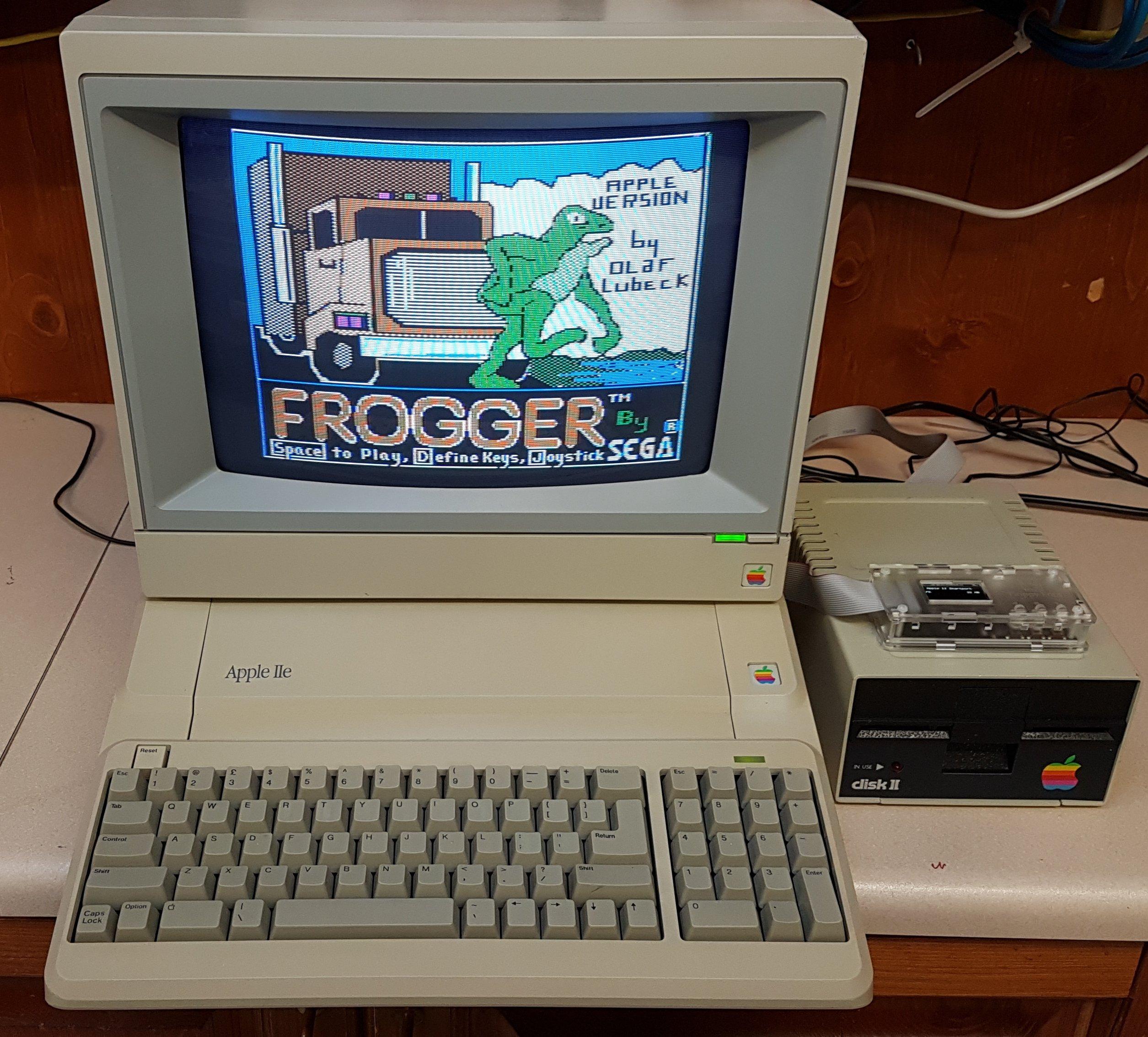
Back in about 2019 i picked up several Apple items at a garage sale. Amongst them were a Green Monitor, a Duodisk Drive, and a Platinum IIe. The Duodisk needed a little work as it had become as one with a termite mound during its storage prior to the sale. It all ended happily, although the platinum IIe never looked quite right with the rest of the system.

I have since bought a second platinum IIe which came with a colour monitor. I typically don’t like having two of something (there are a few exceptions) so i resolved to swap out the original platinum IIe for a beige IIe. Impatience is expensive, and so is “mint”, so i waited until one came up in the right condition and price. Six years later ….

This was a FB marketplace purchase, although it turned out that the seller did frequent the ARC meetings in Adelaide.

The only real mis-step was the “1” key on the keyboard, which was not doing its thing. This was resolved by the already well-documented process of removing the key switch, disassembling, bending out the metal leaf a little, and then reassembling. Line filter caps were replaced.

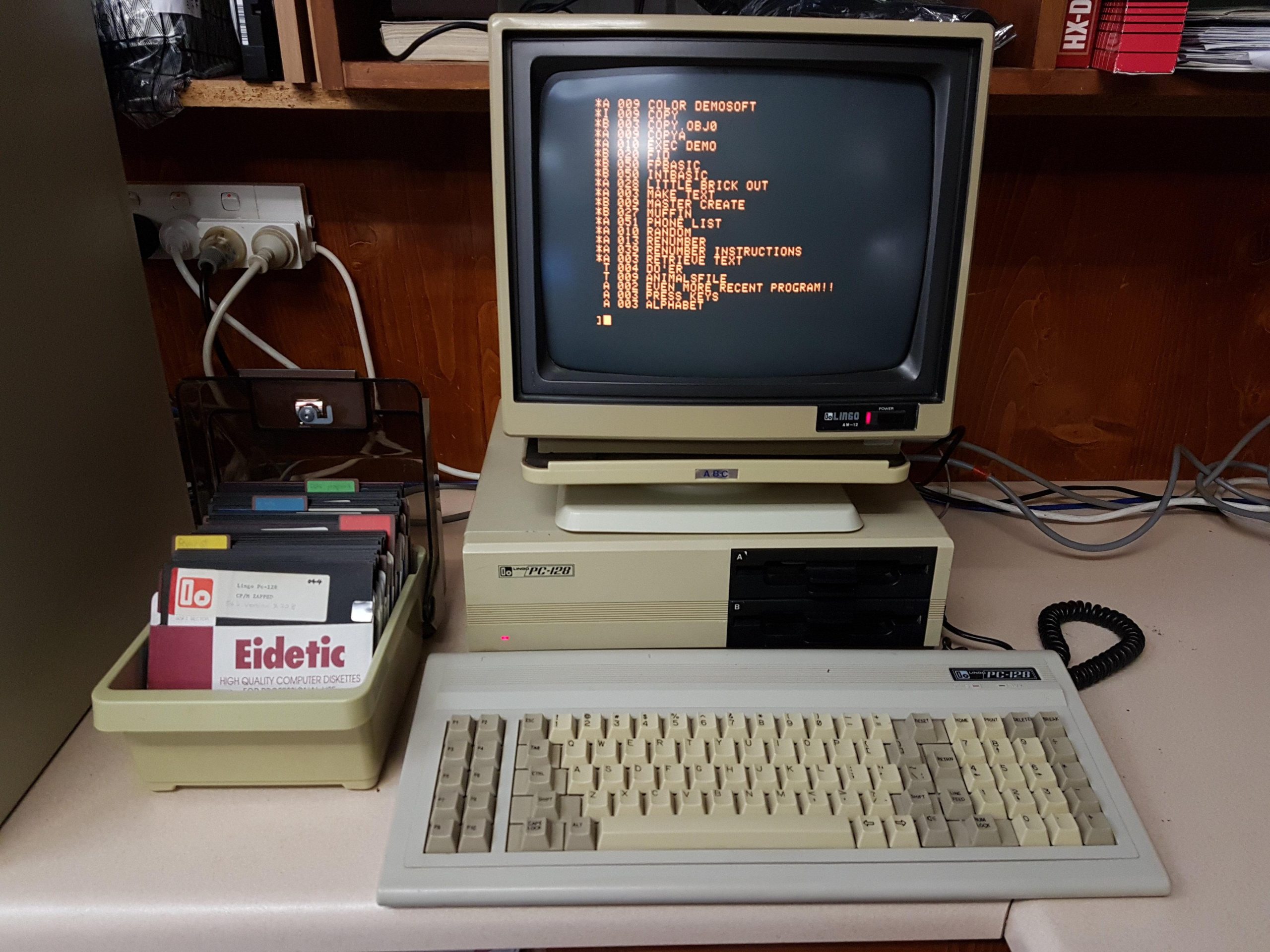
I have set this machine up to be workman-like by including printer card, super serial card, 80 column card, and a Microsoft Softcard clone for CP/M. In this configuration, it is similar to the Lingo clone that i used back in the eighties.

This is an unenhanced IIe from around 1983.
Apple II Europlus

The Apple II computer is iconic. It was the first computer that i ever touched – one arrived at Unley High in 1981.

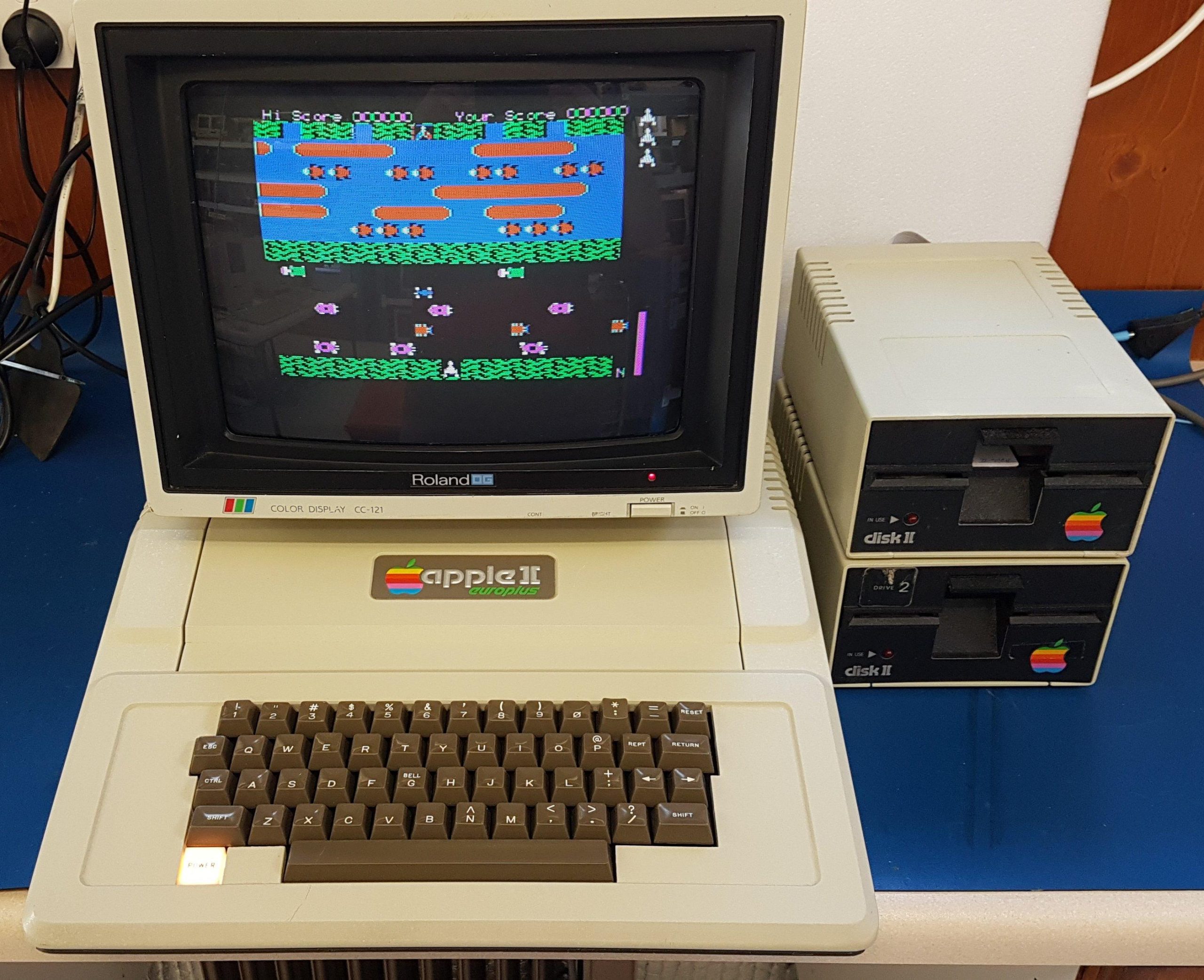
I’m sure there are original Apple II machines in Australia but the earliest i could expect to find was a Europlus which uses PAL video without the colour encoding from the factory. This one appears to have been manufactured in 1979 when i was still at school. It was owned by Flinders University.

This one was a gumtree purchase and came with two third party drives. It had a language card and a disk controller card.

The keyboard was missing a key, and the replacement i got was not for this particular keyboard – it’s easy to spot if you look in the pic. Perfection is not my goal.

The power supply looked fine other than the line filter caps, and the machine largely worked – most of the time. Often it would stop working, and then it would need a push or a prod on the motherboard to get it going again.

I don’t pull down stuff just for kicks, but i pulled all the chips, cleaned the board and the ICs – in some cases re-attached some legs that had broken – and put it all back together.

The controller card and drives were all faulty, so i suspect they came from a repair box at the university. The controller card needed one IC replaced. Both of the drives needed replacement Darlington drivers – one was cracked. I eventually replaced the third party drives with Apple units.

I like to fill slots, so i added:

  • Printer (Epson): Slot 1
  • Super serial: Slot 2
  • 80 column card (Videx clone): Slot 3
  • Z80 card (softcard clone): Slot 4
  • Booti: Slot 5
  • Disk Controller (clone): Slot 6
  • RGB card (Taxan): Slot 7

I can also swap in a PAL card in place of the RGB which has some advantages when swapping between operating systems. The RGB card does not work with CP/M.

With the Z80 card installed i could boot CP/M but i got some strange behaviour including calculation errors in MBasic. The silkscreen indicated that IC B1 should be a 74S, but it was a 74LS. When i changed to the S part, the calculation issue resolved.

I also found an issue where the 80 columns mode would not work with Wordstar. This seems to have been related to a known problem with the Softcard when a Videx card is installed. The solution was to add a capacitor between pins 10 and 11 on IC15. This resolved the issue.

The booti card does a great job of serving up disk images including Total Replay. Real floppy disks provide a more genuine experience, but there’s no doubt that they take more patience.

Apple II GS

I was alerted by an ARC colleague (thanks Jon) of a curious garage sale up at One Tree Hill. There i found, amongst other things, this quite early Apple IIGS. The keyboard is not a GS keyboard, but it is close enough.

This machine was built around the end of 1986, perhaps early 1987. It still had the original ROM 00. The updated ROM 01 was released in late 1987, and it was generally assumed that users would adopt the free ROM upgrade. For whatever reason, this unit missed the boat. I made up an adapter for a M27C1001 which did the job.

The battery was flat but had not leaked. I replaced it.

I added a Booti card for solid state storage and a Garrett 4MB memory card. I have configured slot 7 for Localtalk so i have popped the Booti card into slot 1 (local printer disabled).

I have loaded some pre-made disk images on to the Booti including GSOS V6. I added Appleworks and some games.

I also added Appletalk using the GSOS installer. It connected fine to an Macintosh SE/30 and even with a Macintosh G4 via a bridge.

Apple IIe Platinum Colour

This machine came from a fellow ARC member. It was in pretty good shape when i received it. It came with an Apple 19 pin 5.25″ Floppy Drive Controller, an Apple 3.5″ Disk Controller (which supports Smartport), an 80 column card, and the Apple Colour Monitor.

I have added a printer card, Super Serial Card, Mouse Interface card, and an Apple Disk II card. The original 80 column card has been replaced with a somewhat extreme 8MB memory card.

A FloppyEmu hangs off the smartport to provide a solid state hard disk. With the additional memory, mouse, and solid state drive, the machine becomes quite a capable ProDOS machine.

This is also a very nice machine to set up at an exhibition with Total Replay for a low effort hands-on retro gaming experience.

Lingo 128

Over the 1984/85 summer, i earned enough money to buy my first computer.  I was never going to be able to afford one of the big names, but my neighbour was selling some Apple II clones made in Singapore by Limco.  I’m not sure that it was the most well-informed purchase that i’ve ever made, but the computer got me through my final year of uni and taught me a lot of things along the way.

It sat in a cupboard for many years and then in my shed for many more before i boldly applied power in about 2014.  To my surprise, it booted up fine.  I added a super serial card and used ADTPro to back up my floppy disks.

Compatibility is not perfect, but most programs run ok.  The included CP/M included a RAM disk which used the additional 64k of memory.  The keyboard interface is unique, but i have deciphered it so that i can use a PS/2 keyboard if the original fails.

The monitor is a rebadged Mitsubishi unit similar to the ones that were often used with Microbee computers.

It has two Chinon floppy disk drives in the flip top chassis.  I’ve since added a couple more external drives – 160kB is not a lot to work with.

The machine came with an “80 column emulator”, a ROM Card, a disk controller, and a SAM card for speech synthesis.

The SAM card always amused people back in the eighties.

The white solder resist seems to have been unusual at the time. It seems to have been used on other Limco products as well.

 The power supply is quite a neat unit.

It has RGB built-in. I only got to see it work 30 years after i bought it!

Sadly, i stupidly gave away the printer about 30 years ago.  It was a rebadged Panasonic unit.